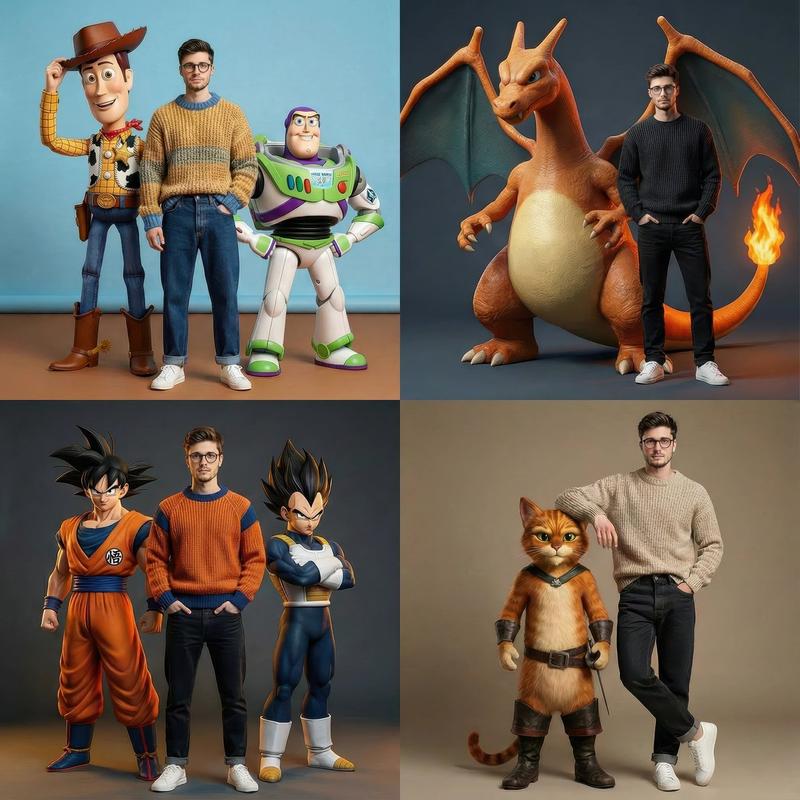
Use the face from the reference image exactly
Prompt
Use the face from the reference image exactly. Do not alter any facial feature. Preserve every facial structure from the reference photo but apply a single expression adjustment: a subtle, closed mouth sil The lips are gently pressed together with a slight upward curve at the corners no teeth visihiv, 0 grin, just a quiet and natural hint of a smile. Warm but understated. Do not beautify, do not stopth skin, 100 not change the nose shape, do not widen or nazzow the eyes, do not change the jaw or chin the cat alter the age or ethnicity, do not idealize. Everything about the face stays identical to the referencs except for this minimal expression adjustment.

Cinematic vertical portrait (9:16 ratio), photorealistic live-action style inspired by a Pokémon adventu film. Warm golden natural lighting late morning sum browsing through a dense forest canopy, volumetest goo rays filtering between tall mossy trees, lush green farns and undergrowth on the forest four soft atmospheric dust particles floating in the light. The wood is adventurous, warm, and hopeful scene, but a journey moment. A forest trail winds into the background. not a hattle

CRITICAL FACE FIDELITY: The subject from the reference image appears as the Pokémon trainer the center 이

the frame. This is a face transplant task not a face generation task. Copy the face from the reference photo with zero creative interpretation. Preserve every individual facial feature exactly: the precise chape of the eyes, the exact eye color, the specific eyebrow arch and thickness, the exact nose shape and is the lip shape and fullness, the jawline, the cheekbone structure, the chin shape, the exact skin tone and texture, any. moles, marks, or asymmetries. The only expression adjustment allowed is a gentle closed-mouth ssle-lips together, corners of the mouth slightly raised, no teeth, no exaggeration. The scene Lighting is Fruited on top of the preserved face. The face is the absolute priority lighting and scene integration arendary to identity accuracy. If someone who knows this person sees the result, they must recognize then coutantly

Also faithfully reproduce every single personal accessory visible in the reference image earrings, piercings, necklaces, rings, bracelets, makeup, tattoos, or any other personal items. These must appear on the trainer. Do not add, zemove, or alter any personal accessory.

The trainer outfit is clean and freshno dirt, no stains, no damage, no wear marks: a clean faded denim west over a crisp white t-shirt, clean olive cargo pants, fingerless green gloves in good condition, a classic Pokémon trainer cap (white and red with a green triangle symbol on the front, slightly tilted), and a clean green backpack with the straps held loosely. No mud, no grass stains, no tears, no weathering of any kind.

The trainer stands upright, relaxed, looking directly at the camera with that quiet closed-mouth smile. Both hands grip the backpack straps loosely at chest level. Framed from roughly knee height up, surrounded by the forest.

Three Pokémon sursound the trainer, all zendered in a gritty photorealistic style textured fur, scales and skin with physical weight, realistic shadows and light integration, no plastic sheen, no cartoon rendering, no CGI gloss:

1. Pikachu perched on the trainer's right shoulder, small and fluffy, its fur catching the warm golden sunlight. Looks toward the camera with a cheerful alert expression. Cheek pouches glow faintly with a subtle electric shimmer. Feels like a loyal companion, confortatile and at home on the shoulder.

2. Charizard standing tall just behind and to the left of the trainer, large orange body and folded wings looming protectively. Head lowered slightly toward the trainer in a gesture of loyalty. Embers drift lazily from its tall flame catching the backlight. Posture is calm and protective, not aggressive.
- Category
- Brand & Logos
- Model
- GPT Image 2
- Creator
- Confidence Thomas
- Source ID
- 2737
- Published
- May 7, 2026
Views195