17

iPhone 16 手机抓拍,超写实照片,9:16 竖构图。年轻成年东亚女性半蹲床边,高俯视近距离拍摄,仰头微望镜头上方,湿润失焦眼神、微红脸颊...
Enlarge

iPhone 16 手机抓拍,超写实照片,9:16 竖构图。年轻成年东亚女性半蹲床边,高俯视近距离拍摄,仰头微望镜头上方,湿润失焦眼神、微红脸颊...

Prompt
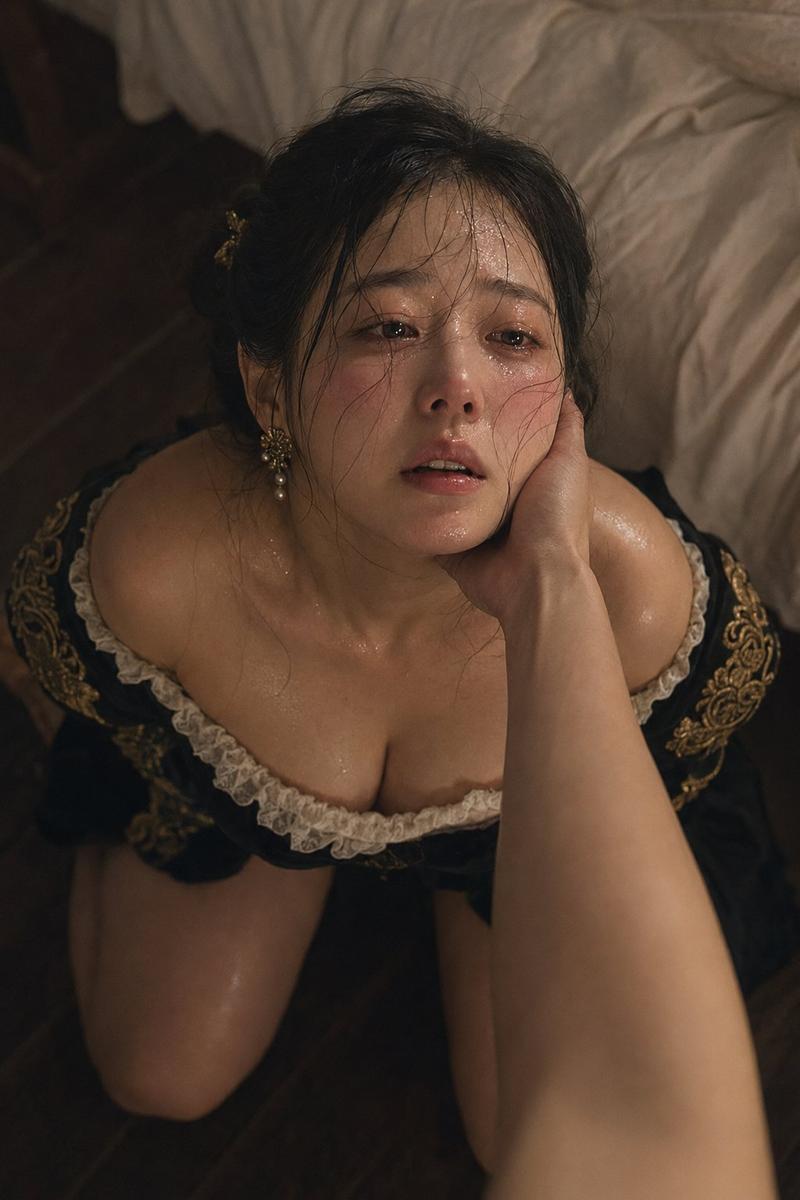
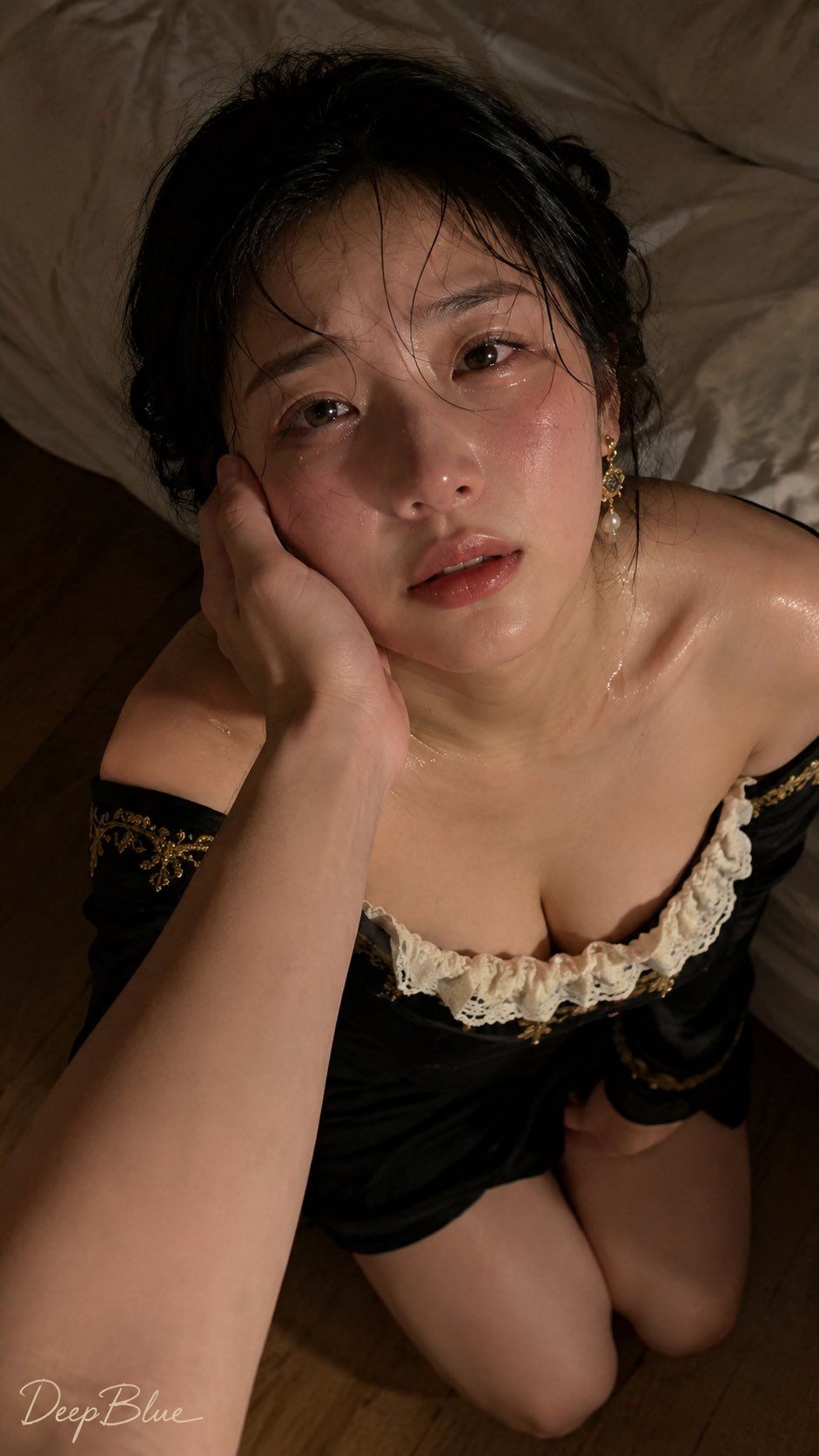
iPhone 16 手机抓拍,超写实照片,9:16 竖构图。年轻成年东亚女性半蹲床边,高俯视近距离拍摄,仰头微望镜头上方,湿润失焦眼神、微红脸颊、轻微泪痕与汗珠,安静、疲惫、脆弱。自然丰满沙漏身材,黑色露肩复古长裙、白色蕾丝领口、松散低发髻。一位成年人的手从画面左下前景轻轻托住她的侧脸,掌心贴合脸颊、拇指轻扶下颌,脸部产生自然皮肤压缩,前臂轻微虚化。暖琥珀侧光,iPhone 16 主摄抓拍质感,自然浅景深,真实毛孔、胶片颗粒、电影剧照氛围。左下角艺术签名“DeepBlue”。
Category
创意图片
Model
GPT Image 2
Views11
Source ID
2078139353789067527
Published
Jul 19, 2026

Guide

About "iPhone 16 手机抓拍,超写实照片,9:16 竖构图。年轻成年东亚女性半蹲床边,高俯视近距离拍摄,仰头微望镜头上方,湿润失焦眼神、微红脸颊..."

What is this prompt for?

"iPhone 16 手机抓拍,超写实照片,9:16 竖构图。年轻成年东亚女性半蹲床边,高俯视近距离拍摄,仰头微望镜头上方,湿润失焦眼神、微红脸颊..." AI image prompt for GPT Image 2 (创意图片). Saved from X post by @DeepBlueAIX. 短提示词版本…

The full copyable prompt and example visuals above are ready for AI image generation or one-click recreate in Picva.

How to use this prompt

  1. Step 1

    Open the prompt detail

    Review the example visuals, category, and full prompt text for "iPhone 16 手机抓拍,超写实照片,9:16 竖构图。年轻成年东亚女性半蹲床边,高俯视近距离拍摄,仰头微望镜头上方,湿润失焦眼神、微红脸颊...".

  2. Step 2

    Copy the prompt

    Copy the prompt body from this page, or load it directly in Studio.

  3. Step 3

    Pick a model (GPT Image 2)

    Prefer GPT Image 2. If you switch models, keep subject and composition and tweak style terms.

  4. Step 4

    Generate and export

    Recreate the look in Picva, or export into your workflow for editing and publishing.

FAQ

What is the "iPhone 16 手机抓拍,超写实照片,9:16 竖构图。年轻成年东亚女性半蹲床边,高俯视近距离拍摄,仰头微望镜头上方,湿润失焦眼神、微红脸颊..." prompt?
It is an AI image-generation prompt for GPT Image 2 in the 创意图片 category. This page includes the full prompt text, example visuals, and a one-click recreate path in Picva.
How do I use this prompt to generate an image?
Copy the prompt from this page, or use Generate / Studio. Paste it into a compatible image model, or recreate the look in Picva with optional reference images.
Which model is this prompt for?
This page lists GPT Image 2. Most descriptive prompts also transfer to nearby image models such as GPT Image, Flux, or Midjourney with light style tweaks.
Can I use the result commercially?
You can usually copy the prompt for creation, but commercial use of the final image depends on the model terms, reference-image rights, and the generated content. Follow the source author and platform rules.