19

跨设备社交媒体信息流
Enlarge

跨设备社交媒体信息流

Prompt
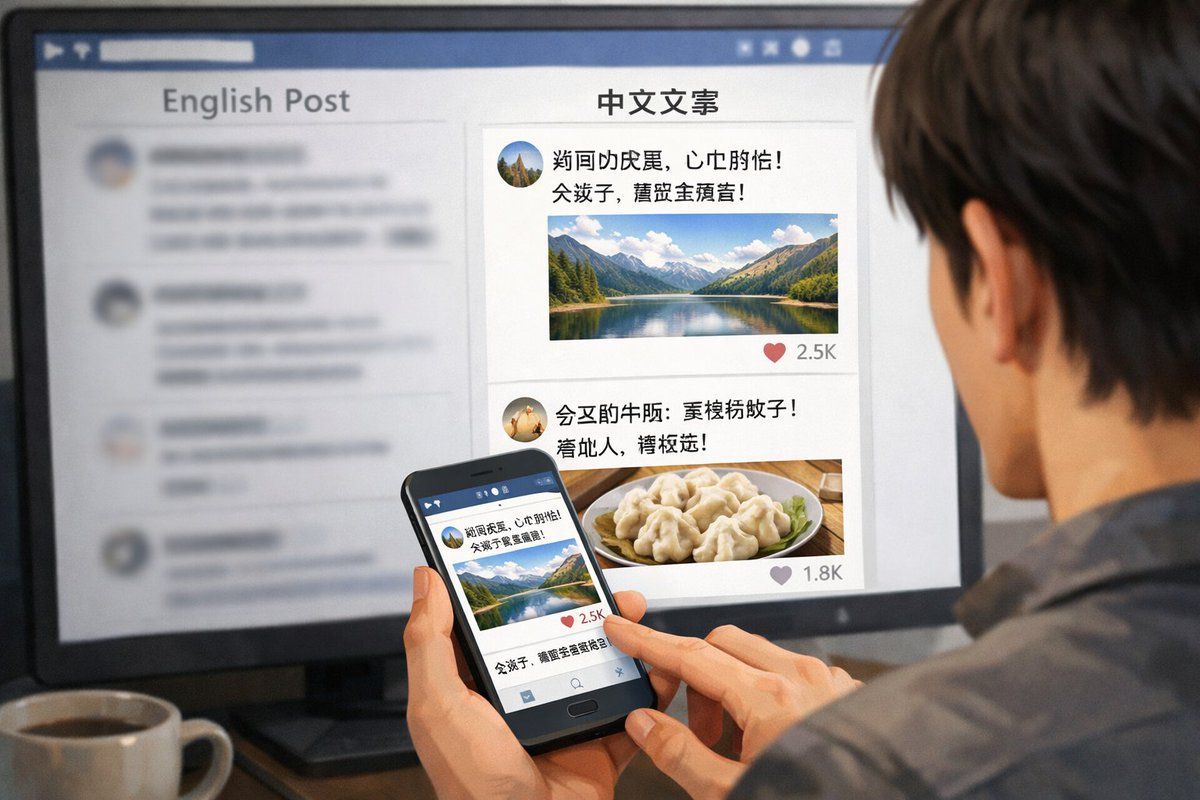
A realistic over-the-shoulder shot of a person with dark hair wearing a grey shirt, sitting at a desk and looking at a large computer monitor while holding a black smartphone. On the desk in the bottom left corner is a {argument name="drink on desk" default="white mug filled with black coffee"}. The monitor displays a split-screen social media interface. The left column has the header "{argument name="left column header" default="English Post"}" with blurred-out feed items below it. The right column is in sharp focus with the header "{argument name="right column header" default="中文文案"}". Below this right header are 2 distinct social media posts: the top post features an avatar, pseudo-Chinese text, {argument name="first post image" default="a landscape photo of a mountain lake"}, and a heart icon with "2.5K"; the bottom post features an avatar, pseudo-Chinese text, {argument name="second post image" default="a photo of dumplings on a plate"}, and a heart icon with "1.8K". The person is holding the smartphone in their left hand and tapping the screen with their right index finger. The phone screen displays the exact same mountain lake social media post seen on the monitor. The image has a shallow depth of field, blurring the left side of the screen to emphasize the right column and the phone.
Category
UI & Interfaces
Model
GPT Image 2
Creator
zhanbing
Views8
Source ID
13492
Published
Apr 20, 2026

Guide

About "跨设备社交媒体信息流"

What is this prompt for?

"跨设备社交媒体信息流" AI image prompt for GPT Image 2 (UI & Interfaces). 生成一张从肩后视角拍摄的画面,展示一个人在桌面显示器和智能手机上浏览双语社交媒体信息流的情景。 Copy it on Picva and recreate the look in one c…

The full copyable prompt and example visuals above are ready for AI image generation or one-click recreate in Picva.

How to use this prompt

  1. Step 1

    Open the prompt detail

    Review the example visuals, category, and full prompt text for "跨设备社交媒体信息流".

  2. Step 2

    Copy the prompt

    Copy the prompt body from this page, or load it directly in Studio.

  3. Step 3

    Pick a model (GPT Image 2)

    Prefer GPT Image 2. If you switch models, keep subject and composition and tweak style terms.

  4. Step 4

    Generate and export

    Recreate the look in Picva, or export into your workflow for editing and publishing.

FAQ

What is the "跨设备社交媒体信息流" prompt?
It is an AI image-generation prompt for GPT Image 2 in the UI & Interfaces category. This page includes the full prompt text, example visuals, and a one-click recreate path in Picva.
How do I use this prompt to generate an image?
Copy the prompt from this page, or use Generate / Studio. Paste it into a compatible image model, or recreate the look in Picva with optional reference images.
Which model is this prompt for?
This page lists GPT Image 2. Most descriptive prompts also transfer to nearby image models such as GPT Image, Flux, or Midjourney with light style tweaks.
Can I use the result commercially?
You can usually copy the prompt for creation, but commercial use of the final image depends on the model terms, reference-image rights, and the generated content. Follow the source author and platform rules.