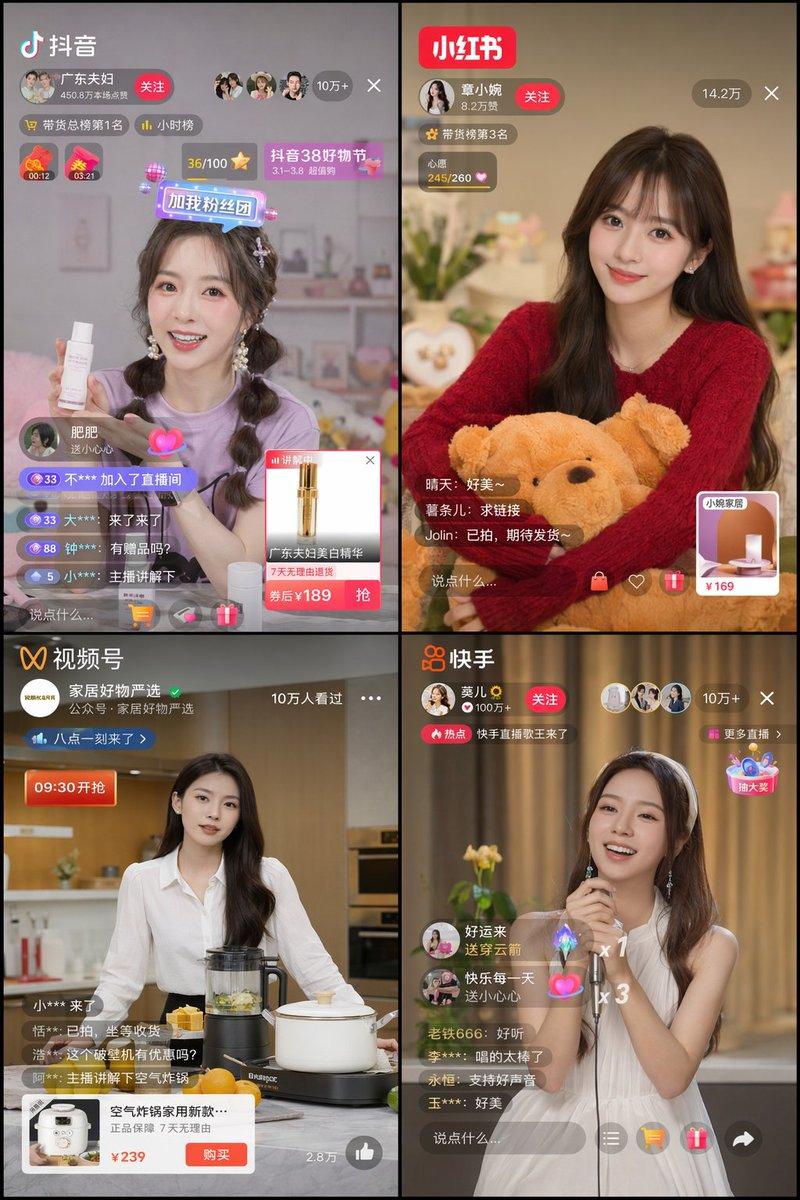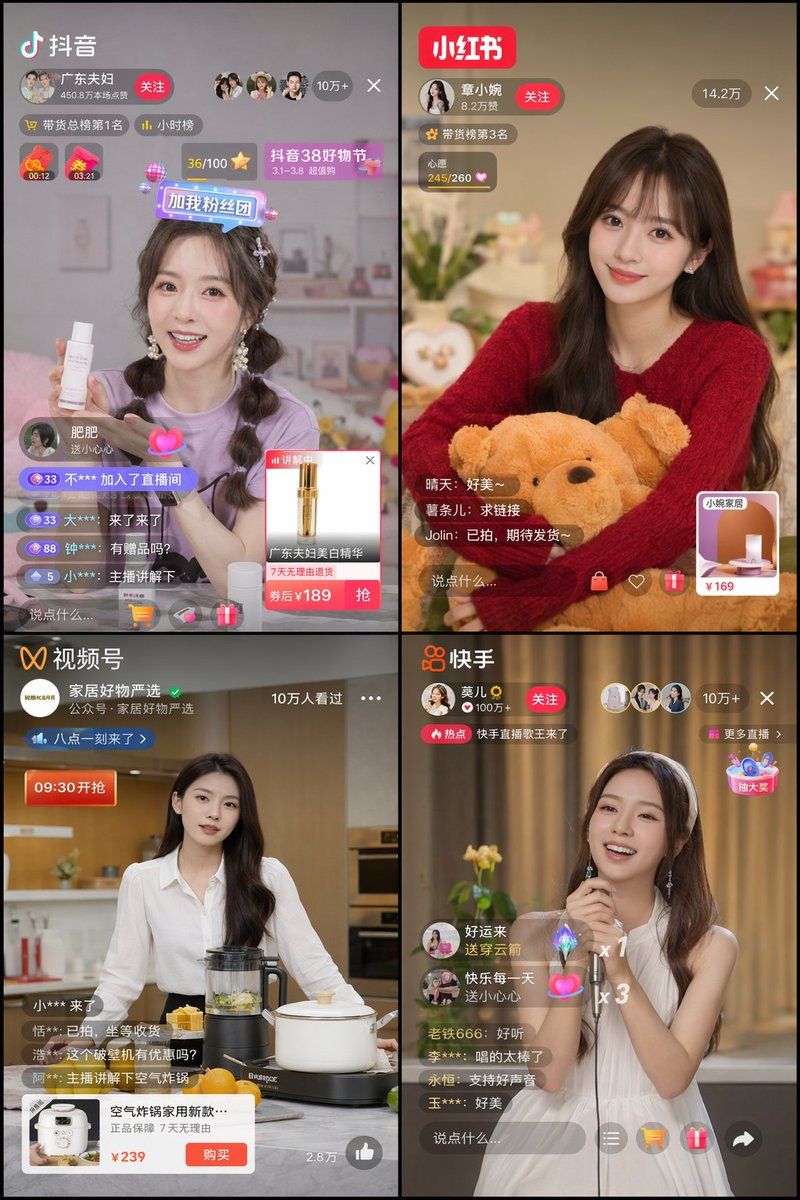
4 宫格直播 App UI 界面模型
Prompt
{
  "type": "2x2 grid of mobile live streaming app interfaces",
  "theme": "{argument name=\"stream theme\" default=\"e-commerce and entertainment live streaming\"}",
  "layout": {
    "grid": "2x2",
    "panels": [
      {
        "position": "top-left",
        "app_name": "{argument name=\"app 1 name\" default=\"抖音\"}",
        "host": "young woman in purple shirt holding a white skincare bottle",
        "ui_elements": [
          "app logo",
          "host profile with follow button",
          "viewer count '10万+'",
          "2 countdown timers",
          "4 scrolling comments",
          "product popup card with price '¥189'"
        ]
      },
      {
        "position": "top-right",
        "app_name": "{argument name=\"app 2 name\" default=\"小红书\"}",
        "host": "young woman in red sweater holding a brown teddy bear",
        "ui_elements": [
          "app logo",
          "host profile with follow button",
          "viewer count '14.2万'",
          "3 scrolling comments",
          "square product link card with price '¥169'"
        ]
      },
      {
        "position": "bottom-left",
        "app_name": "{argument name=\"app 3 name\" default=\"视频号\"}",
        "host": "young woman in white shirt standing in a kitchen with a blender and pot",
        "ui_elements": [
          "app logo",
          "host profile",
          "viewer count '10万人看过'",
          "4 scrolling comments",
          "wide product popup card with buy button and price '¥239'"
        ]
      },
      {
        "position": "bottom-right",
        "app_name": "{argument name=\"app 4 name\" default=\"快手\"}",
        "host": "young woman in white sleeveless dress holding a microphone and singing",
        "ui_elements": [
          "app logo",
          "host profile with follow button",
          "viewer count '10万+'",
          "5 scrolling comments",
          "2 floating gift animations",
          "floating interactive widget"
        ]
      }
    ]
  }
}- Category
- UI & Interfaces
- Model
- GPT Image 2
- Creator
- 逸尘
- Source ID
- 13893
- Published
- Apr 17, 2026
Views3