20

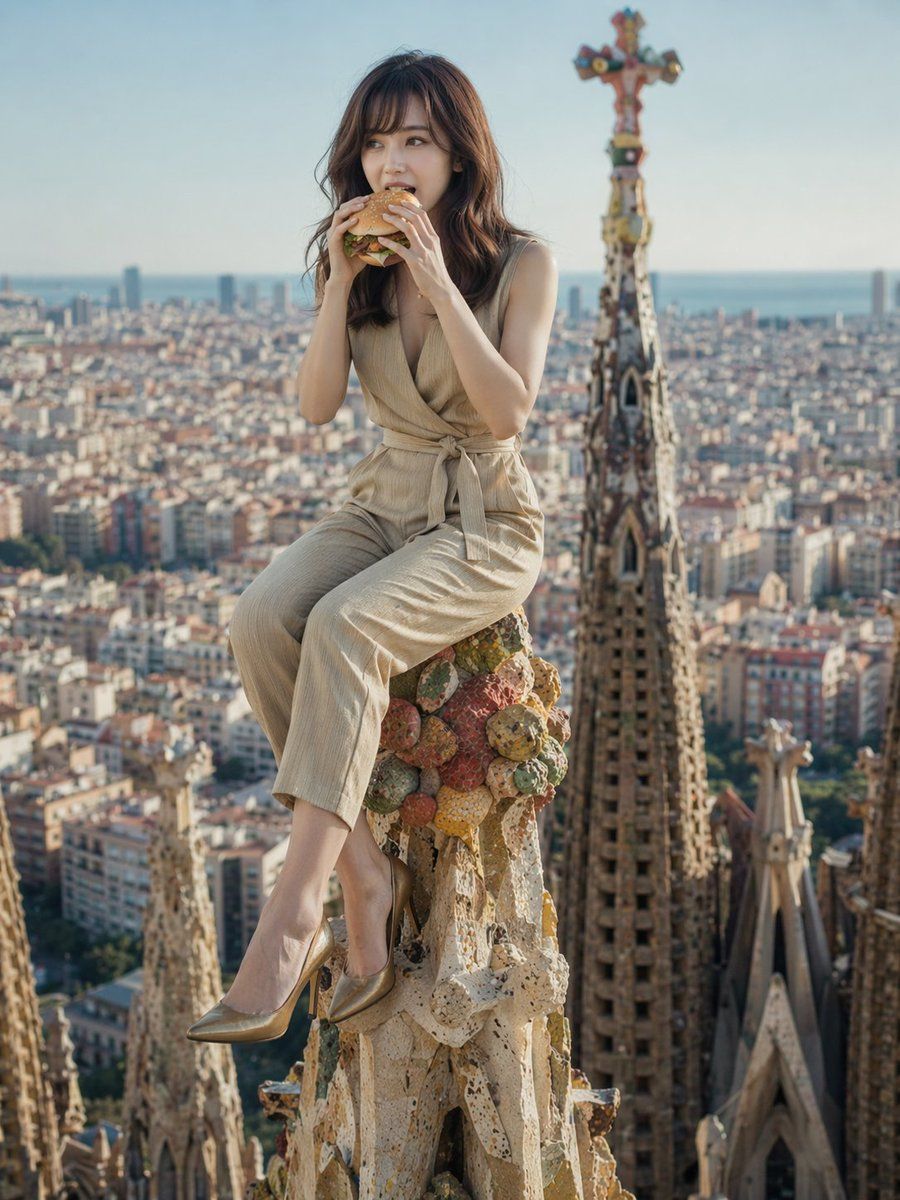
超现实地标用餐肖像
Enlarge

Example images

超现实地标用餐肖像

Prompt
A photorealistic, high-quality image of a {argument name="subject description" default="young Asian woman"} with long wavy brown hair, sitting precariously on top of an {argument name="landmark" default="ornate, colorful stone fruit finial spire of the Sagrada Familia"}. She is casually eating a {argument name="food item" default="hamburger"}, holding it with both hands near her mouth. She is wearing a {argument name="outfit" default="beige sleeveless wrap jumpsuit with a tie waist and metallic gold pointed-toe stiletto heels"}. The background features a breathtaking, slightly blurred aerial panoramic view of {argument name="background city" default="a dense European city resembling Barcelona"}, stretching out to the ocean under a clear blue sky. Cinematic lighting, surreal juxtaposition, highly detailed.
Category
Products & E-commerce
Model
GPT Image 2
Creator
kuripon
Views1
Source ID
13923
Published
Apr 17, 2026

Guide

About "超现实地标用餐肖像"

What is this prompt for?

"超现实地标用餐肖像" AI image prompt for GPT Image 2 (Products & E-commerce). 生成一张照片级逼真的图像,展示一个人坐在著名建筑地标上悠闲地吃快餐。 Copy it on Picva and recreate the look in one click.

The full copyable prompt and example visuals above are ready for AI image generation or one-click recreate in Picva.

How to use this prompt

  1. Step 1

    Open the prompt detail

    Review the example visuals, category, and full prompt text for "超现实地标用餐肖像".

  2. Step 2

    Copy the prompt

    Copy the prompt body from this page, or load it directly in Studio.

  3. Step 3

    Pick a model (GPT Image 2)

    Prefer GPT Image 2. If you switch models, keep subject and composition and tweak style terms.

  4. Step 4

    Generate and export

    Recreate the look in Picva, or export into your workflow for editing and publishing.

FAQ

What is the "超现实地标用餐肖像" prompt?
It is an AI image-generation prompt for GPT Image 2 in the Products & E-commerce category. This page includes the full prompt text, example visuals, and a one-click recreate path in Picva.
How do I use this prompt to generate an image?
Copy the prompt from this page, or use Generate / Studio. Paste it into a compatible image model, or recreate the look in Picva with optional reference images.
Which model is this prompt for?
This page lists GPT Image 2. Most descriptive prompts also transfer to nearby image models such as GPT Image, Flux, or Midjourney with light style tweaks.
Can I use the result commercially?
You can usually copy the prompt for creation, but commercial use of the final image depends on the model terms, reference-image rights, and the generated content. Follow the source author and platform rules.