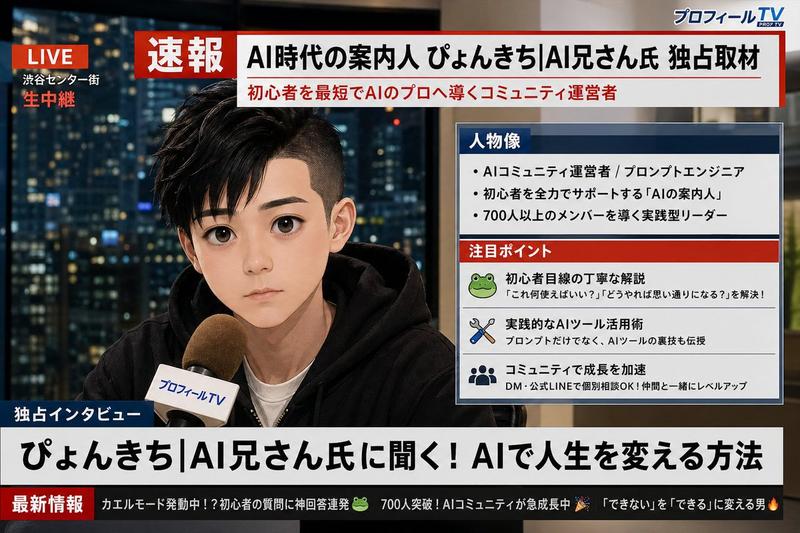
直播界面模型
Prompt
{
  "type": "livestream interface mockup",
  "subject": {
    "description": "{argument name=\"streamer description\" default=\"young Asian woman, long dark wavy hair with bangs, round wire-rimmed glasses, black button-up shirt, silver necklace\"}",
    "action": "looking directly at camera, speaking into a professional broadcast microphone"
  },
  "setting": {
    "location": "high-rise apartment interior at night",
    "background": "large window with blurred illuminated city skyline",
    "props": "YouTube play button plaque on shelf, warm desk lamp"
  },
  "layout": {
    "top_left": {
      "element": "stream title",
      "text": "{argument name=\"stream title\" default=\"AGI 시대, 우리는 어떻게 살아남을까?\"}"
    },
    "top_right": {
      "element": "status badge",
      "text": "LIVE",
      "style": "red circle indicator"
    },
    "left_panel": {
      "element": "live chat feed",
      "message_count": 5,
      "messages": [
        "FutureExplorer 22:44: Curious about social changes caused by AGI.",
        "TechGuru 22:44: What jobs will disappear or emerge?",
        "AI_lover 22:45: Difference between AGI and current AI?",
        "PhilosophizingDev 22:45: What is the human role in the AGI era?",
        "CodingOfficeWorker 22:46: Ethical issues and control methods for AGI?"
      ],
      "input_box": "Chat... with smiley icon"
    },
    "bottom_right": {
      "element": "donation leaderboard",
      "title": "{argument name=\"donation title\" default=\"오늘의 후원\"}",
      "item_count": 4,
      "items": [
        "FutureBoy 50,000 won",
        "Anonymous 20,000 won",
        "AI Researcher 10,000 won",
        "Sandbox 5,000 won"
      ]
    }
  }
}- Category
- UI & Interfaces
- Model
- GPT Image 2
- Creator
- sungchi
- Source ID
- 14092
- Published
- Apr 15, 2026
Views2