16

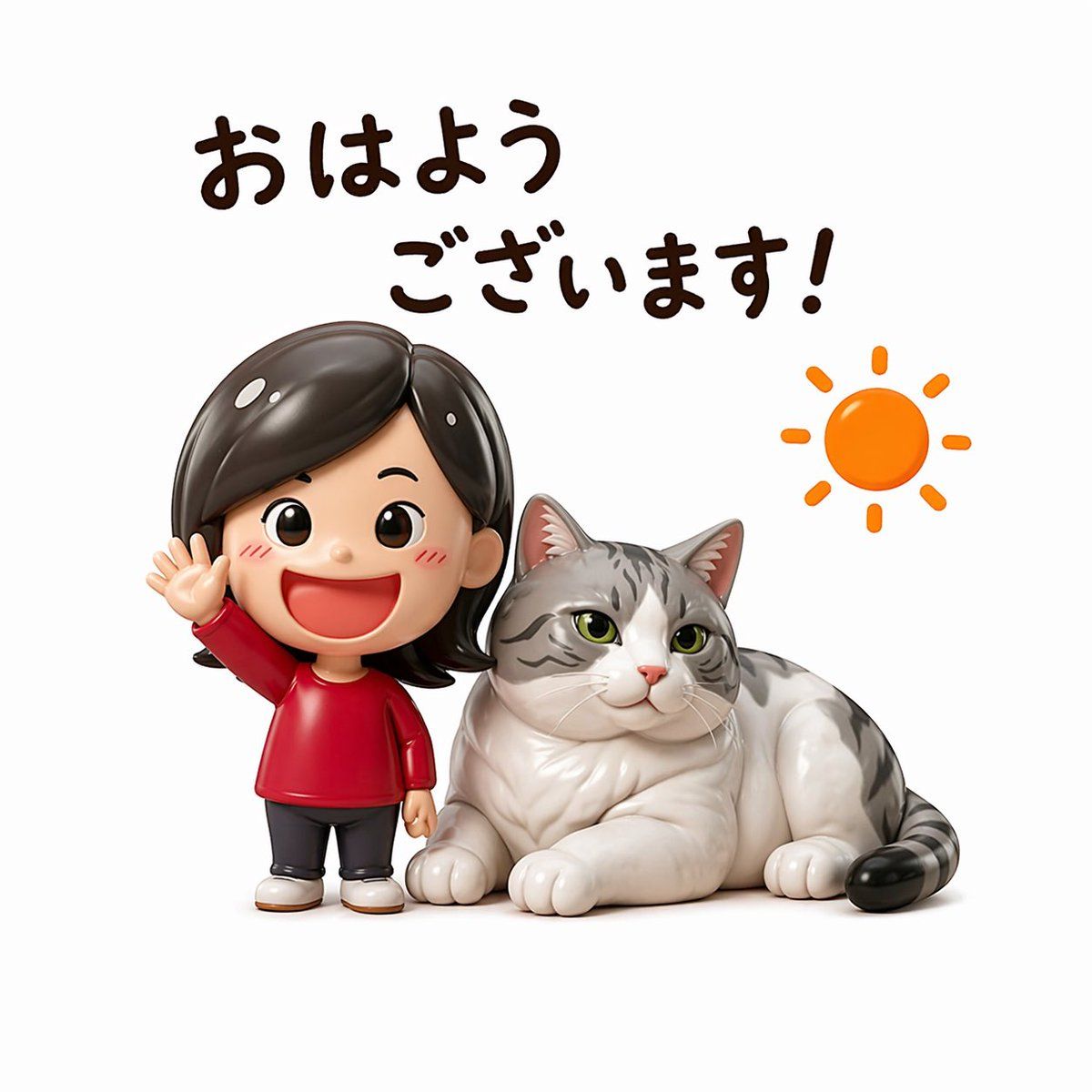
可爱早安问候人偶贴纸
Enlarge

可爱早安问候人偶贴纸

Prompt
A cute sticker-style 3D figurine illustration on a clean light gray background, designed like a glossy collectible toy render. Show 1 chibi woman and 1 large cat side by side. The woman is a super-deformed vinyl-figure style character with an oversized head, shoulder-length dark brown to black hair with a side part and smooth shine, wearing a simple bright red long-sleeve top, dark charcoal leggings or slim pants, and white shoes. She stands on the left, facing forward, with her left hand raised in a friendly waving pose and a cheerful morning-greeting vibe. Her face should be simple, cute, and youthful in toy-figure style. To her right, place 1 plump silver tabby cat with white fur on the chest, belly, legs, and muzzle, gray stripes on the head, back, and tail, green eyes, pink inner ears, and a relaxed loaf-like lying pose with paws tucked forward, facing slightly toward camera. Add Japanese handwritten text at the top in 2 lines, dark brown rounded brush lettering: line 1 says "おはよう", line 2 says "ございます!". Place 1 simple orange sun doodle with 8 short rays on the upper right. The composition should feel like a personalized morning greeting stamp for social media, with soft studio lighting, subtle shadows under the figures, polished surfaces, cute proportions, high detail, and a warm playful mood.
Category
Posters & Typography
Model
GPT Image 2
Views8
Source ID
14475
Published
Apr 21, 2026

Guide

About "可爱早安问候人偶贴纸"

What is this prompt for?

"可爱早安问候人偶贴纸" AI image prompt for GPT Image 2 (Posters & Typography). 该提示词可生成一款玩具风格的 3D 贴纸插画,画面包含一位挥手的 Q 版女性与一只银色虎斑猫,并配有日文早安文字,非常适合用作社交媒体表情包或问候配图。 Copy it on Pi…

The full copyable prompt and example visuals above are ready for AI image generation or one-click recreate in Picva.

How to use this prompt

  1. Step 1

    Open the prompt detail

    Review the example visuals, category, and full prompt text for "可爱早安问候人偶贴纸".

  2. Step 2

    Copy the prompt

    Copy the prompt body from this page, or load it directly in Studio.

  3. Step 3

    Pick a model (GPT Image 2)

    Prefer GPT Image 2. If you switch models, keep subject and composition and tweak style terms.

  4. Step 4

    Generate and export

    Recreate the look in Picva, or export into your workflow for editing and publishing.

FAQ

What is the "可爱早安问候人偶贴纸" prompt?
It is an AI image-generation prompt for GPT Image 2 in the Posters & Typography category. This page includes the full prompt text, example visuals, and a one-click recreate path in Picva.
How do I use this prompt to generate an image?
Copy the prompt from this page, or use Generate / Studio. Paste it into a compatible image model, or recreate the look in Picva with optional reference images.
Which model is this prompt for?
This page lists GPT Image 2. Most descriptive prompts also transfer to nearby image models such as GPT Image, Flux, or Midjourney with light style tweaks.
Can I use the result commercially?
You can usually copy the prompt for creation, but commercial use of the final image depends on the model terms, reference-image rights, and the generated content. Follow the source author and platform rules.