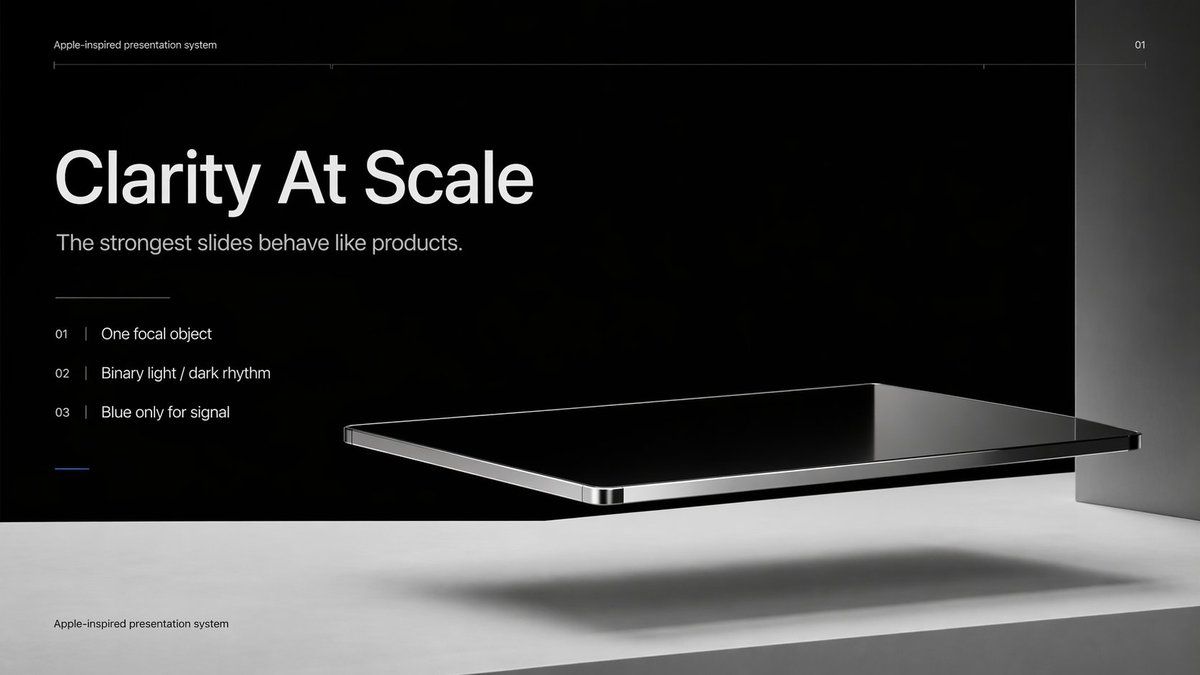
Apple 风格极简演示文稿封面
Prompt
Create a premium minimalist keynote-style presentation cover slide in an Apple-inspired industrial design aesthetic. Use a wide 16:9 layout with a deep matte black upper background and a pale concrete-gray lower platform occupying the bottom quarter of the frame. Place a large photorealistic floating rectangular slab in the right-center foreground, resembling a thin black glass device or polished obsidian platform with mirror-like reflections, chamfered chrome-metal edges, and precise industrial finishing. The slab should hover above the light surface and cast a soft elongated shadow directly beneath it. Add a tall vertical gray metallic wall or pillar on the far right edge to frame the composition. Use extremely sparse, high-end art direction, lots of negative space, cinematic studio lighting, subtle gradients, and crisp contrast between black and silver materials. On the left side, set clean white sans-serif typography with a clear hierarchy: a tiny top caption reading "{argument name="system label" default="Apple-inspired presentation system"}", a very large bold headline reading "{argument name="headline text" default="Clarity At Scale"}", and a medium subtitle reading "{argument name="subtitle text" default="The strongest slides behave like products."}". Below that, include exactly 3 numbered principles in a vertical list with thin separators and refined spacing: "01 | {argument name="principle 1" default="One focal object"}", "02 | Binary light / dark rhythm", and "03 | Blue only for signal". Add a short thin horizontal rule above the list and a tiny blue accent line below the list. Draw a very fine horizontal guide line near the top spanning most of the slide, with the small page number "01" at the upper right. Repeat the small caption "Apple-inspired presentation system" once again at the bottom left on the light surface. Overall look: luxury tech presentation, editorial product-launch slide, ultra-clean Swiss grid, restrained monochrome palette with only one subtle blue accent, photorealistic rendering blended with presentation design.- Category
- Charts & Infographics
- Model
- GPT Image 2
- Creator
- Russell
- Source ID
- 14869
- Published
- Apr 22, 2026
Views17