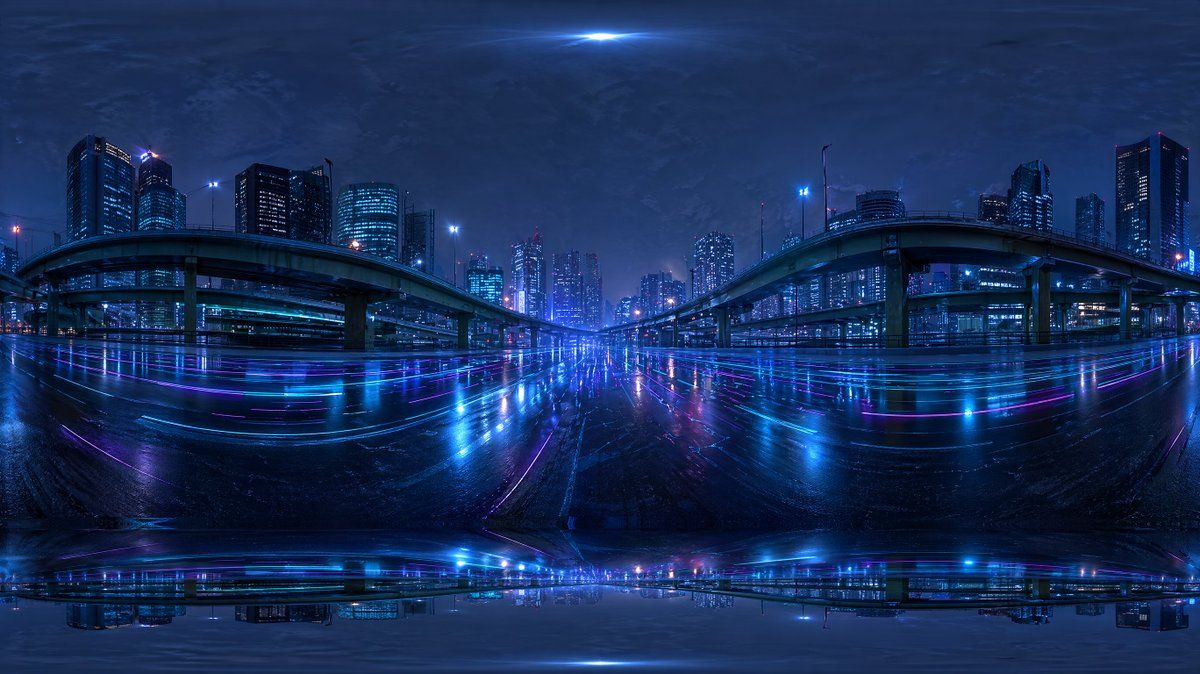
赛博朋克城市高速公路 HDRI
Prompt
Create a seamless-looking 360-degree equirectangular HDRI environment map of a futuristic urban expressway at night, viewed from the middle of a wide wet roadway beneath elevated highways in a dense modern city. Use a panoramic full-surround composition with strong fisheye-like equirectangular distortion at the top and bottom edges, designed for use as a Blender world background. The scene should feature 2 large curving elevated highway ramps, one on the left and one on the right, arching inward toward the center, with multiple supporting pillars and additional overpass layers receding into the distance. Surround the roadway with a skyline of illuminated high-rise office towers and apartment buildings, with cool blue and cyan windows and a few magenta and purple accent lights. Make the road surface glossy and rain-soaked, reflecting the city lights in long horizontal streaks of neon blue, violet, and pink. Add subtle light trails and luminous reflections across the pavement, creating a cyberpunk mood. The sky should be dark, cloudy, and atmospheric with a faint bright glow at the zenith and soft haze around distant buildings. Keep the overall palette dominated by deep indigo, electric blue, cyan, and purple. The image should feel cinematic, moody, ultra-detailed, photorealistic, high dynamic range, with realistic urban lighting and mirrored wet-surface reflections, suitable as an HDRI backdrop. Include slight panorama seam artifacts and stretched distortion near the poles so it feels like an AI-generated but usable environment map.
- Category
- Charts & Infographics
- Model
- GPT Image 2
- Creator
- appletea 🍎アップルティ☕丨AI動画制作
- Source ID
- 15376
- Published
- Apr 23, 2026
Views6