18

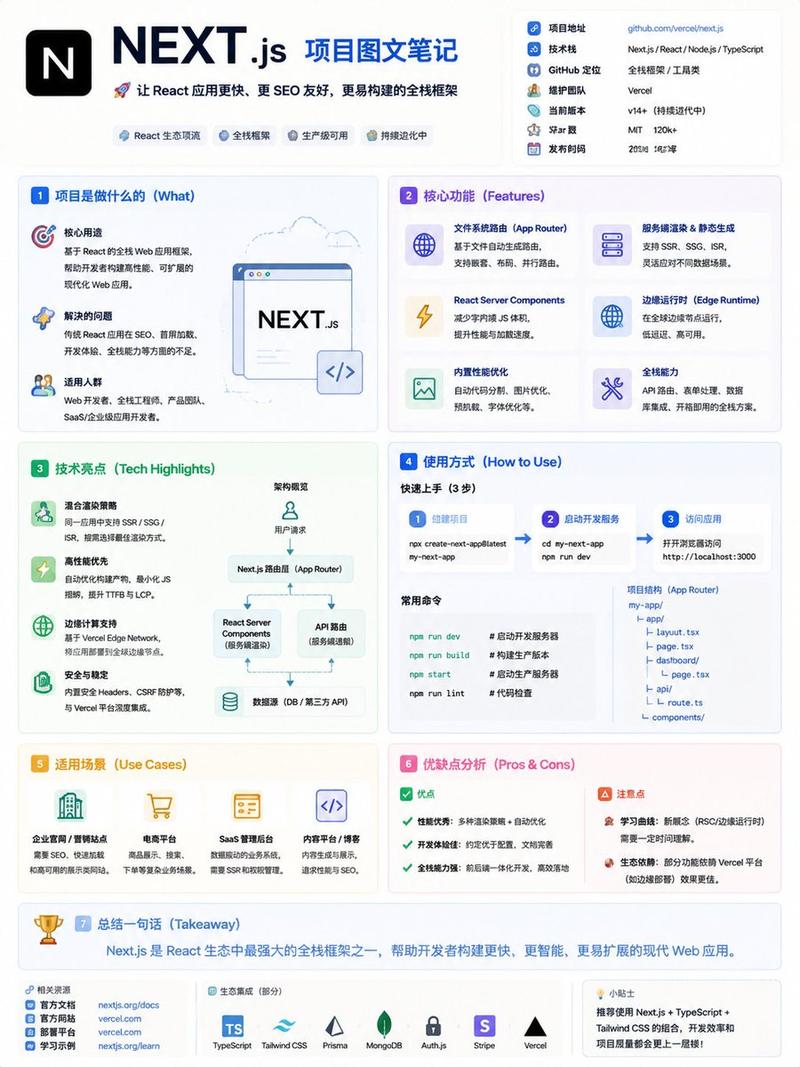
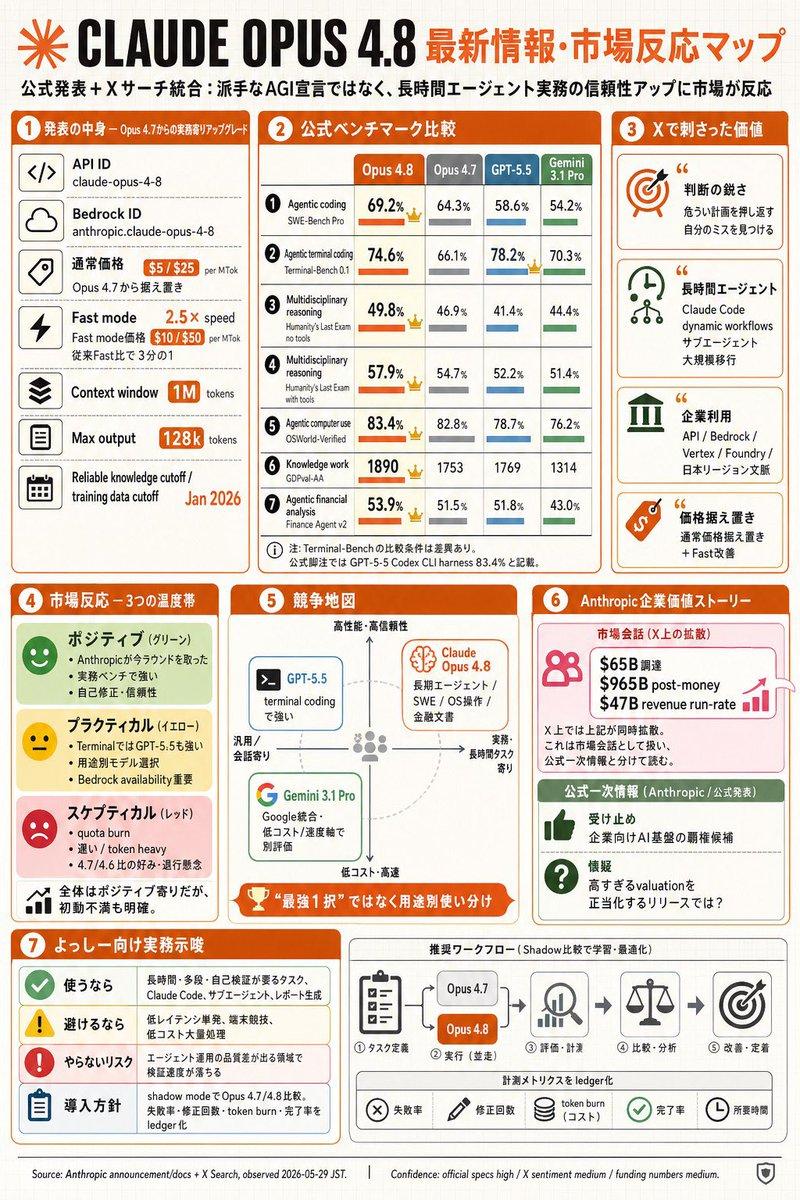
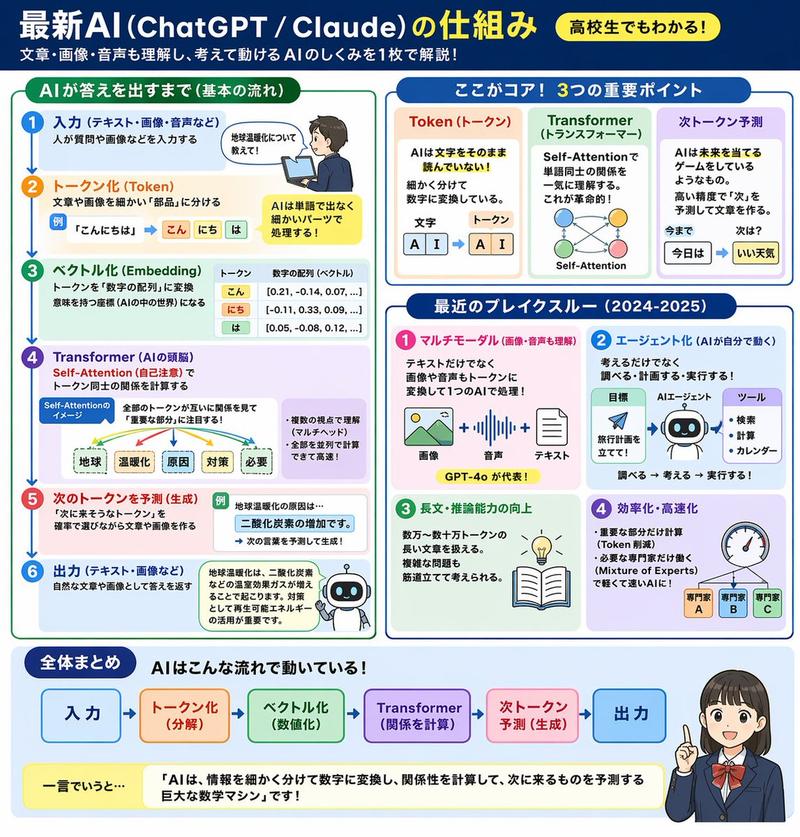
极简教育信息图模板
Enlarge

Example images

极简教育信息图模板

Prompt
一张干净的教育类信息图海报,讲解「{argument name="知识主题" default="知识主题"}」,

【整体风格】
现代极简UI风格,
背景使用柔和浅色(如奶油色 #FAF7F2 / 浅灰蓝),
配色克制、舒适,适合长时间阅读,

【核心要求(关键)】
根据“知识主题”的信息结构,自然组织内容模块,
不要强制固定模块数量或顺序,
优先保证信息逻辑清晰,而不是形式对称,

【布局(自适应)】
- 使用网格布局(自动选择 2列 / 3列 / 不规则分布)
- 卡片数量根据内容自动调整(通常 5–9 个)
- 信息密度高的模块可适当放大(视觉权重更高)
- 简单内容模块可缩小或合并

【卡片设计】
- 白色卡片(#FFFFFF)
- 圆角 + 轻微阴影(柔和层级)
- 保持统一间距和对齐

【每个信息模块包含】
- 简洁插图(统一风格)
- 清晰标题(强层级)
- 1–3句核心说明(避免冗长)
- 必要时提供示例 / 对比 / 小结

【内容组织原则(重点)】
根据主题自动选择合适结构,例如:
- 概念类 → 定义 + 原理 + 特点 + 示例
- 对比类 → A vs B(对照结构)
- 流程类 → 步骤 / 流程图
- 系统类 → 组成部分 + 关系
- 技能类 → 方法 + 技巧 + 常见误区

【视觉层级】
- 标题 > 模块标题 > 正文 > 辅助信息
- 重要信息可用颜色或图标强调

【配色建议】
- 主色:根据主题选择(科技=蓝,学习=绿,警告=橙)
- 辅色:1–2种即可
- 避免高饱和、避免花哨

【风格要求】
- 大量留白,呼吸感强
- 图标统一(线性或扁平)
- 高可读性优先
- 教学导向清晰

【额外优化(可选)】
- 可以加入:对比块 / 流程箭头 / 结构图
- 可以有一个“核心总结”模块作为视觉收尾
Category
Charts & Infographics
Model
GPT Image 2
Views6
Source ID
16270
Published
Apr 26, 2026

Guide

About "极简教育信息图模板"

What is this prompt for?

"极简教育信息图模板" AI image prompt for GPT Image 2 (Charts & Infographics). 一个多功能的模板提示词,用于生成具有自适应网格布局和清晰视觉层级的现代、简洁的教育信息图海报。 Copy it on Picva and recreate the look in…

The full copyable prompt and example visuals above are ready for AI image generation or one-click recreate in Picva.

How to use this prompt

  1. Step 1

    Open the prompt detail

    Review the example visuals, category, and full prompt text for "极简教育信息图模板".

  2. Step 2

    Copy the prompt

    Copy the prompt body from this page, or load it directly in Studio.

  3. Step 3

    Pick a model (GPT Image 2)

    Prefer GPT Image 2. If you switch models, keep subject and composition and tweak style terms.

  4. Step 4

    Generate and export

    Recreate the look in Picva, or export into your workflow for editing and publishing.

FAQ

What is the "极简教育信息图模板" prompt?
It is an AI image-generation prompt for GPT Image 2 in the Charts & Infographics category. This page includes the full prompt text, example visuals, and a one-click recreate path in Picva.
How do I use this prompt to generate an image?
Copy the prompt from this page, or use Generate / Studio. Paste it into a compatible image model, or recreate the look in Picva with optional reference images.
Which model is this prompt for?
This page lists GPT Image 2. Most descriptive prompts also transfer to nearby image models such as GPT Image, Flux, or Midjourney with light style tweaks.
Can I use the result commercially?
You can usually copy the prompt for creation, but commercial use of the final image depends on the model terms, reference-image rights, and the generated content. Follow the source author and platform rules.