19

企业会议照片升级
Enlarge

企业会议照片升级

Prompt
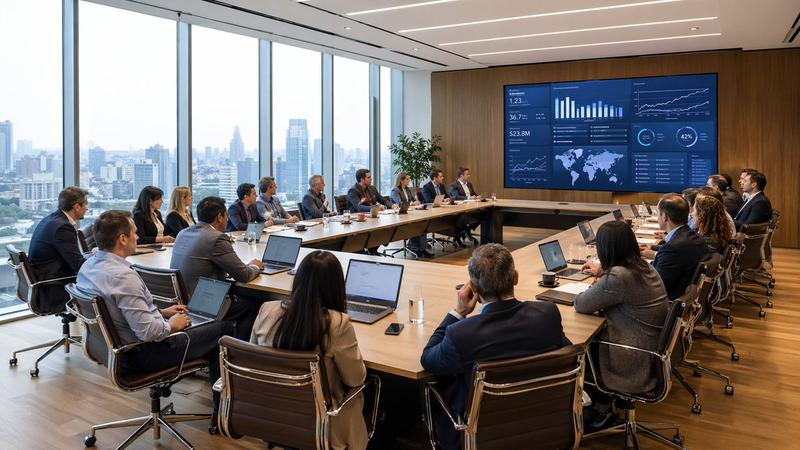
Using the provided reference image, recreate the same business meeting as a polished, high-end corporate publicity photo from a new angle. Move the viewpoint closer to the presentation screen and shift to a wide front-left perspective so the display dominates the left side and the meeting table with the attendees sits on the right near large floor-to-ceiling windows. Replace the dim surveillance-camera look with bright natural daylight, clean modern office lighting, and a professional architectural interior feel. Remove all CCTV overlays, timestamps, recording indicators, floor/device text, and other security-camera artifacts. Upgrade the display content into a sleek keynote-style strategy slide in Chinese with the headline "2026年度战略规划:云端协同与新生态构建". On the left side of the slide, show 1 upward-trending quarterly bar chart labeled with 4 bars: Q1 +15%, Q2 +22%, Q3 +18%, Q4 +25%. On the right side, show 3 text sections with bold headings: "技术驱动创新", "全球化市场拓展", and "用户体验升级", each with short Chinese body copy beneath. Keep the scene photorealistic, with a premium corporate brand aesthetic, neat seating arrangement, and subtle face anonymization/soft blur on the people.
Category
Charts & Infographics
Model
GPT Image 2
Creator
Winson
Views3
Source ID
16321
Published
Apr 26, 2026

Guide

About "企业会议照片升级"

What is this prompt for?

"企业会议照片升级" AI image prompt for GPT Image 2 (Charts & Infographics). 此提示词可将监控风格的会议室参考图转化为明亮、高端的企业宣传照片,适用于商业演示文稿、报告或营销视觉素材。 Copy it on Picva and recreate the loo…

The full copyable prompt and example visuals above are ready for AI image generation or one-click recreate in Picva.

How to use this prompt

  1. Step 1

    Open the prompt detail

    Review the example visuals, category, and full prompt text for "企业会议照片升级".

  2. Step 2

    Copy the prompt

    Copy the prompt body from this page, or load it directly in Studio.

  3. Step 3

    Pick a model (GPT Image 2)

    Prefer GPT Image 2. If you switch models, keep subject and composition and tweak style terms.

  4. Step 4

    Generate and export

    Recreate the look in Picva, or export into your workflow for editing and publishing.

FAQ

What is the "企业会议照片升级" prompt?
It is an AI image-generation prompt for GPT Image 2 in the Charts & Infographics category. This page includes the full prompt text, example visuals, and a one-click recreate path in Picva.
How do I use this prompt to generate an image?
Copy the prompt from this page, or use Generate / Studio. Paste it into a compatible image model, or recreate the look in Picva with optional reference images.
Which model is this prompt for?
This page lists GPT Image 2. Most descriptive prompts also transfer to nearby image models such as GPT Image, Flux, or Midjourney with light style tweaks.
Can I use the result commercially?
You can usually copy the prompt for creation, but commercial use of the final image depends on the model terms, reference-image rights, and the generated content. Follow the source author and platform rules.