18

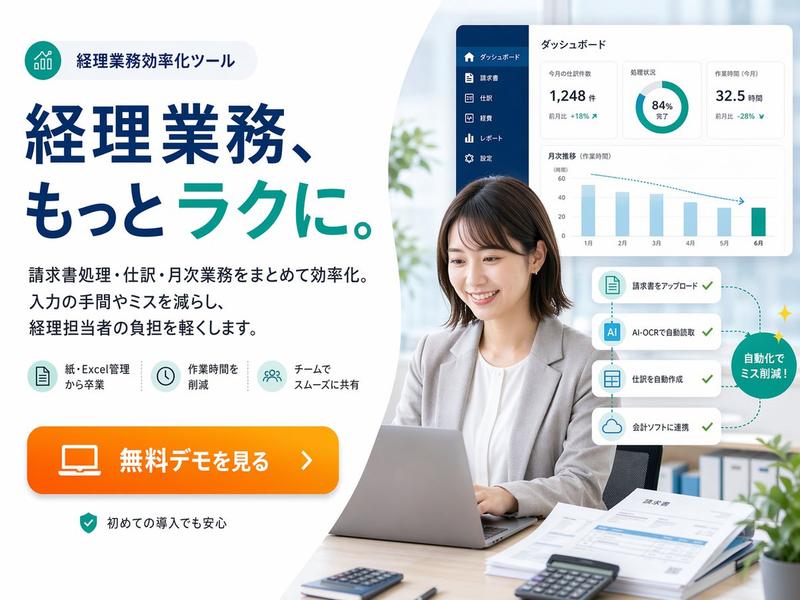
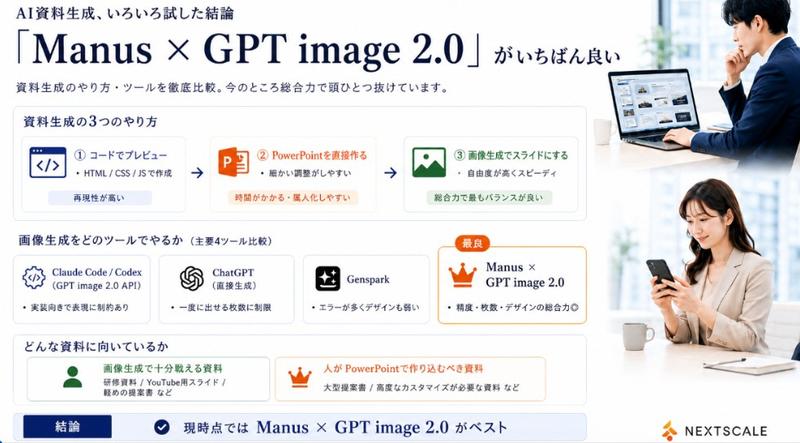
从线框图到企业网页横幅
Enlarge

Example images

从线框图到企业网页横幅

Prompt
Using REFERENCE_0 as a wireframe layout, generate a polished, professional corporate web banner ad for an AI sales tool. Use a clean blue, white, and orange color palette. Transform the sketched character into a photorealistic image of 2 smiling Japanese business professionals (a man and a woman in suits) looking at a silver laptop in a bright office. In the top left, add a logo for {argument name="brand name" default="KAWAISALES"} with a small tagline 'AIを活用した新しい営業支援ツール'. Map the wireframe's text bubbles as follows: replace the top bubble with a white oval containing the blue text {argument name="main copy" default="その営業、AIで「飛躍」しませんか?"}; replace the middle bubble with {argument name="sub copy" default="リード獲得からクロージングまでAIがあなたの営業活動を強力サポート!"}. Replace the bottom CTA box with a bright orange pill-shaped button reading {argument name="cta text" default="今すぐ 無料デモを体験する >"}. In the lower-right center, add a blue 3D-style bar chart with an upward arrow, accompanied by a target icon showing 3 user silhouettes and a white UI card with 4 checkmarked bullet points. Finally, add a white panel in the bottom left containing exactly 3 blue line-art icons (a clock, a rising chart, and a laptop) with short captions below each.
Category
Charts & Infographics
Model
GPT Image 2
Creator
KAWAI
Views3
Source ID
13530
Published
Apr 19, 2026

Guide

About "从线框图到企业网页横幅"

What is this prompt for?

"从线框图到企业网页横幅" AI image prompt for GPT Image 2 (Charts & Infographics). 将粗略的手绘线框图转换为精致、专业的网页横幅广告,包含逼真的主体、矢量图形以及可自定义的日语文案。 Copy it on Picva and recreate the look…

The full copyable prompt and example visuals above are ready for AI image generation or one-click recreate in Picva.

How to use this prompt

  1. Step 1

    Open the prompt detail

    Review the example visuals, category, and full prompt text for "从线框图到企业网页横幅".

  2. Step 2

    Copy the prompt

    Copy the prompt body from this page, or load it directly in Studio.

  3. Step 3

    Pick a model (GPT Image 2)

    Prefer GPT Image 2. If you switch models, keep subject and composition and tweak style terms.

  4. Step 4

    Generate and export

    Recreate the look in Picva, or export into your workflow for editing and publishing.

FAQ

What is the "从线框图到企业网页横幅" prompt?
It is an AI image-generation prompt for GPT Image 2 in the Charts & Infographics category. This page includes the full prompt text, example visuals, and a one-click recreate path in Picva.
How do I use this prompt to generate an image?
Copy the prompt from this page, or use Generate / Studio. Paste it into a compatible image model, or recreate the look in Picva with optional reference images.
Which model is this prompt for?
This page lists GPT Image 2. Most descriptive prompts also transfer to nearby image models such as GPT Image, Flux, or Midjourney with light style tweaks.
Can I use the result commercially?
You can usually copy the prompt for creation, but commercial use of the final image depends on the model terms, reference-image rights, and the generated content. Follow the source author and platform rules.