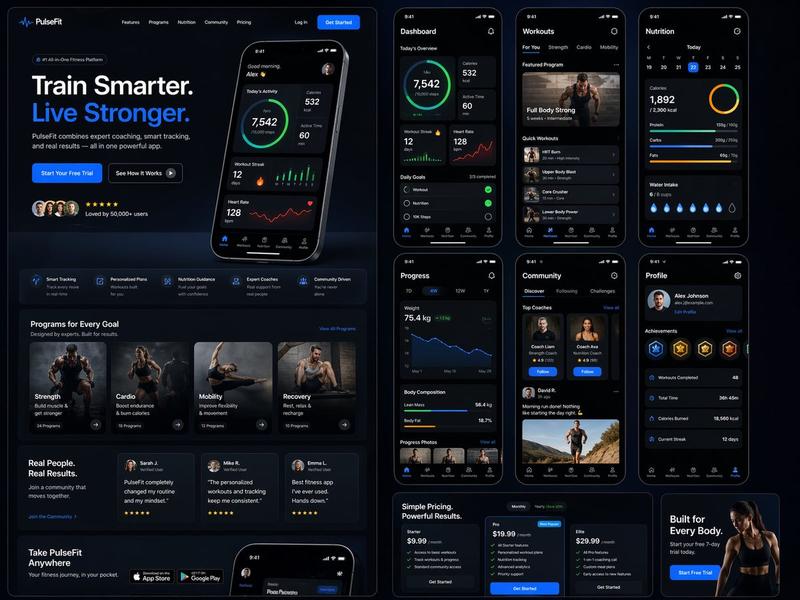
深色科技营销 Slides 拼贴图
Prompt
{"type":"modern marketing slide collage","style":"premium dark-mode tech brand presentation, sleek product marketing, soft glow lighting, rounded-corner cards, subtle gradients, high contrast, polished startup aesthetic","canvas":{"aspect_ratio":"16:9","background":"deep black with faint warm orange glow accents"},"brand":{"name":"{argument name=\"brand name\" default=\"WITHINGS\"}","accent_color":"warm orange"},"layout":{"structure":"3 cards across the top row and 1 wide banner card across the full bottom row","card_count":4,"sections":[{"title":"smart scale product card","position":"top-left","count":3,"labels":["Weight","Body Composition","Trends"],"content":"dark card with the brand name at top left, large white and orange headline reading 'We launched Withings integration', smaller subtext 'Sync your weight, body composition, and more.', a glossy black smart scale floating on the right side with a tiny illuminated screen reading '72.4 kg', and a bottom feature row separated by thin dividers showing 3 white line icons with labels"},{"title":"brand update card","position":"top-center","count":1,"labels":["miora update this week"],"content":"warm blurred orange-toned lifestyle image of 2 runners in motion, large centered white serif logo text '{argument name=\"center brand\" default=\"miora\"}' with a wave-like emblem to the left, and stacked lower text with the first line in orange and second line in white"},{"title":"chat image generation card","position":"top-right","count":4,"labels":["can you make my teeth reaally white and shiny","Making them gleam now","Latest image gen","Right in your iMessage."],"content":"dark iMessage-style phone conversation interface, bright blue outgoing message bubble at the top, dark gray reply bubble below, a portrait photo preview underneath showing a person in a black cap in front of a window with the face obscured by a rectangular blur, a small blue share icon floating to the right, and a footer caption with a spark icon, orange headline, and gray subtext"},{"title":"referral banner card","position":"bottom full-width","count":2,"labels":["Referrals and rewards","Like the healthmaxxing cap"],"content":"wide dark banner with a soft orange spotlight behind a large black baseball cap in the center foreground, white embroidered text on the cap reading '{argument name=\"cap text\" default=\"healthmaxxing\"}', left side has an orange line icon of 3 people with a heart above plus a white headline and gray subtext 'Invite friends and get cool perks.', right side has an orange headline and gray subtext 'Our way of saying thanks for spreading the word.'"}]},"design_details":{"corners":"large rounded corners on every card","borders":"subtle thin gray outlines","spacing":"even gutters between cards","typography":"clean sans-serif for UI and marketing copy, elegant serif for the center logo wordmark","lighting":"moody black background with orange rim lighting and glow","product_rendering":"high-end realistic 3D product and accessory rendering","ui_style":"minimal premium app/store promo aesthetic"},"text_overrides":{"top_left_brand":"{argument name=\"headline brand\" default=\"WITHINGS\"}","center_update_line":"{argument name=\"update text\" default=\"miora update this week\"}"}}- Category
- Charts & Infographics
- Model
- GPT Image 2
- Creator
- Nikolai Madlener
- Source ID
- 16556
- Published
- Apr 27, 2026
Views4