中国水墨剑客与书法
Prompt
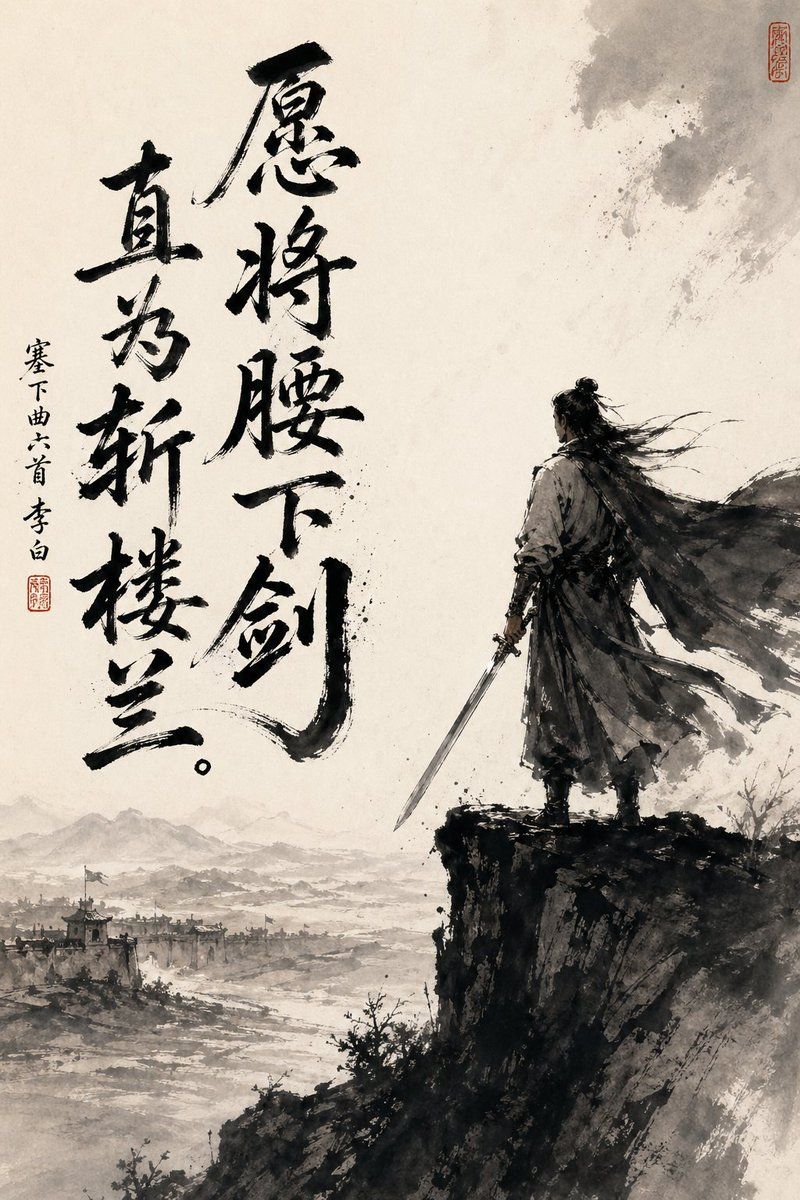
A dramatic vertical Chinese ink-wash painting on aged rice paper, minimalist monochrome with soft warm parchment tones, showing a lone ancient swordsman standing on the edge of a steep dark cliff at the right side of the composition, seen mostly from behind in three-quarter back view. He wears flowing historical robes and a long wind-whipped cloak, with long dark hair tied in a topknot and loose strands streaming sideways in the wind, and he holds a straight sword lowered in his right hand. Below and to the left stretches a vast misty landscape with 1 distant walled frontier city, faint watchtowers and rooftops, a winding river or plain, and layered mountain silhouettes fading into haze. Use expressive black brushwork, splattered ink textures, dry-brush edges, atmospheric empty space, and a powerful contrast between the dense dark figure and cliff and the pale open background. Add 2 large vertical columns of bold black calligraphy on the left half, reading “愿将腰下剑” and “直为斩楼兰。”, plus 1 smaller vertical inscription to the far left reading “塞下曲六首 李白”, and include 2 small red seal stamps, one near the small inscription and one near the upper right corner. The mood is heroic, lonely, contemplative, and defiant, like a Tang-dynasty poet-warrior poster rendered as traditional sumi-e.
- Category
- Charts & Infographics
- Model
- GPT Image 2
- Creator
- Zhangjian He
- Source ID
- 16574
- Published
- Apr 27, 2026
Views17


![单色极简 [主题] 插画](https://i.pixshop.app/storage/v1/render/image/public/prompt-source-media/opennana/monochrome-minimalist-subject-illustration/image-1-1926d9d0289c44f1.jpg?width=800&quality=75&resize=contain)