18

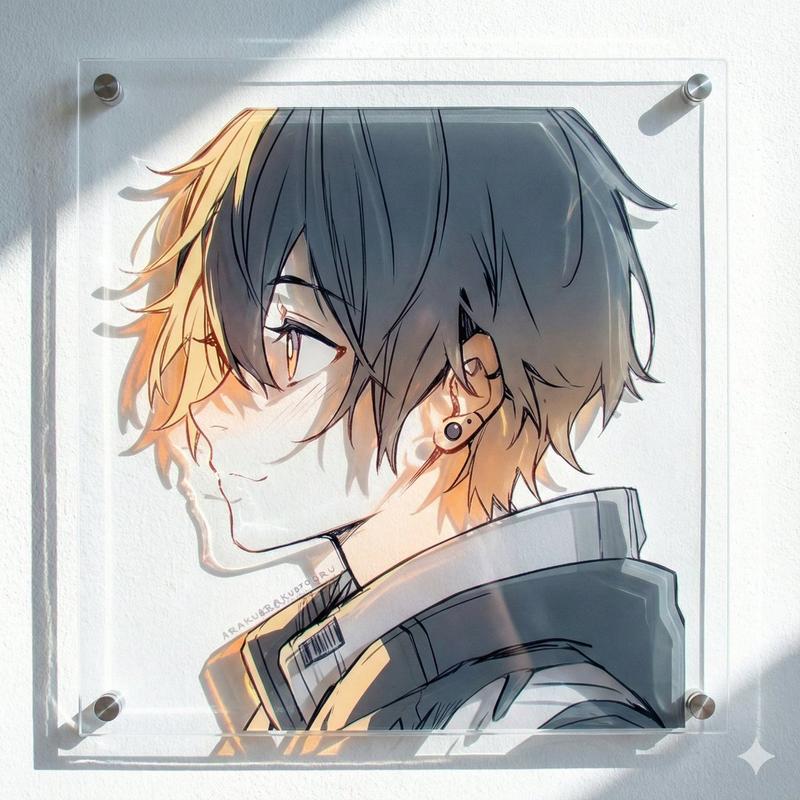
黑白遮挡风格漫画头像
Enlarge

黑白遮挡风格漫画头像

Prompt
A minimalist black-and-white manga-style bust portrait of an androgynous young person in side profile facing left, drawn as a high-contrast silhouette with thick black shapes and clean white negative-space highlights on a plain white background. The character has short, messy, layered hair with jagged strands, a slightly tousled crown, and a few sharp white highlight streaks cutting through the dark hair. Show one visible ear with a small dark dangling earring. The face is intentionally hidden by a large vertically oriented blurred gray rectangle centered over the head and upper neck area, censoring all facial features. Keep the neck long and slender, with the head slightly tilted, and dress the figure in a loose dark top or sweater with broad shoulders and simplified folds. Use rough pixelated edges as if the image were enlarged from low-resolution manga art, with stark graphic contrast, no shading except the smooth blur in the censor block, and a quiet, moody, anonymous aesthetic.
Category
Charts & Infographics
Model
GPT Image 2
Creator
潮生
Views13
Source ID
17637
Published
May 1, 2026

Guide

About "黑白遮挡风格漫画头像"

What is this prompt for?

"黑白遮挡风格漫画头像" AI image prompt for GPT Image 2 (Charts & Infographics). 该提示词可生成具有强烈黑白对比的动漫肖像,并在面部覆盖模糊遮挡块,非常适合用于营造忧郁氛围的头像或极简主义编辑风格的角色图像。 Copy it on Picva and recr…

The full copyable prompt and example visuals above are ready for AI image generation or one-click recreate in Picva.

How to use this prompt

  1. Step 1

    Open the prompt detail

    Review the example visuals, category, and full prompt text for "黑白遮挡风格漫画头像".

  2. Step 2

    Copy the prompt

    Copy the prompt body from this page, or load it directly in Studio.

  3. Step 3

    Pick a model (GPT Image 2)

    Prefer GPT Image 2. If you switch models, keep subject and composition and tweak style terms.

  4. Step 4

    Generate and export

    Recreate the look in Picva, or export into your workflow for editing and publishing.

FAQ

What is the "黑白遮挡风格漫画头像" prompt?
It is an AI image-generation prompt for GPT Image 2 in the Charts & Infographics category. This page includes the full prompt text, example visuals, and a one-click recreate path in Picva.
How do I use this prompt to generate an image?
Copy the prompt from this page, or use Generate / Studio. Paste it into a compatible image model, or recreate the look in Picva with optional reference images.
Which model is this prompt for?
This page lists GPT Image 2. Most descriptive prompts also transfer to nearby image models such as GPT Image, Flux, or Midjourney with light style tweaks.
Can I use the result commercially?
You can usually copy the prompt for creation, but commercial use of the final image depends on the model terms, reference-image rights, and the generated content. Follow the source author and platform rules.