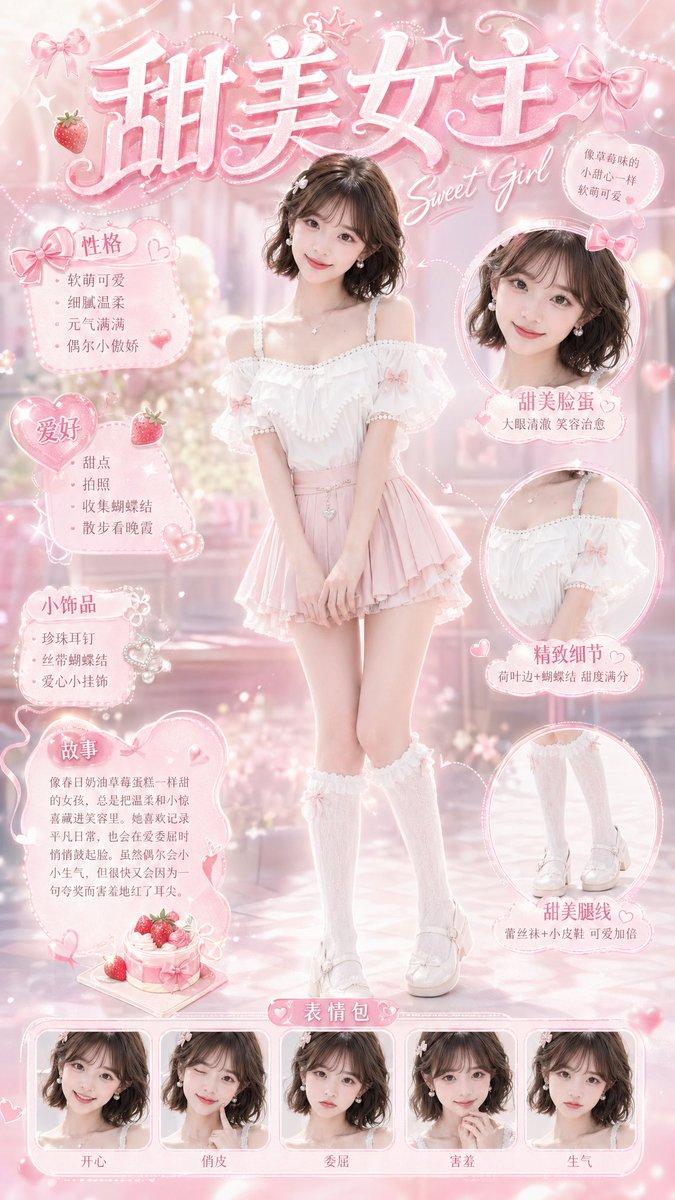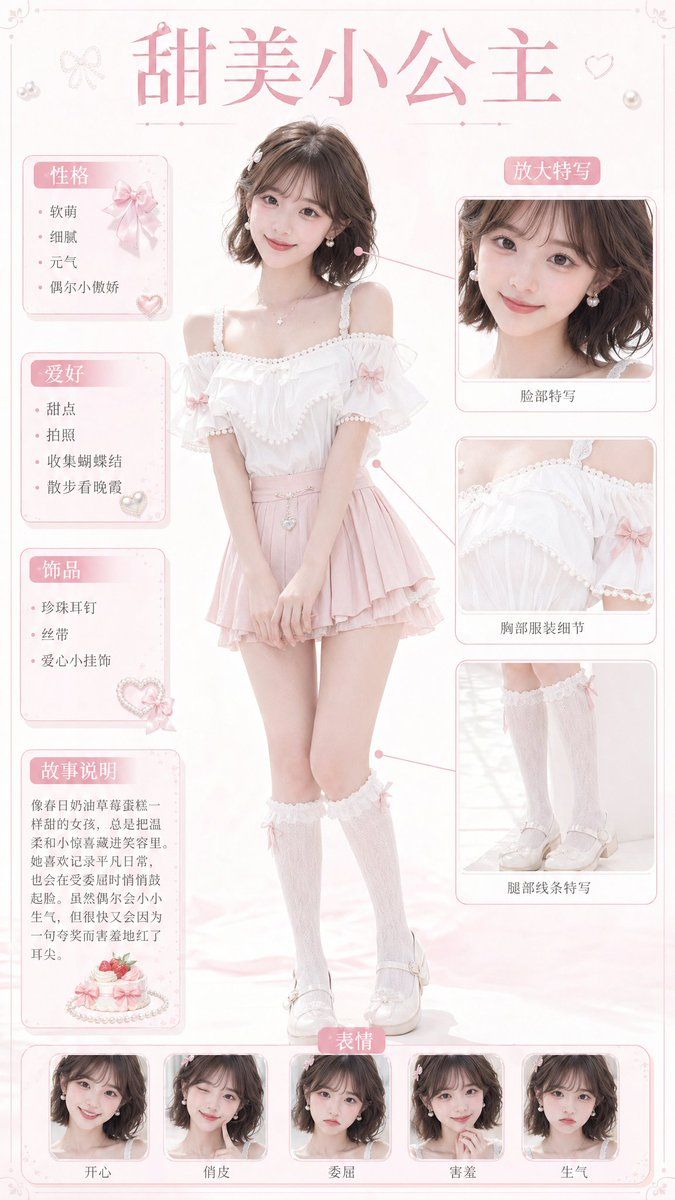
甜美小公主角色卡
Prompt
{"type":"sweet princess character card","style":"soft pastel anime-inspired fashion character sheet with a realistic young woman model, airy studio lighting, creamy white and blush pink palette, delicate lace, bows, pearls, hearts, and elegant scrapbook poster design","subject":{"character":"{argument name=\"character name\" default=\"甜美小公主\"}","gender_presentation":"feminine","age_appearance":"young adult","build":"slim, petite, gentle posture","hair":{"color":"{argument name=\"hair color\" default=\"dark brown\"}","style":"short wavy bob, side part, soft curls grazing the neck"},"outfit":{"top":"white off-shoulder chiffon blouse with pearl-trim ruffles and pink ribbon bows on the sleeves","bottom":"{argument name=\"skirt color\" default=\"light pink\"} layered mini skirt with soft pleats and a tiny jewel charm at the waist","legwear":"white lace over-knee socks with small pink bow accents","shoes":"white Mary Jane platform shoes with bows and glossy finish","accessories":["pearl earrings","delicate necklace with tiny pendant","bracelet","heart charm waist accessory"]},"pose":"full-body standing pose, knees slightly turned inward, hands clasped in front, sweet shy princess demeanor"},"layout":{"poster_ratio":"vertical","background":"clean white backdrop with faint blush gradients, thin decorative border, tiny ribbon and heart ornaments in the corners","title":{"text":"{argument name=\"headline text\" default=\"甜美小公主\"}","position":"top center","style":"large pink Chinese display font"},"sections":[{"title":"性格","position":"upper left","count":4,"labels":["软萌","细腻","元气","偶尔小傲娇"]},{"title":"爱好","position":"left middle","count":4,"labels":["甜点","拍照","收集蝴蝶结","散步看晚霞"]},{"title":"饰品","position":"left lower middle","count":3,"labels":["珍珠耳钉","丝带","爱心小挂饰"]},{"title":"故事说明","position":"lower left","count":1,"labels":["像春日奶油草莓蛋糕一样甜的女孩,总是把温柔和小惊喜藏进笑容里。她喜欢记录平凡日常,也会在受委屈时偷偷鼓起脸。虽然偶尔会小小生气,但很快又会因为一句夸奖而害羞地红了耳朵。"]},{"title":"放大特写","position":"upper right","count":1,"labels":["脸部特写"]},{"title":"服装细节","position":"right middle","count":1,"labels":["胸部服装细节"]},{"title":"腿部线条特写","position":"right lower middle","count":1,"labels":["腿部线条特写"]},{"title":"表情","position":"bottom center","count":5,"labels":["开心","俏皮","委屈","害羞","生气"]}],"centerpiece":"one full-body portrait in the center with callout lines connecting to the three right-side detail panels","additional_objects":[{"type":"cake illustration","position":"bottom of 故事说明 panel","count":1},{"type":"decorative heart gems and bows","count":6}]},"rendering":{"camera":"front-facing full-body fashion poster composition","lighting":"soft diffused high-key lighting with minimal shadows","texture":"light chiffon, lace, satin ribbon, pearl trim, glossy shoes","mood":"cute, innocent, romantic, sugary, princess-like","quality":"polished commercial character sheet, clean typography, refined layout, highly detailed clothing textures"}}- Category
- Charts & Infographics
- Model
- GPT Image 2
- Creator
- litreily
- Source ID
- 17699
- Published
- May 1, 2026
Views13