19

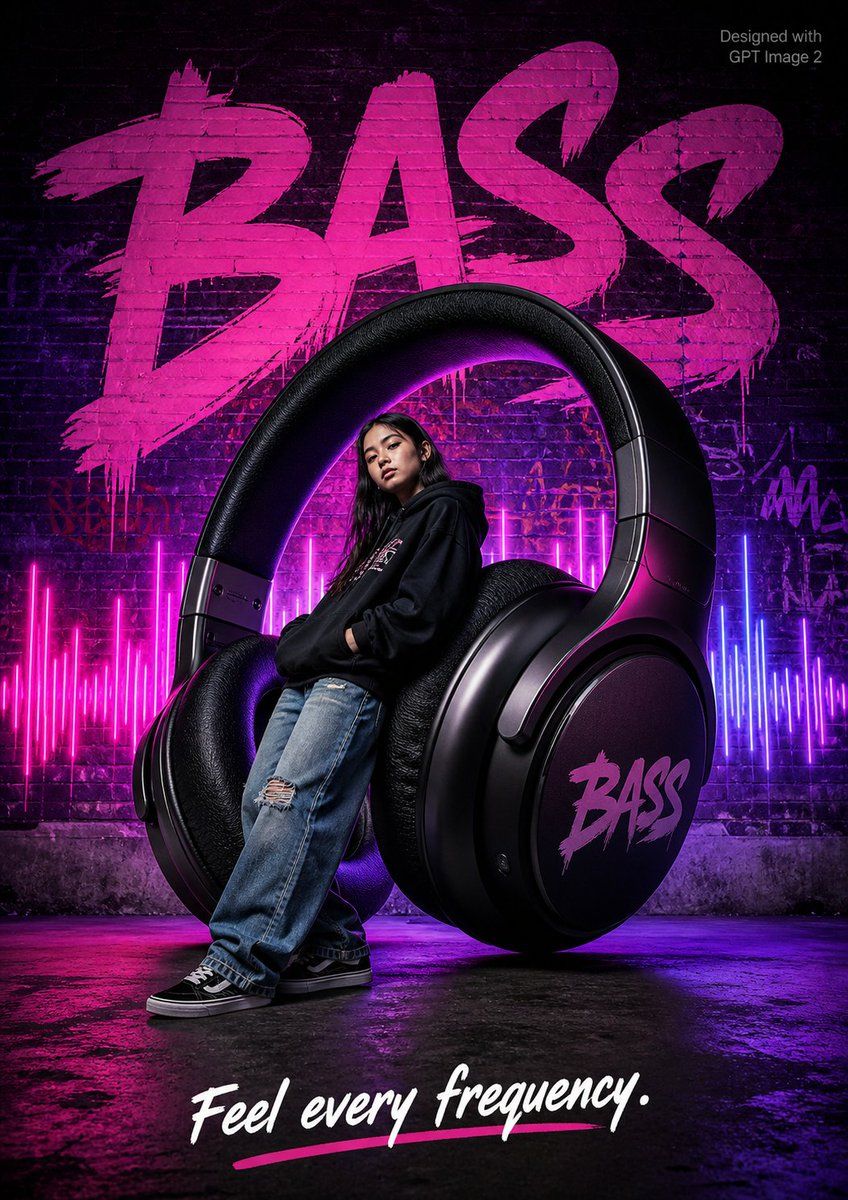
街头风 BASS 耳机海报
Enlarge

街头风 BASS 耳机海报

Prompt
A streetwear advertisement poster. A {argument name="subject" default="cool teenage girl in oversized hoodie and baggy jeans"} leans against a {argument name="giant item" default="giant pair of floating wireless headphones"} 2x her height with "{argument name="logo text" default="BASS"}" on earcups, colorful sound wave visualizer glowing behind. Dark urban brick wall background with purple and pink gradient neon lighting. Bold graffiti-style typography "BASS" in background. 

Tagline bottom: "Feel every frequency." Small text top-right corner reads "Designed with GPT Image 2" in grey. Photorealistic, street culture editorial style.
Category
Charts & Infographics
Model
GPT Image 2
Creator
𝐌
Views5
Source ID
17790
Published
May 2, 2026

Guide

About "街头风 BASS 耳机海报"

What is this prompt for?

"街头风 BASS 耳机海报" AI image prompt for GPT Image 2 (Charts & Infographics). 一个街头服饰广告提示词,画面包含一名青少年、巨大的耳机、霓虹灯闪烁的城市背景以及涂鸦风格的字体。 Copy it on Picva and recreate the loo…

The full copyable prompt and example visuals above are ready for AI image generation or one-click recreate in Picva.

How to use this prompt

  1. Step 1

    Open the prompt detail

    Review the example visuals, category, and full prompt text for "街头风 BASS 耳机海报".

  2. Step 2

    Copy the prompt

    Copy the prompt body from this page, or load it directly in Studio.

  3. Step 3

    Pick a model (GPT Image 2)

    Prefer GPT Image 2. If you switch models, keep subject and composition and tweak style terms.

  4. Step 4

    Generate and export

    Recreate the look in Picva, or export into your workflow for editing and publishing.

FAQ

What is the "街头风 BASS 耳机海报" prompt?
It is an AI image-generation prompt for GPT Image 2 in the Charts & Infographics category. This page includes the full prompt text, example visuals, and a one-click recreate path in Picva.
How do I use this prompt to generate an image?
Copy the prompt from this page, or use Generate / Studio. Paste it into a compatible image model, or recreate the look in Picva with optional reference images.
Which model is this prompt for?
This page lists GPT Image 2. Most descriptive prompts also transfer to nearby image models such as GPT Image, Flux, or Midjourney with light style tweaks.
Can I use the result commercially?
You can usually copy the prompt for creation, but commercial use of the final image depends on the model terms, reference-image rights, and the generated content. Follow the source author and platform rules.