20

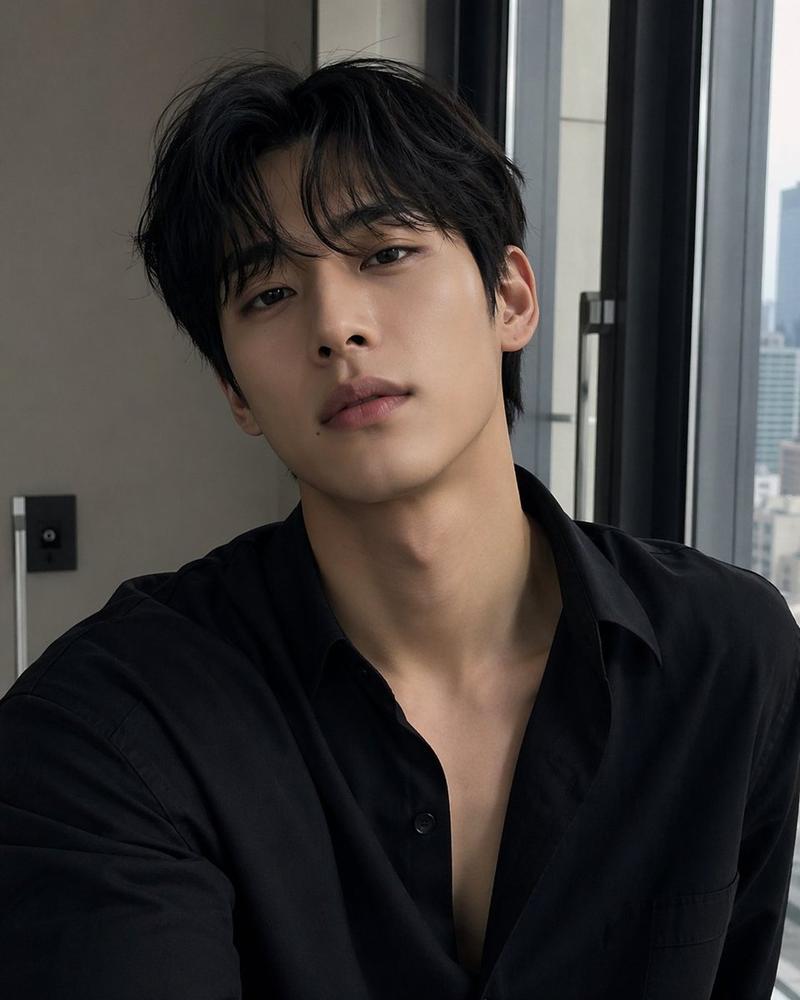
时尚职场人士肖像
Enlarge

Example images

时尚职场人士肖像

Prompt
A photorealistic vertical portrait of a {argument name="subject" default="young East Asian male office worker"} seated at a modern office desk, looking calmly and directly at the camera with a soft neutral expression. He has {argument name="hair style" default="medium-length layered dark brown hair, slightly wet textured, parted with loose bangs"}, smooth pale skin, delicate facial features, and a fashionable clean appearance. He wears a {argument name="outfit" default="oversized black blazer over a plain white T-shirt"} with a blue lanyard and visible employee ID badge hanging at his chest. His hands rest on the keyboard of a space gray laptop with a black Apple logo on the left side of the desk. On the desk are exactly 3 visible objects besides the laptop: a black smartphone lying face-up near the center front, a white spiral notebook on the right, and a black pen placed diagonally on the notebook. The setting is a bright glass-walled corporate office with blurred desks, windows, partitions, and cool daylight in the background, shallow depth of field, realistic reflections, muted gray-blue color palette, soft diffused lighting, high-end editorial photography style, 85mm lens look, natural skin texture, crisp focus on the face, vertical 2:3 composition, professional yet stylish atmosphere.
Category
Charts & Infographics
Model
GPT Image 2
Creator
こゆび
Views1
Source ID
17954
Published
May 2, 2026

Guide

About "时尚职场人士肖像"

What is this prompt for?

"时尚职场人士肖像" AI image prompt for GPT Image 2 (Charts & Infographics). 生成一张写实风格的竖版企业肖像,展示一位坐在现代玻璃墙办公室笔记本电脑前的时尚年轻职场人士。 Copy it on Picva and recreate the look in on…

The full copyable prompt and example visuals above are ready for AI image generation or one-click recreate in Picva.

How to use this prompt

  1. Step 1

    Open the prompt detail

    Review the example visuals, category, and full prompt text for "时尚职场人士肖像".

  2. Step 2

    Copy the prompt

    Copy the prompt body from this page, or load it directly in Studio.

  3. Step 3

    Pick a model (GPT Image 2)

    Prefer GPT Image 2. If you switch models, keep subject and composition and tweak style terms.

  4. Step 4

    Generate and export

    Recreate the look in Picva, or export into your workflow for editing and publishing.

FAQ

What is the "时尚职场人士肖像" prompt?
It is an AI image-generation prompt for GPT Image 2 in the Charts & Infographics category. This page includes the full prompt text, example visuals, and a one-click recreate path in Picva.
How do I use this prompt to generate an image?
Copy the prompt from this page, or use Generate / Studio. Paste it into a compatible image model, or recreate the look in Picva with optional reference images.
Which model is this prompt for?
This page lists GPT Image 2. Most descriptive prompts also transfer to nearby image models such as GPT Image, Flux, or Midjourney with light style tweaks.
Can I use the result commercially?
You can usually copy the prompt for creation, but commercial use of the final image depends on the model terms, reference-image rights, and the generated content. Follow the source author and platform rules.