20

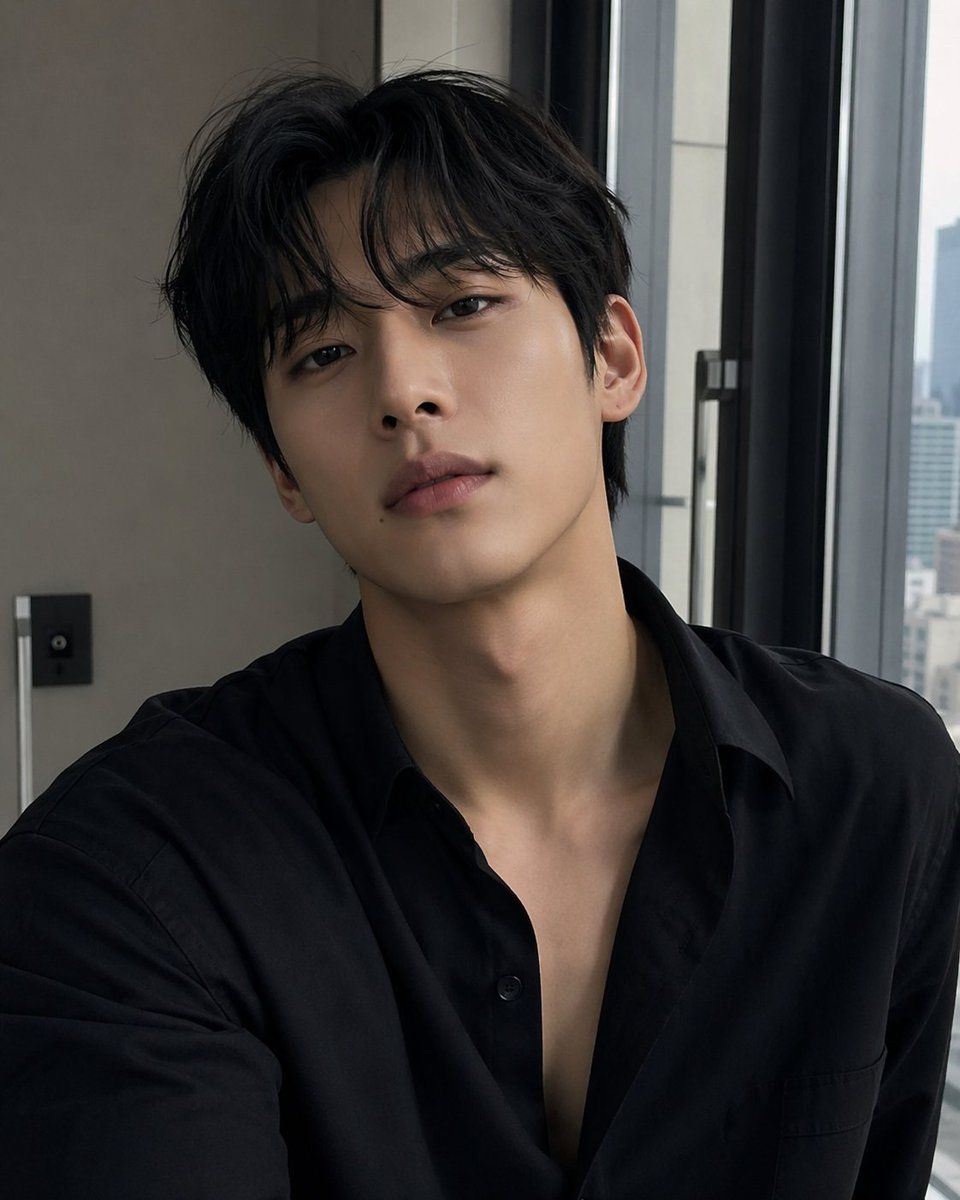
忧郁风格遮挡室内自拍肖像
Enlarge

忧郁风格遮挡室内自拍肖像

Prompt
A realistic indoor selfie-style portrait of a young East Asian man from the chest up, seated near a large modern window in a high-rise apartment or hotel room during soft daylight. He has {argument name="hair color" default="black"} hair, thick and slightly tousled with a center part and soft volume over the forehead and sides. His build appears slim, with a long neck and smooth light skin. He wears a {argument name="shirt color" default="black"} button-up shirt made of matte cotton or poplin, slightly oversized, with the top several buttons undone to create a deep open collar and relaxed, casual styling. The camera is held close in a natural selfie angle, portrait orientation, framing the shoulders, chest, neck, and head. His face is fully obscured by a large centered rectangular blur or mosaic censor block, while the ears, jawline edges, neck, and hair remain visible. The mood is understated, moody, and elegant, with muted neutral colors, soft window light from the right side, gentle shadows, and a candid social-media selfie feeling. Background details include 1 beige wall section on the left, 1 small dark wall control panel, 1 vertical metallic trim or lamp edge, and 2 tall dark-framed window panels on the right with a faint out-of-focus city skyline outside. Photorealistic smartphone photo, clean modern interior, shallow depth of field, natural skin texture, subtle contrast, no smile visible because of the censor block, minimal editing, stylish and believable personal selfie.
Category
Posters & Typography
Model
GPT Image 2
Creator
MathMedix
Views9
Source ID
14686
Published
Apr 22, 2026

Guide

About "忧郁风格遮挡室内自拍肖像"

What is this prompt for?

"忧郁风格遮挡室内自拍肖像" AI image prompt for GPT Image 2 (Posters & Typography). 此提示词可生成一张年轻男子身着深色开领衬衫、在窗边拍摄的写实风格时尚自拍,适用于制作逼真的社交媒体肖像照。 Copy it on Picva and recreate the…

The full copyable prompt and example visuals above are ready for AI image generation or one-click recreate in Picva.

How to use this prompt

  1. Step 1

    Open the prompt detail

    Review the example visuals, category, and full prompt text for "忧郁风格遮挡室内自拍肖像".

  2. Step 2

    Copy the prompt

    Copy the prompt body from this page, or load it directly in Studio.

  3. Step 3

    Pick a model (GPT Image 2)

    Prefer GPT Image 2. If you switch models, keep subject and composition and tweak style terms.

  4. Step 4

    Generate and export

    Recreate the look in Picva, or export into your workflow for editing and publishing.

FAQ

What is the "忧郁风格遮挡室内自拍肖像" prompt?
It is an AI image-generation prompt for GPT Image 2 in the Posters & Typography category. This page includes the full prompt text, example visuals, and a one-click recreate path in Picva.
How do I use this prompt to generate an image?
Copy the prompt from this page, or use Generate / Studio. Paste it into a compatible image model, or recreate the look in Picva with optional reference images.
Which model is this prompt for?
This page lists GPT Image 2. Most descriptive prompts also transfer to nearby image models such as GPT Image, Flux, or Midjourney with light style tweaks.
Can I use the result commercially?
You can usually copy the prompt for creation, but commercial use of the final image depends on the model terms, reference-image rights, and the generated content. Follow the source author and platform rules.