13

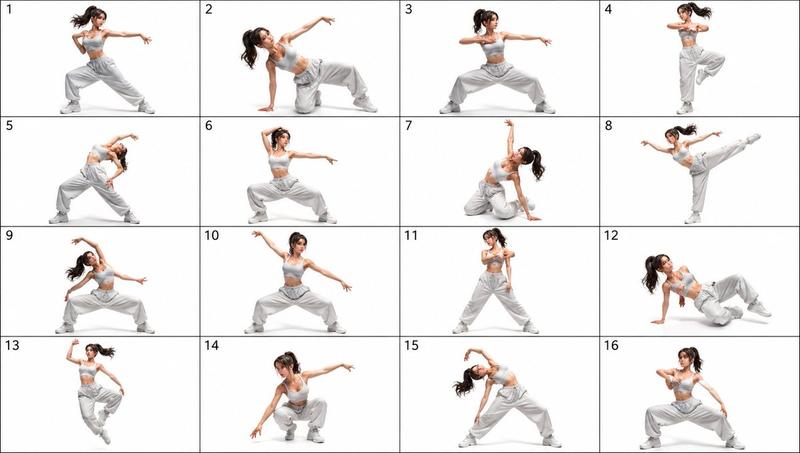
16-Panel Yoga Instructional Storyboard
Enlarge

16-Panel Yoga Instructional Storyboard

Prompt
A 16-panel instructional storyboard grid featuring a {argument name="subject" default="calm, athletic young woman"} performing a sequence of {argument name="activity" default="yoga poses"} in the same spot. Clean minimal studio background with soft natural lighting, consistent full-body framing across all panels. The woman wears a {argument name="outfit" default="fitted neutral-toned yoga outfit (leggings + sports top)"}, barefoot, hair tied back. Each panel shows a different pose in a smooth progression: Mountain Pose (Tadasana), Upward Stretch (Arms Overhead), Forward Fold (Uttanasana), Half Lift, Plank Pose, Chaturanga (Low Plank), Upward Facing Dog, Downward Dog, Low Lunge (Right Leg Forward), Warrior I, Warrior II, Reverse Warrior, Triangle Pose, Tree Pose (Balance), Seated Fold, Final Meditation Pose (Eyes Closed, Calm Expression). Style: modern instructional design, evenly spaced grid layout, each frame labeled with step number and pose name, subtle arrows indicating movement flow, soft shadows, neutral background, high detail, realistic proportions, elegant and calming aesthetic.
Category
Charts & Infographics
Model
GPT Image 2
Creator
Synthia
Views5
Source ID
18045
Published
May 3, 2026

Guide

About "16-Panel Yoga Instructional Storyboard"

What is this prompt for?

"16-Panel Yoga Instructional Storyboard" AI image prompt for GPT Image 2 (Charts & Infographics). A clean, minimalist 16-panel grid layout for a yoga instructi…

The full copyable prompt and example visuals above are ready for AI image generation or one-click recreate in Picva.

How to use this prompt

  1. Step 1

    Open the prompt detail

    Review the example visuals, category, and full prompt text for "16-Panel Yoga Instructional Storyboard".

  2. Step 2

    Copy the prompt

    Copy the prompt body from this page, or load it directly in Studio.

  3. Step 3

    Pick a model (GPT Image 2)

    Prefer GPT Image 2. If you switch models, keep subject and composition and tweak style terms.

  4. Step 4

    Generate and export

    Recreate the look in Picva, or export into your workflow for editing and publishing.

FAQ

What is the "16-Panel Yoga Instructional Storyboard" prompt?
It is an AI image-generation prompt for GPT Image 2 in the Charts & Infographics category. This page includes the full prompt text, example visuals, and a one-click recreate path in Picva.
How do I use this prompt to generate an image?
Copy the prompt from this page, or use Generate / Studio. Paste it into a compatible image model, or recreate the look in Picva with optional reference images.
Which model is this prompt for?
This page lists GPT Image 2. Most descriptive prompts also transfer to nearby image models such as GPT Image, Flux, or Midjourney with light style tweaks.
Can I use the result commercially?
You can usually copy the prompt for creation, but commercial use of the final image depends on the model terms, reference-image rights, and the generated content. Follow the source author and platform rules.