20

Museum Archaeological Infographic Plate
Enlarge

Museum Archaeological Infographic Plate

Prompt
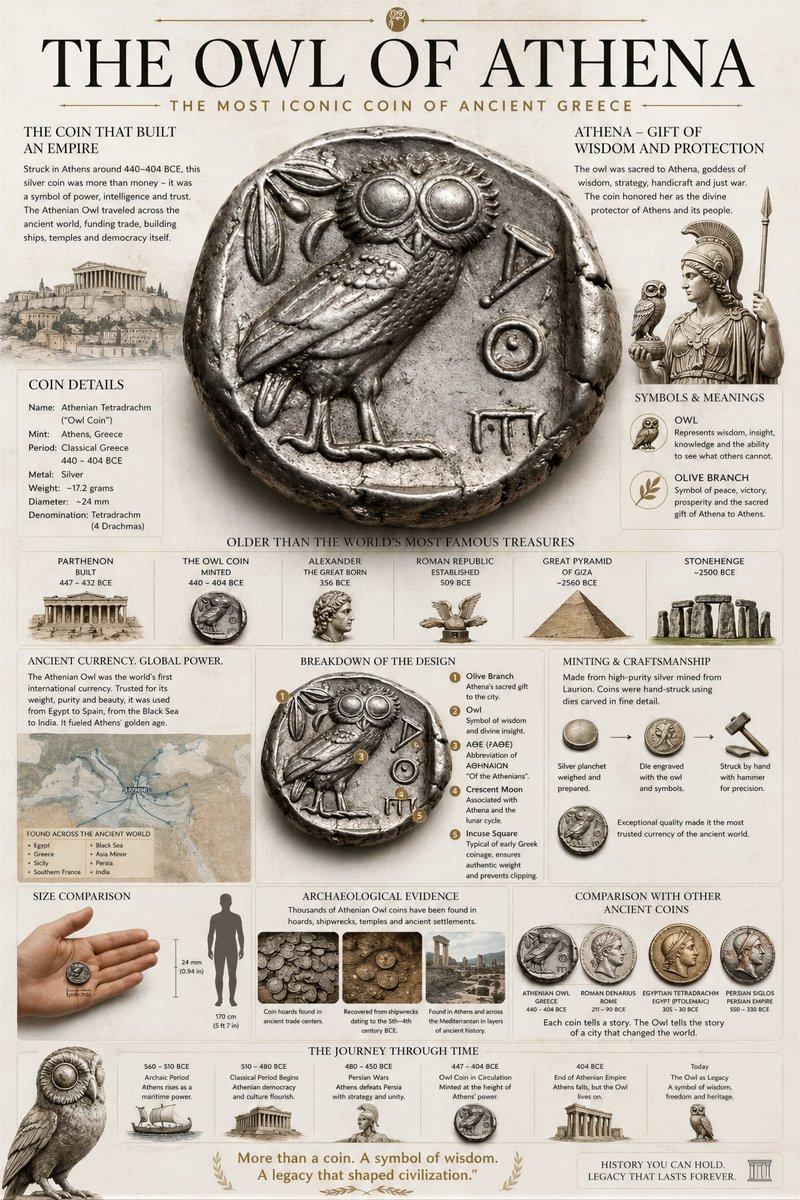
Create a premium museum-style infographic of {argument name="subject" default="[Your object name or Referenced to the uploaded image]"}, designed as a groundbreaking archaeological discovery plate.

Center the hyper-realistic, powerful artifact with ultra-detailed texture, engraved symbols, sacred geometries, and dramatic cinematic lighting.

Include: historical context & civilization importance, age comparison (older than pyramids/Stonehenge), spiritual meaning & theories, close-up symbol/engraving breakdowns, structural analysis, discovery map, human size scale, materials & handcraft techniques, archaeological timeline, comparisons to other ancient civilizations, excavation details & evidence.

Clean layered museum-grade composition, bold editorial typography, neutral subtle background, scientific yet dramatic documentary style.

Ultra-detailed, 4K.
Category
Charts & Infographics
Model
GPT Image 2
Creator
Diego Jr
Views0
Source ID
18092
Published
May 3, 2026

Guide

About "Museum Archaeological Infographic Plate"

What is this prompt for?

"Museum Archaeological Infographic Plate" AI image prompt for GPT Image 2 (Charts & Infographics). Generate a premium, documentary-style infographic for any ob…

The full copyable prompt and example visuals above are ready for AI image generation or one-click recreate in Picva.

How to use this prompt

  1. Step 1

    Open the prompt detail

    Review the example visuals, category, and full prompt text for "Museum Archaeological Infographic Plate".

  2. Step 2

    Copy the prompt

    Copy the prompt body from this page, or load it directly in Studio.

  3. Step 3

    Pick a model (GPT Image 2)

    Prefer GPT Image 2. If you switch models, keep subject and composition and tweak style terms.

  4. Step 4

    Generate and export

    Recreate the look in Picva, or export into your workflow for editing and publishing.

FAQ

What is the "Museum Archaeological Infographic Plate" prompt?
It is an AI image-generation prompt for GPT Image 2 in the Charts & Infographics category. This page includes the full prompt text, example visuals, and a one-click recreate path in Picva.
How do I use this prompt to generate an image?
Copy the prompt from this page, or use Generate / Studio. Paste it into a compatible image model, or recreate the look in Picva with optional reference images.
Which model is this prompt for?
This page lists GPT Image 2. Most descriptive prompts also transfer to nearby image models such as GPT Image, Flux, or Midjourney with light style tweaks.
Can I use the result commercially?
You can usually copy the prompt for creation, but commercial use of the final image depends on the model terms, reference-image rights, and the generated content. Follow the source author and platform rules.