17

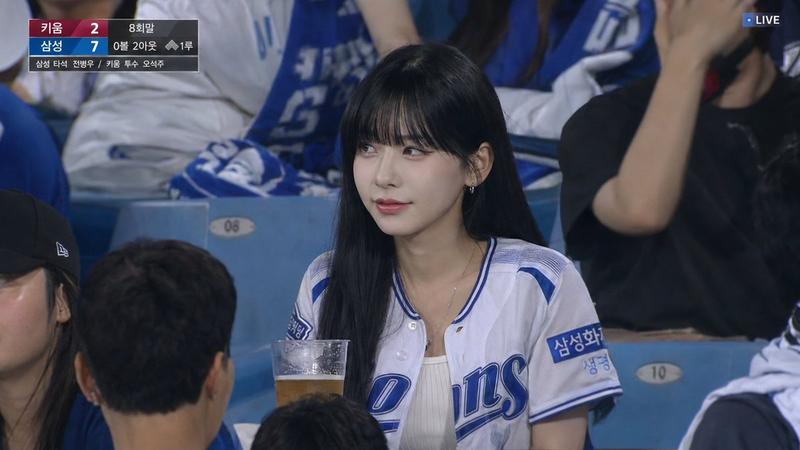
KBO 乐天巨人队转播风格球迷照片
Enlarge

KBO 乐天巨人队转播风格球迷照片

Prompt
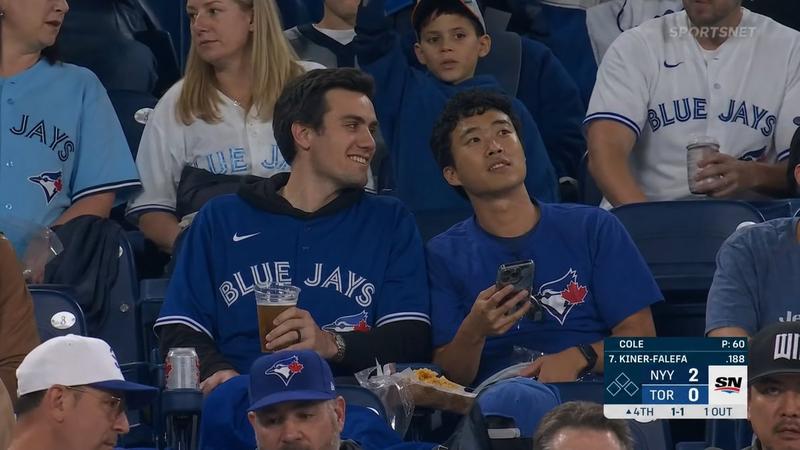
Create a realistic sports broadcast still photo from a 2024 KBO League baseball game, shot from the spectator seats in bright daylight with shallow depth of field. The main subject is a young female fan seated in the stands wearing a white Lotte Giants baseball jersey with navy piping, red-and-navy “Giants” chest lettering, a circular Lotte Giants Busan 1982 sleeve patch, and small Korean sponsor text on the sleeve; she has long dark hair tied in a ponytail, layered delicate necklaces, and her face is intentionally covered by a centered opaque rectangular privacy blur in a muted gray-brown gradient. Behind her are stadium seats and another fan wearing a white Giants jersey with red sleeves and a blue lanyard, softly out of focus. Add a black TV broadcast scoreboard overlay in the upper-left corner with exactly 2 team rows labeled {argument name="away team" default="두산"} and {argument name="home team" default="롯데"}, scores 3 and 2, inning marker 7, a small baseball diamond graphic with one orange base highlighted, count text “2-2 0U,” pitcher line “P 김택연,” pitch count “12,” and bottom batter information “6 윤동희 3타수 0안타.” Use authentic Korean baseball broadcast styling, natural camera perspective, realistic fabric texture, accurate stadium lighting, documentary photography look, and a slightly compressed telephoto crop.
Category
Charts & Infographics
Model
GPT Image 2
Views4
Source ID
18674
Published
May 6, 2026

Guide

About "KBO 乐天巨人队转播风格球迷照片"

What is this prompt for?

"KBO 乐天巨人队转播风格球迷照片" AI image prompt for GPT Image 2 (Charts & Infographics). 生成一张逼真的韩国棒球转播风格的观众照片,包含乐天巨人队球迷、隐私遮挡面部以及屏幕记分牌叠加效果。 Copy it on Picva and recreate th…

The full copyable prompt and example visuals above are ready for AI image generation or one-click recreate in Picva.

How to use this prompt

  1. Step 1

    Open the prompt detail

    Review the example visuals, category, and full prompt text for "KBO 乐天巨人队转播风格球迷照片".

  2. Step 2

    Copy the prompt

    Copy the prompt body from this page, or load it directly in Studio.

  3. Step 3

    Pick a model (GPT Image 2)

    Prefer GPT Image 2. If you switch models, keep subject and composition and tweak style terms.

  4. Step 4

    Generate and export

    Recreate the look in Picva, or export into your workflow for editing and publishing.

FAQ

What is the "KBO 乐天巨人队转播风格球迷照片" prompt?
It is an AI image-generation prompt for GPT Image 2 in the Charts & Infographics category. This page includes the full prompt text, example visuals, and a one-click recreate path in Picva.
How do I use this prompt to generate an image?
Copy the prompt from this page, or use Generate / Studio. Paste it into a compatible image model, or recreate the look in Picva with optional reference images.
Which model is this prompt for?
This page lists GPT Image 2. Most descriptive prompts also transfer to nearby image models such as GPT Image, Flux, or Midjourney with light style tweaks.
Can I use the result commercially?
You can usually copy the prompt for creation, but commercial use of the final image depends on the model terms, reference-image rights, and the generated content. Follow the source author and platform rules.