19

Masked Wolf 战术 Agent
Enlarge

Masked Wolf 战术 Agent

Prompt
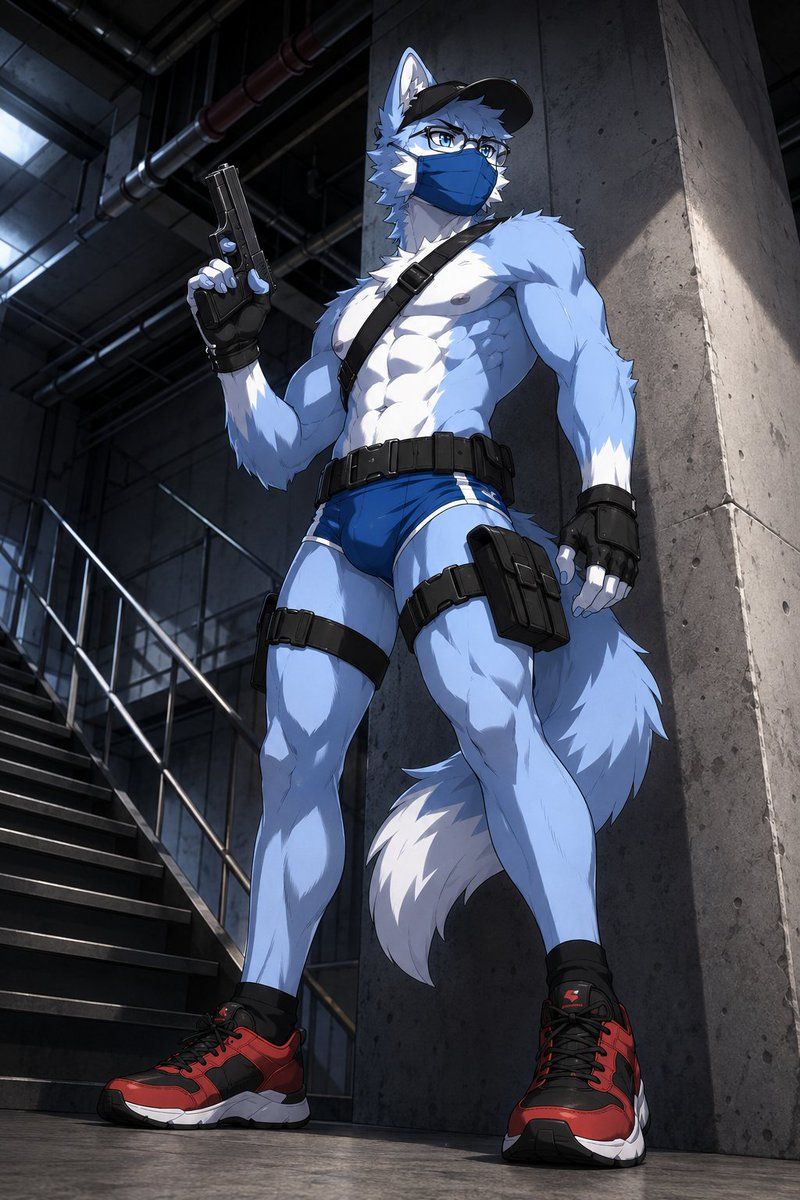
Create a dramatic vertical anime-style illustration of a tall, muscular anthropomorphic wolf security agent standing in a dark industrial stairwell. The character is a blue-and-white wolf with pale blue fur, white chest and muzzle markings, sharp wolf ears, a large fluffy tail with a white tip, athletic bodybuilder proportions, defined abs and legs, and a confident guarded stance. He wears a black baseball cap, rectangular glasses, a blue medical face mask, black fingerless tactical gloves, a black diagonal shoulder strap, a black utility belt, black thigh straps, a right-thigh holster pouch, minimal tight blue athletic briefs, and red-and-black chunky sneakers. His right hand holds a black pistol upright beside his shoulder while his left fist hangs at his side. Use {argument name="fur color" default="pale blue and white"}, {argument name="mask color" default="blue"}, {argument name="shoe color" default="red and black"}, {argument name="weapon" default="black pistol"}, and {argument name="setting" default="dark concrete industrial stairwell"}. Compose from a low camera angle looking upward to emphasize heroic scale and long legs, with the character leaning slightly near a tall concrete pillar. The background shows metal stairs, railings, overhead pipes, concrete walls, and a cool skylight glow, with moody high-contrast lighting, crisp cel-shaded rendering, detailed fur texture, sharp linework, realistic shadows, cinematic depth, and a serious urban tactical atmosphere.
Category
Posters & Typography
Model
GPT Image 2
Views9
Source ID
19101
Published
May 8, 2026

Guide

About "Masked Wolf 战术 Agent"

What is this prompt for?

"Masked Wolf 战术 Agent" AI image prompt for GPT Image 2 (Posters & Typography). 生成一张低角度动漫风格插画,描绘了一位身穿战术装备、肌肉发达的拟人化狼型 Agent 在工业楼梯间中的形象。 Copy it on Picva and recr…

The full copyable prompt and example visuals above are ready for AI image generation or one-click recreate in Picva.

How to use this prompt

  1. Step 1

    Open the prompt detail

    Review the example visuals, category, and full prompt text for "Masked Wolf 战术 Agent".

  2. Step 2

    Copy the prompt

    Copy the prompt body from this page, or load it directly in Studio.

  3. Step 3

    Pick a model (GPT Image 2)

    Prefer GPT Image 2. If you switch models, keep subject and composition and tweak style terms.

  4. Step 4

    Generate and export

    Recreate the look in Picva, or export into your workflow for editing and publishing.

FAQ

What is the "Masked Wolf 战术 Agent" prompt?
It is an AI image-generation prompt for GPT Image 2 in the Posters & Typography category. This page includes the full prompt text, example visuals, and a one-click recreate path in Picva.
How do I use this prompt to generate an image?
Copy the prompt from this page, or use Generate / Studio. Paste it into a compatible image model, or recreate the look in Picva with optional reference images.
Which model is this prompt for?
This page lists GPT Image 2. Most descriptive prompts also transfer to nearby image models such as GPT Image, Flux, or Midjourney with light style tweaks.
Can I use the result commercially?
You can usually copy the prompt for creation, but commercial use of the final image depends on the model terms, reference-image rights, and the generated content. Follow the source author and platform rules.