20

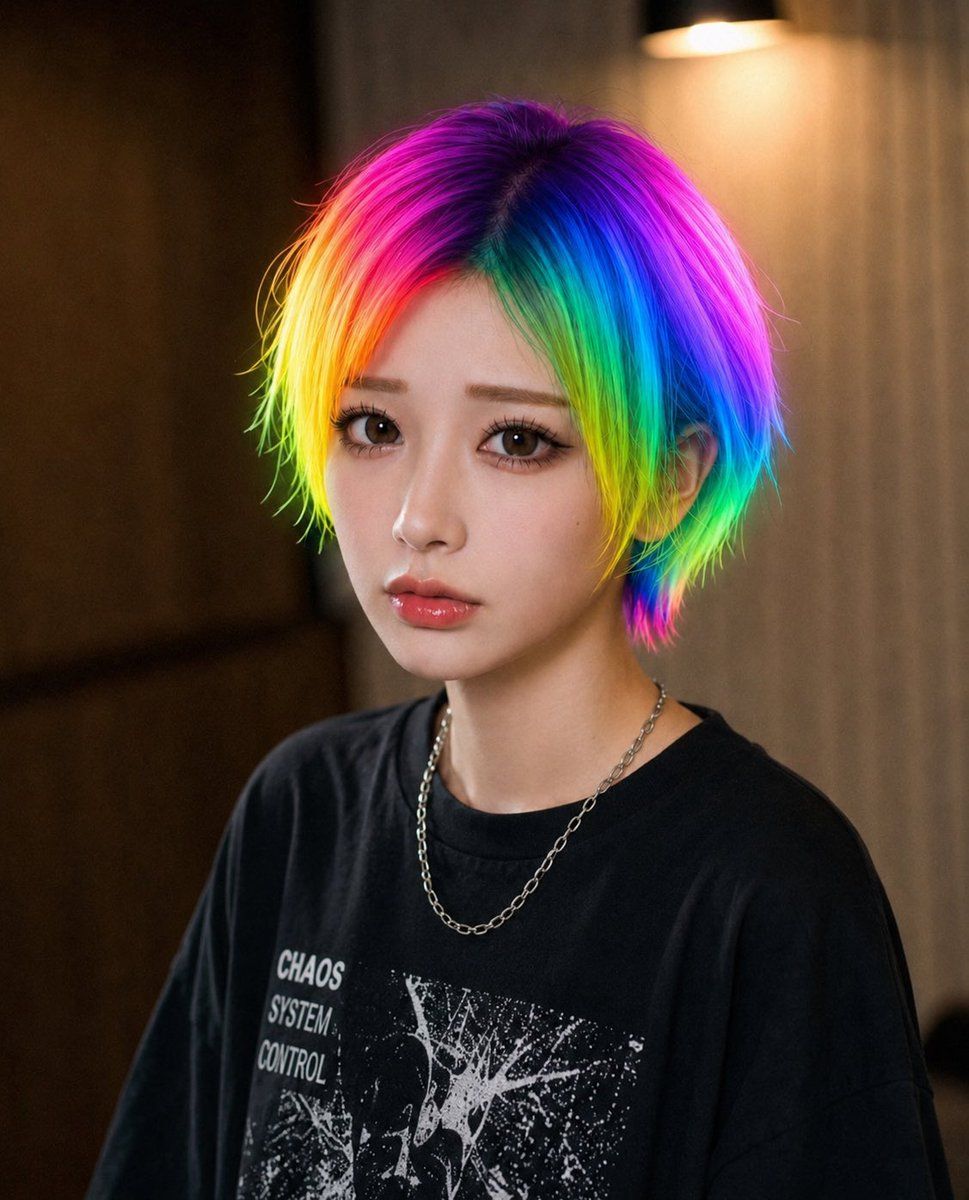
彩虹发色遮挡肖像
Enlarge

Example images

彩虹发色遮挡肖像

Prompt
Create a realistic close-up portrait photo of a young person with {argument name="hair color" default="vivid rainbow neon hair"}, shaggy medium-length layered hair with a dark crown and saturated bands of magenta, violet, electric blue, cyan, green, yellow, and orange glowing around the sides. The subject is framed from chest to head, facing the camera, wearing a loose {argument name="shirt color" default="black"} graphic T-shirt with distressed white punk-style artwork and the visible words “CHAOS SYSTEM CONTROL,” plus a thin silver chain necklace. Place a large opaque square privacy block directly over the entire face, centered from forehead to chin, filled with a soft muted gradient of tan, mauve, green, and blue, hiding all facial features. Use a warm indoor background with shallow depth of field, dark wood or wall panels on the left, beige curtains on the right, and a softly glowing wall lamp near the upper right. Lighting should feel cinematic and cozy, with realistic skin on the visible neck, crisp colorful hair texture, natural camera bokeh, and a modern street-fashion editorial look.
Category
Charts & Infographics
Model
GPT Image 2
Views3
Source ID
19728
Published
May 11, 2026

Guide

About "彩虹发色遮挡肖像"

What is this prompt for?

"彩虹发色遮挡肖像" AI image prompt for GPT Image 2 (Charts & Infographics). 生成一张逼真的室内街头时尚肖像,展示鲜艳的彩虹发色,并在面部覆盖方形隐私遮挡块。 Copy it on Picva and recreate the look in one clic…

The full copyable prompt and example visuals above are ready for AI image generation or one-click recreate in Picva.

How to use this prompt

  1. Step 1

    Open the prompt detail

    Review the example visuals, category, and full prompt text for "彩虹发色遮挡肖像".

  2. Step 2

    Copy the prompt

    Copy the prompt body from this page, or load it directly in Studio.

  3. Step 3

    Pick a model (GPT Image 2)

    Prefer GPT Image 2. If you switch models, keep subject and composition and tweak style terms.

  4. Step 4

    Generate and export

    Recreate the look in Picva, or export into your workflow for editing and publishing.

FAQ

What is the "彩虹发色遮挡肖像" prompt?
It is an AI image-generation prompt for GPT Image 2 in the Charts & Infographics category. This page includes the full prompt text, example visuals, and a one-click recreate path in Picva.
How do I use this prompt to generate an image?
Copy the prompt from this page, or use Generate / Studio. Paste it into a compatible image model, or recreate the look in Picva with optional reference images.
Which model is this prompt for?
This page lists GPT Image 2. Most descriptive prompts also transfer to nearby image models such as GPT Image, Flux, or Midjourney with light style tweaks.
Can I use the result commercially?
You can usually copy the prompt for creation, but commercial use of the final image depends on the model terms, reference-image rights, and the generated content. Follow the source author and platform rules.


