Pastel Maruko Dollhouse Diorama
Prompt
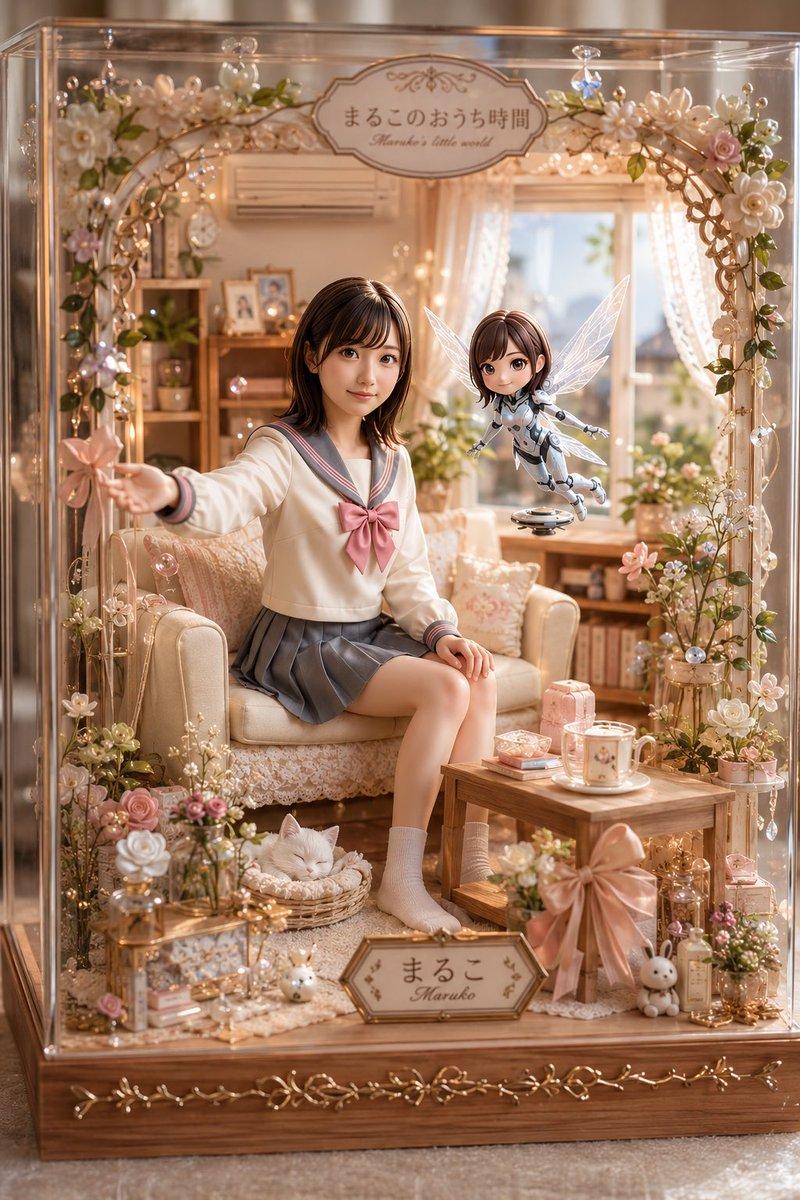
Goal: Create a highly detailed, photorealistic miniature dollhouse diorama inside a transparent glass display case, themed as a cozy pastel Japanese room called {argument name="character name" default="Maruko"}'s little world.

Canvas: Vertical 2:3 image, warm natural window light, shallow depth of field, luxury handcrafted miniature scale, soft peach, cream, rose pink, and honey wood palette.

Main scene: Inside the display case is a cozy living room with lace curtains, a sunny window, a cream loveseat, wooden shelves, potted plants, books, framed photos, fairy lights, and many delicate floral decorations. A teenage Japanese schoolgirl sits on the cream sofa wearing a sailor-style school uniform: ivory long-sleeve top with gray sailor collar and cuffs, a large dusty-pink bow, gray pleated skirt, light socks, and natural relaxed pose. Her left arm reaches outward holding a small pink flower wand, and her right hand rests near her knee. Her face should be softly blurred or featureless like a privacy-masked portrait.

Floating companion: To the girl's right, include exactly 1 small hovering fairy robot doll with a childlike body, short brown bob hair, translucent white insect wings, white-and-silver mechanical suit, tiny arms extended, and a small circular hovering base underneath. Its face is also softly blurred or featureless.

Display case and decoration: The diorama is enclosed in exactly 1 clear acrylic/glass box with reflective edges and a wooden base. Around the front opening is exactly 1 arched floral garland made of pearls, vines, warm micro LED lights, crystal drops, and pastel flowers. Include exactly 2 readable signs: a top oval plaque reading 「まるこのおうち時間」 with small English subtitle "Maruko's little world", and a bottom front nameplate reading 「まるこ」 with "Maruko" beneath it.

Counted visible decorative elements: Include exactly 1 cream sofa, 1 small wooden coffee table, 1 sleeping white cat in a round wicker bed on the floor, 1 pink gift box on the table, 1 white mug on a saucer, 1 oversized satin pink bow attached to the front-right table/base area, 2 small bunny figurines near the lower front, 1 glass lantern-like box at lower left, 1 small bottle/perfume ornament at lower right, 1 wall air conditioner above the sofa, 1 wooden shelving unit in the back-left, and 1 sunny window with lace curtains in the back-right. Add many tiny flowers and pearls, but keep the counted objects clearly distinct.

Style: Ultra-detailed kawaii miniature craft photography, realistic glass reflections, warm bokeh fairy lights, romantic pastel interior, delicate lace textures, polished wood, crystal sparkle, soft cinematic lighting, high-end product photography composition.

Constraints: Preserve the Japanese text exactly on the two signs, avoid extra readable text, keep the scene inside the display case, no watermark, no logo, no harsh shadows, no cartoon flat rendering.- Category
- Charts & Infographics
- Model
- GPT Image 2
- Creator
- まるこ♂🌷
- Source ID
- 19960
- Published
- May 12, 2026
Views3