19

玻璃雨市场
Enlarge

玻璃雨市场

Prompt
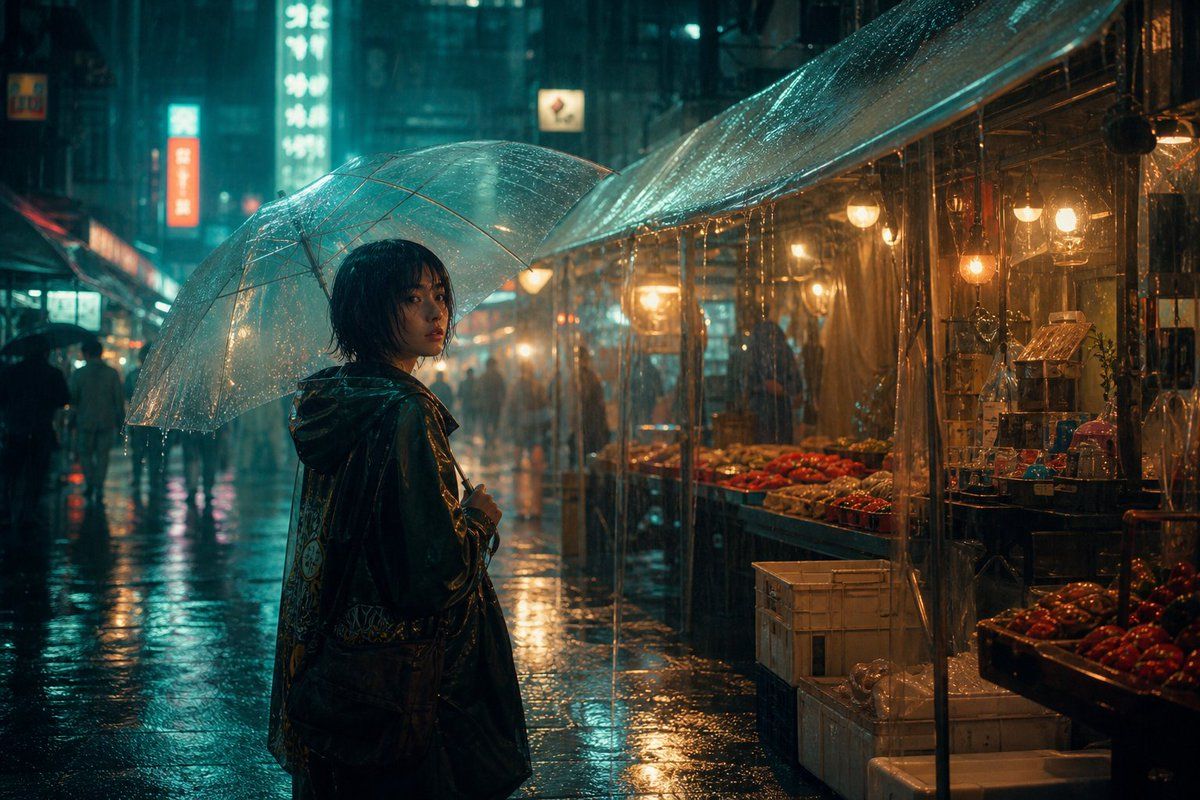
GLASS RAIN MARKET: Create a cinematic cyberpunk night scene of {argument name="character description" default="an original young adult character with short dark wet hair in a dark translucent raincoat"} standing in a {argument name="place" default="neon rain market"}, viewed from behind and slightly to the side while holding a large clear plastic umbrella covered in raindrops. The market is a narrow urban street at night with wet reflective pavement, heavy rain, blurred pedestrians in the background, glowing vertical shop signs, and a produce stall on the right under a transparent tarp roof. Show warm amber bulbs hanging over crates and trays of red tomatoes and other vegetables, contrasted with teal-blue neon light from the city. Use moody teal and amber lighting, shallow depth of field, volumetric rain haze, glossy reflections, realistic cinematic photography, 16:9 widescreen composition, highly detailed water droplets and puddles. The character’s face should not be recognizable; keep them anonymous and original. Exclude logos, readable brand names, celebrity likenesses, clean dry surfaces, sunny weather, and cartoon styling.
Category
Charts & Infographics
Model
GPT Image 2
Views7
Source ID
20865
Published
May 16, 2026

Guide

About "玻璃雨市场"

What is this prompt for?

"玻璃雨市场" AI image prompt for GPT Image 2 (Charts & Infographics). 一个电影质感的青色与琥珀色赛博朋克雨中市场场景,主角是一位撑着透明雨伞的匿名原创角色。 Copy it on Picva and recreate the look in one clic…

The full copyable prompt and example visuals above are ready for AI image generation or one-click recreate in Picva.

How to use this prompt

  1. Step 1

    Open the prompt detail

    Review the example visuals, category, and full prompt text for "玻璃雨市场".

  2. Step 2

    Copy the prompt

    Copy the prompt body from this page, or load it directly in Studio.

  3. Step 3

    Pick a model (GPT Image 2)

    Prefer GPT Image 2. If you switch models, keep subject and composition and tweak style terms.

  4. Step 4

    Generate and export

    Recreate the look in Picva, or export into your workflow for editing and publishing.

FAQ

What is the "玻璃雨市场" prompt?
It is an AI image-generation prompt for GPT Image 2 in the Charts & Infographics category. This page includes the full prompt text, example visuals, and a one-click recreate path in Picva.
How do I use this prompt to generate an image?
Copy the prompt from this page, or use Generate / Studio. Paste it into a compatible image model, or recreate the look in Picva with optional reference images.
Which model is this prompt for?
This page lists GPT Image 2. Most descriptive prompts also transfer to nearby image models such as GPT Image, Flux, or Midjourney with light style tweaks.
Can I use the result commercially?
You can usually copy the prompt for creation, but commercial use of the final image depends on the model terms, reference-image rights, and the generated content. Follow the source author and platform rules.