Warm Schematic Design System 项目
Prompt
Goal: Create a warm, sophisticated schematic-aesthetic design systems mood board for {argument name="theme" default="friendly AI interface design"}, combining technical diagrams, vintage paper textures, and subtle futuristic UI symbols.

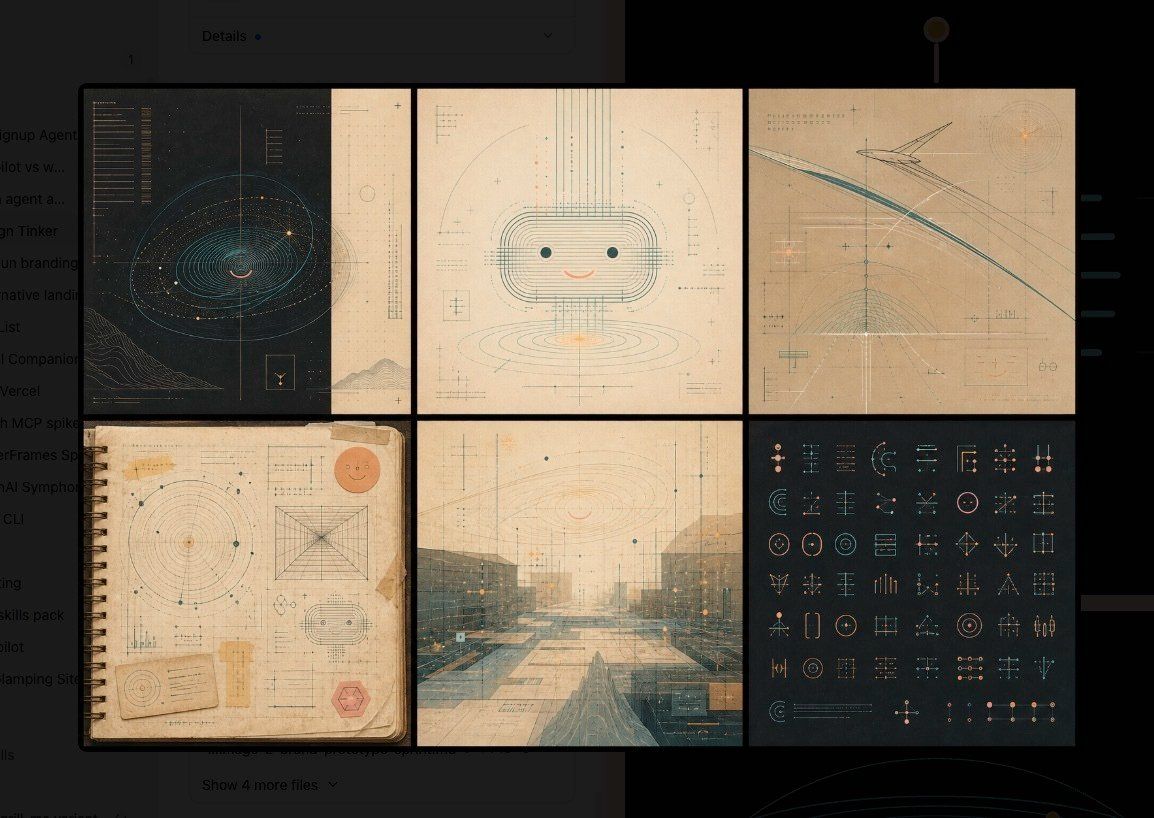
Canvas: Wide horizontal image, approximately 16:9, with a dark charcoal background and a centered 2-row by 3-column grid of six rectangular panels separated by thick black gutters. The overall mood is warm, archival, precise, and slightly mysterious, like a design-system exploration wall.

Layout: Use exactly 6 panels:
1. Top-left panel: dark navy/black technical blueprint with an orbital spiral or galaxy-like contour diagram, fine cyan linework, small glowing amber dots, vertical measuring lines, tiny unreadable annotations, and a small boxed icon near the bottom right.
2. Top-middle panel: cream paper schematic of a cute rounded robot face, made from layered rounded-rectangle contour lines, two teal dot eyes, a small peach smile, vertical and horizontal construction lines, small crosshair marks, and faint measurement notations.
3. Top-right panel: warm beige abstract architectural flight-path schematic with sweeping teal and gray arcs, angular line structures, fine grid lines, crosshairs, orange glow points, and tiny technical labels.
4. Bottom-left panel: aged spiral-bound notebook page with paper tape on the corners, circular radar charts, geometric construction diagrams, small UI glyphs, a peach smiley sticker in the upper right, a small card near the bottom left, and a red hexagonal stamp near the bottom right.
5. Bottom-middle panel: misty futuristic architectural landscape or plaza in muted teal and tan, overlaid with perspective grids, fine UI measurement lines, subtle orange highlights, and translucent schematic annotations.
6. Bottom-right panel: dark charcoal icon-system sheet containing exactly 54 small geometric UI glyphs arranged in a clean grid, using thin teal, peach, and beige lines; include circles, sliders, crosshairs, brackets, arrows, nodes, target symbols, grids, and abstract interface controls.

Visual style: Warm take on technical schematics; combine Bauhaus-like precision, mid-century information design, old engineering drawings, soft futuristic interface graphics, and tactile analog materials. Use muted colors: charcoal black, faded cream, parchment beige, dusty teal, pale cyan, peach, amber, and soft gray. Lines should be extremely fine and precise, with subtle glow only on small highlights. Add paper grain, scan texture, faint speckles, worn edges, and layered transparent drafting marks.

Text and marks: Include tiny pseudo-technical annotations and measurement ticks, but keep all text mostly illegible and decorative. Avoid large readable headlines. Use minimal symbols such as plus signs, crosshairs, coordinates, micro labels, and tiny rule marks.

Constraints: No people, no photorealistic objects except paper/notebook texture, no logos, no watermark, no extra panels beyond the 6 specified panels. Maintain a polished design-system exploration feel rather than a chaotic collage.- Category
- Charts & Infographics
- Model
- GPT Image 2
- Creator
- Philip Bankier
- Source ID
- 21108
- Published
- May 17, 2026
Views5