霓虹 AI 创作者海报
Prompt
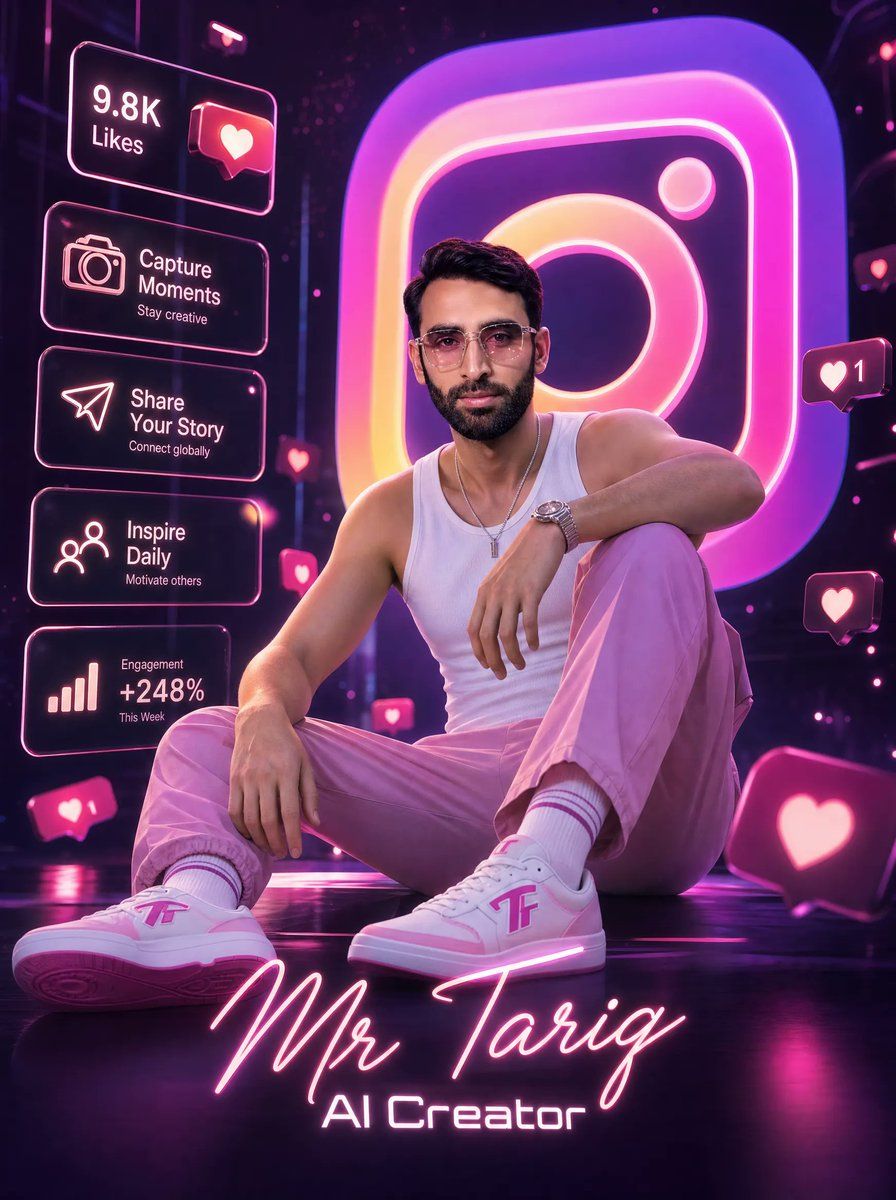
Goal: Create an ultra-detailed cinematic 3D digital social-media creator poster featuring {argument name="character name" default="Mr Tariq"} as a stylish young male AI creator seated confidently in a futuristic neon Instagram-themed studio.

Canvas: Vertical poster, 3:4 aspect ratio, glossy high-resolution 3D render with dramatic depth of field, dark purple-black environment, reflective floor, magenta and pink neon rim lighting.

Main subject: A fashionable young man sitting on the floor in a relaxed confident pose, one knee raised and one leg extended toward the viewer. He wears modern glasses implied by the style, a fitted white tank top, trendy {argument name="trouser color" default="pink"} trousers, white socks with pink stripes, a wristwatch, a thin necklace, and custom white-and-pink sneakers with a stylized pink logo on the side. His face is intentionally covered by a centered soft-edged square censor block in muted brown-pink, while the hair, ears, neck, arms, and outfit remain visible. Use realistic skin, athletic slim build, cinematic fashion-poster posing, and premium influencer branding.

Background: Place a giant glowing Instagram-style app icon behind him, oversized and slightly blurred, with a gradient of hot pink, purple, orange, and yellow neon. Add floating social media reaction bubbles, glowing heart icons, and small pink notification particles throughout the dark studio.

Left-side interface panels: Include exactly 5 translucent rounded rectangular neon UI cards stacked vertically on the left side, outlined in pink-white glow. Card 1: text “9.8K Likes” with a heart notification icon. Card 2: camera icon, text “Capture Moments”, subtext “Stay creative”. Card 3: paper-plane icon, text “Share Your Story”, subtext “Connect globally”. Card 4: people/network icon, text “Inspire Daily”, subtext “Motivate others”. Card 5: bar chart icon, text “Engagement +248%”, subtext “This Week”.

Floating reaction elements: Include exactly 5 visible floating heart-notification bubbles outside the left UI stack: one small heart bubble near the center-left beside the subject, one small heart bubble near the upper-right side with the number “1”, one small heart bubble mid-right, one large heart bubble near the bottom-right foreground, and one small heart bubble near the lower-left foreground with the number “1”.

Bottom typography: At the bottom center, write the creator name {argument name="bottom signature text" default="Mr Tariq"} in large glowing handwritten neon script, colored pink-white. Directly below it, write {argument name="subtitle text" default="AI Creator"} in a futuristic sans-serif neon font. Keep the typography crisp, centered, and integrated with the floor glow.

Visual style: Hyper-real cinematic 3D, glossy neon cyber-studio, influencer marketing aesthetic, pink and purple color palette, volumetric light, reflections, bloom, shallow depth of field, sharp detailed clothing and shoes, high contrast, premium digital poster look.

Constraints: Preserve all visible English text exactly as specified, keep the subject seated in the foreground, keep the giant Instagram icon dominant in the background, do not add extra UI cards, do not add watermarks or unrelated logos.- Category
- Charts & Infographics
- Model
- GPT Image 2
- Creator
- Mr. Tariq
- Source ID
- 21176
- Published
- May 17, 2026
Views2