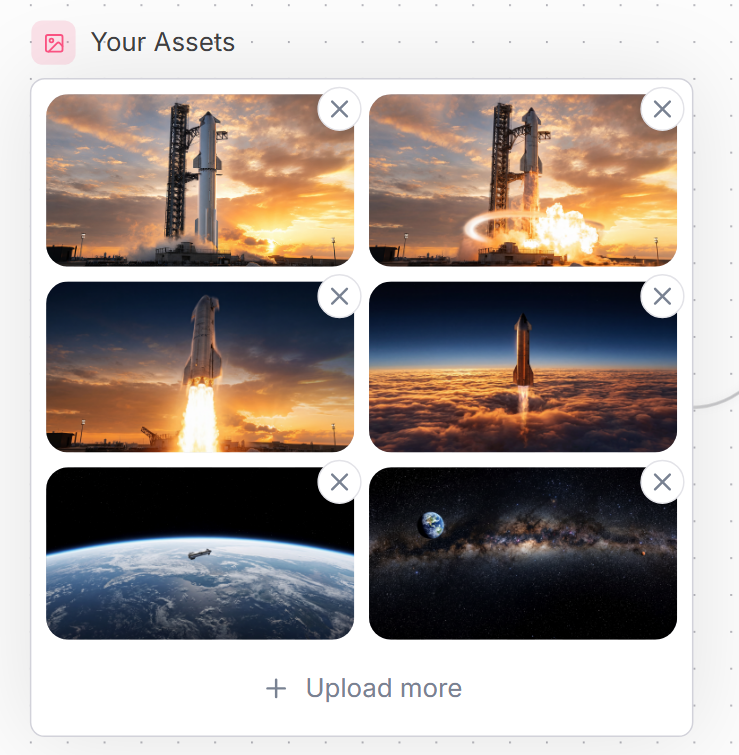
空间资产库 UI
Prompt
Goal: Create a clean website UI asset manager panel titled {argument name="headline text" default="Your Assets"}, showing a grid of uploaded spaceflight images.

Canvas: Square-ish web mockup on a very light background with a subtle dotted grid pattern and faint curved decorative line on the right edge. Use a modern SaaS style with soft shadows, rounded corners, and muted blue-gray text.

Layout: At the top left, place a small rounded pink square icon containing a simple outlined image/photo symbol, followed by the headline. Below it, create one large white rounded rectangle card with a thin pale gray border. Inside the card, place exactly 6 image thumbnails in a 2-column by 3-row grid, each thumbnail with rounded corners. Each thumbnail has a floating circular delete button overlapping its top-right corner; there are exactly 6 delete buttons, each white with a gray X icon. At the bottom of the card, center an upload action row with a plus sign and the text {argument name="upload text" default="Upload more"}.

Thumbnail contents, exactly 6: 1) top-left: a tall rocket standing on a launch pad at sunset with orange clouds; 2) top-right: the same rocket launch pad scene with bright explosion/flame and a glowing circular shockwave effect; 3) middle-left: a rocket lifting off vertically with a large bright plume against a sunset sky; 4) middle-right: a rocket ascending above a dense orange cloud layer into a dark blue upper atmosphere; 5) bottom-left: Earth seen from low orbit with a small spacecraft over the curved horizon; 6) bottom-right: a starry deep-space panorama with the Milky Way band and Earth visible near the upper left.

Visual style: Polished web component screenshot, realistic cinematic space thumbnails, crisp UI edges, generous spacing, rounded 16px thumbnail corners, subtle shadows, soft neutral palette. Use {argument name="accent color" default="soft pink"} for the small image icon background and {argument name="text color" default="slate blue-gray"} for the title and upload text.

Constraints: Keep all text in English, include no extra labels, no watermark, no browser chrome, no cursor. Maintain the exact counts: 1 title, 1 icon, 1 bordered card, 6 thumbnails, 6 circular X delete buttons, and 1 bottom upload action.- Category
- UI & Interfaces
- Model
- GPT Image 2
- Creator
- Noa • Dev Web
- Source ID
- 21591
- Published
- May 19, 2026
Views3