17

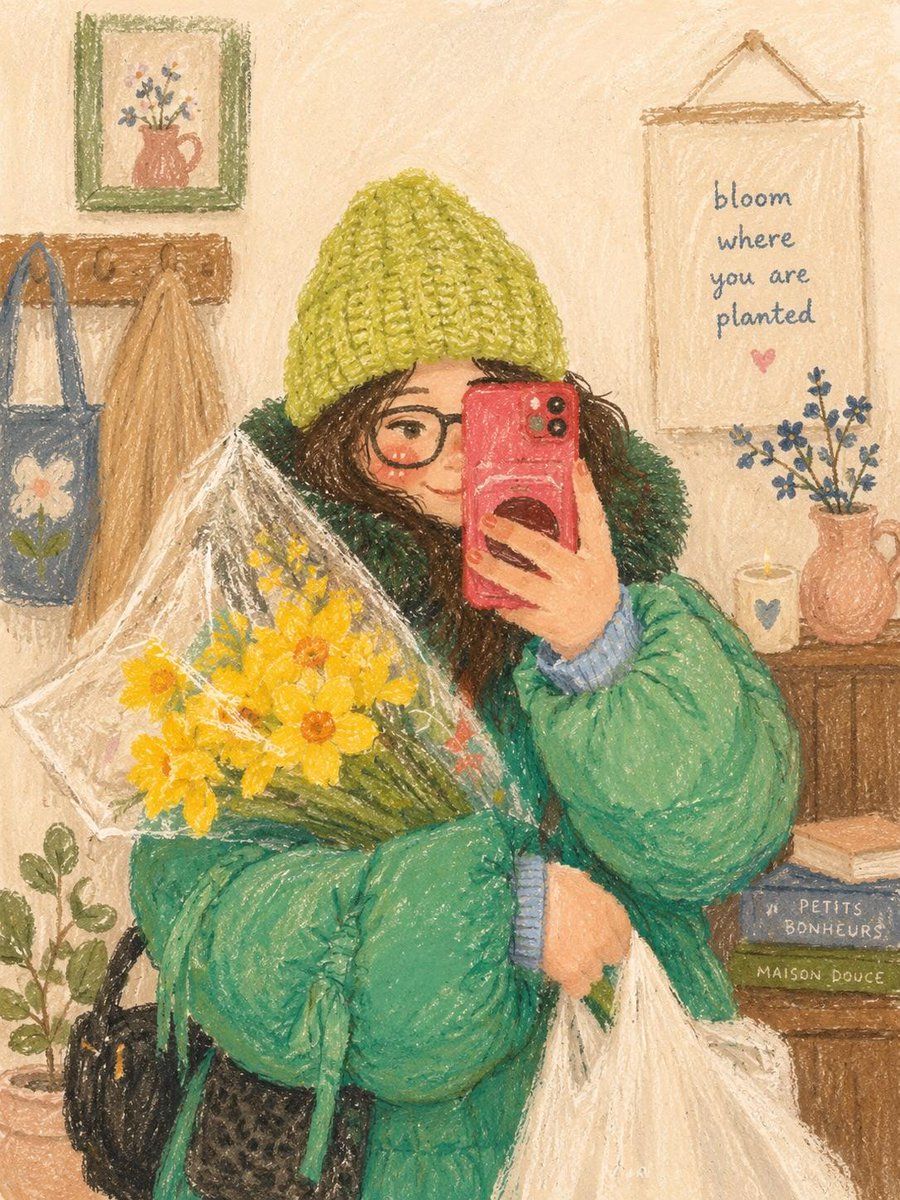
温馨油画棒插画
Enlarge

Example images

温馨油画棒插画

Prompt
Cute cozy oil pastel illustration, soft textured crayon art style, aesthetic girl selfie portrait, warm cottagecore bedroom atmosphere, dreamy hand-drawn digital painting, vintage children’s book illustration vibes, muted pastel color palette, soft grainy paper texture, adorable wholesome aesthetic, cozy lifestyle artwork. {argument name="subject" default="Young girl with messy dark hair and round glasses"} taking a mirror selfie, oversized knitted beanie, fluffy winter jacket, holding a bouquet of {argument name="flowers" default="yellow flowers"} wrapped in transparent paper, soft blush on cheeks, gentle smile, warm cozy indoor lighting, tiny decorative room details, hanging plants, candles, framed motivational quotes on the wall, wooden furniture, tote bags and books in the background, peaceful home café vibe.
Category
Charts & Infographics
Model
GPT Image 2
Creator
Taaruk
Views11
Source ID
22106
Published
May 23, 2026

Guide

About "温馨油画棒插画"

What is this prompt for?

"温馨油画棒插画" AI image prompt for GPT Image 2 (Charts & Infographics). 一个迷人且具有美感的油画棒绘画提示词,描绘了一位女孩在温馨卧室里对着镜子自拍的场景。 Copy it on Picva and recreate the look in one cli…

The full copyable prompt and example visuals above are ready for AI image generation or one-click recreate in Picva.

How to use this prompt

  1. Step 1

    Open the prompt detail

    Review the example visuals, category, and full prompt text for "温馨油画棒插画".

  2. Step 2

    Copy the prompt

    Copy the prompt body from this page, or load it directly in Studio.

  3. Step 3

    Pick a model (GPT Image 2)

    Prefer GPT Image 2. If you switch models, keep subject and composition and tweak style terms.

  4. Step 4

    Generate and export

    Recreate the look in Picva, or export into your workflow for editing and publishing.

FAQ

What is the "温馨油画棒插画" prompt?
It is an AI image-generation prompt for GPT Image 2 in the Charts & Infographics category. This page includes the full prompt text, example visuals, and a one-click recreate path in Picva.
How do I use this prompt to generate an image?
Copy the prompt from this page, or use Generate / Studio. Paste it into a compatible image model, or recreate the look in Picva with optional reference images.
Which model is this prompt for?
This page lists GPT Image 2. Most descriptive prompts also transfer to nearby image models such as GPT Image, Flux, or Midjourney with light style tweaks.
Can I use the result commercially?
You can usually copy the prompt for creation, but commercial use of the final image depends on the model terms, reference-image rights, and the generated content. Follow the source author and platform rules.