动漫猫耳少女角色设定集
Prompt
Goal: Create a clean anime character sheet for {argument name="character name" default="手塚メモ (Tezuka Memo)"}, a cat-version college girl protagonist, with Japanese annotation text and multiple turnaround views.

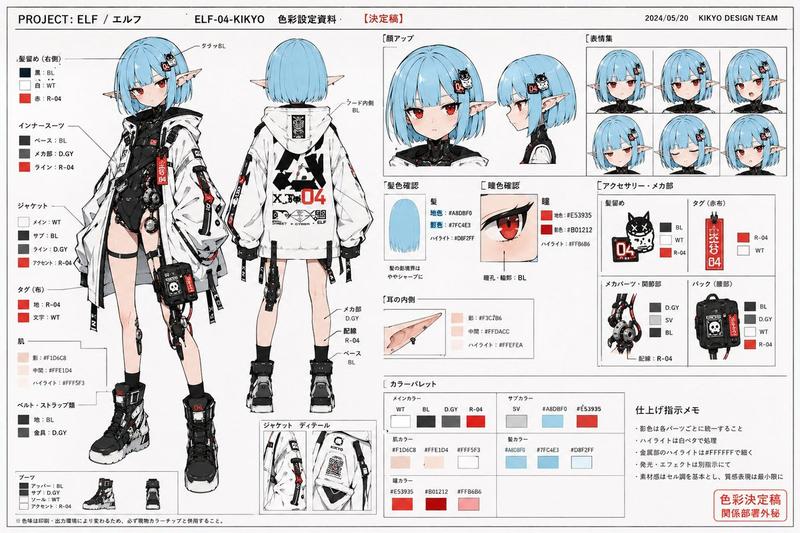
Canvas: Wide horizontal white page, approximately 16:9, thin black framing lines, crisp print-layout look. Use black bold typography and a manga/anime production-sheet style. Keep the background plain white with no scenery.

Layout: Top-left large italic bold title reads CHARACTER SHEET. Along the upper center/right include Japanese heading text with a small label meaning face close-up and a large protagonist label. Arrange exactly 4 visible character depictions: 1 full-body front view on the left labeled FRONT, 1 full-body side view in the center labeled SIDE, 1 full-body back view right of center labeled BACK, and 1 boxed portrait close-up in the upper-right. The close-up portrait sits inside a thin black rectangular box. Beneath the portrait, place a compact Japanese profile block and a longer Japanese design-note paragraph.

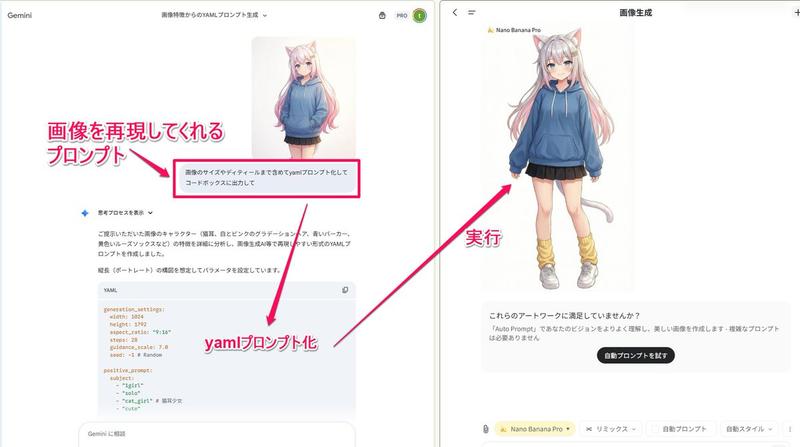
Character details: Draw a slim 19-year-old anime college girl with very long pale pink hair that fades into deeper pink at the ends, cat ears on top of her head, and a pale pink cat tail. Her face is intentionally obscured by a soft square blur/mosaic in all visible face views. She wears exactly 5 main outfit pieces: an oversized blue hoodie with drawstrings and front pouch pocket, a short dark pleated skirt, yellow loose leg warmers, white sneakers, and cat-ear/cat-tail cosplay accessories. In the side and back views, show the tail extending from behind the hoodie/skirt area and curling outward with a darker pink tip. Hair should be long and slightly wavy, reaching the lower back, with the pink gradient most visible near the ends.

Text content: Use English labels for the view names: FRONT, SIDE, BACK. Use the title CHARACTER SHEET. Include Japanese character-sheet text in the right column. Profile block default text: {argument name="profile block" default="名前:手塚メモ (Tezuka Memo)\n年齢:19歳\n大学2年生\n学部:情報メディア学部"}. Design-note paragraph default text: {argument name="design notes" default="猫耳バージョン共通ビジュアル設定。猫耳はカチューシャタイプだが、まるで本物の耳のようにアニメーション化できる。しっぽはコスプレアイテムで、ベルトでパーカーの内側に固定されている。髪色、パーカー、スカート、レッグウォーマーはそのまま。TMAアドンを有機猫の付け根に移動させる。耳としっぽは感情表現用に追加パーツとして使用される(嬉しいときは耳が立ち、落ち込んでいるときはしっぽが垂れる)。"}

Visual style: Soft cel-shaded anime illustration, delicate line art, pastel colors, slightly desaturated blue hoodie, pale skin, light pink hair, production-reference sheet quality. Text should look like printed black Japanese and English type, with the main title heavy and italic. Maintain a balanced layout with large empty white margins.

Constraints: Show exactly 4 character depictions and exactly 5 main outfit pieces listed above. Do not add extra poses, props, background scenery, speech bubbles, logos, watermarks, or additional characters.- Category
- Charts & Infographics
- Model
- GPT Image 2
- Creator
- テツメモ|AI図解×検証|Newsletter
- Source ID
- 22203
- Published
- Nov 22, 2025
Views8