13

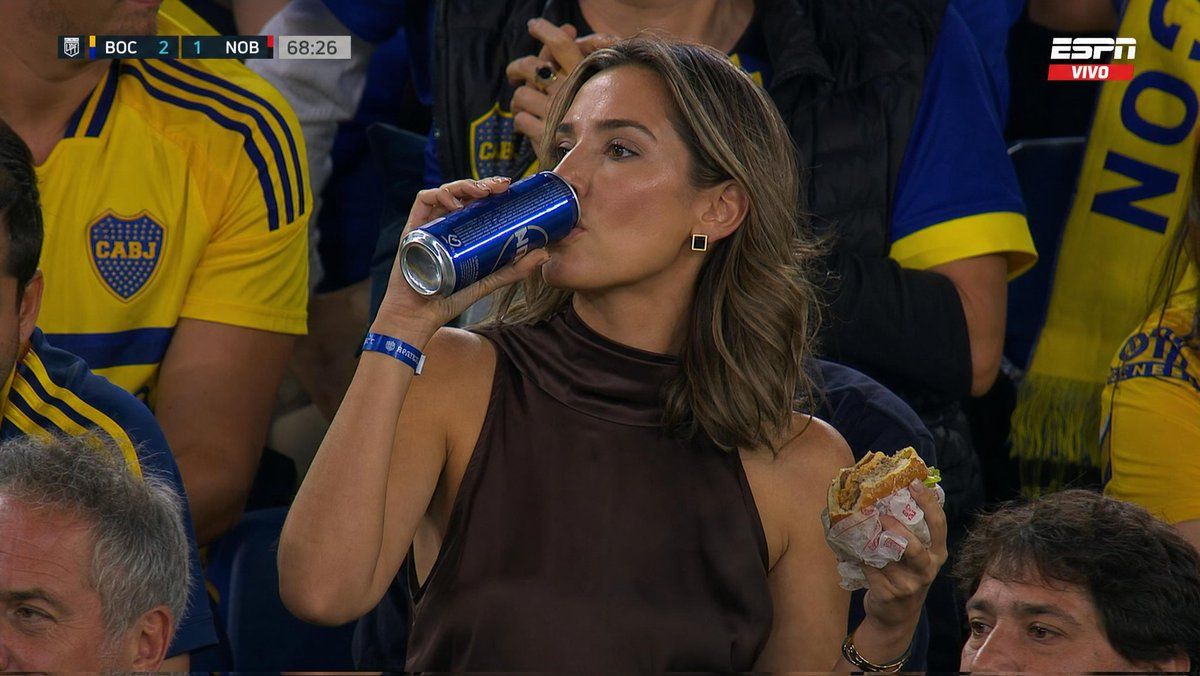
体育场观众转播肖像
Enlarge

Example images

体育场观众转播肖像

Prompt
Ultra-realistic sports broadcast still of a glamorous {argument name="subject" default="woman sitting in a packed football stadium crowd"} during a night match, wearing a {argument name="outfit" default="dark brown sleeveless high-neck satin top"} and black square earrings, shoulder-length light brown/blonde hair styled in soft waves. She is casually drinking from a tall blue aluminum can while holding a half-eaten cheeseburger in the other hand. Around her are fans in bright yellow and blue football jerseys and scarves, creating strong team-color contrast. The scene feels candid and cinematic, captured mid-game from a TV broadcast camera angle with shallow depth of field. Include realistic stadium seating, crowded audience atmosphere, broadcast overlay graphics in the top-left corner showing a live football score and match timer, and a sports network watermark in the top-right. Natural arena lighting, detailed skin texture, sharp focus on the woman, slightly blurred background crowd, authentic live sports broadcast aesthetic, 16:9 composition.
Category
Charts & Infographics
Model
GPT Image 2
Creator
Sadia
Views4
Source ID
22253
Published
May 24, 2026

Guide

About "体育场观众转播肖像"

What is this prompt for?

"体育场观众转播肖像" AI image prompt for GPT Image 2 (Charts & Infographics). 一张电影质感的体育转播剧照,展现了夜间比赛中体育场观众席里的一位女性,配有真实的直播画面图形。 Copy it on Picva and recreate the look in…

The full copyable prompt and example visuals above are ready for AI image generation or one-click recreate in Picva.

How to use this prompt

  1. Step 1

    Open the prompt detail

    Review the example visuals, category, and full prompt text for "体育场观众转播肖像".

  2. Step 2

    Copy the prompt

    Copy the prompt body from this page, or load it directly in Studio.

  3. Step 3

    Pick a model (GPT Image 2)

    Prefer GPT Image 2. If you switch models, keep subject and composition and tweak style terms.

  4. Step 4

    Generate and export

    Recreate the look in Picva, or export into your workflow for editing and publishing.

FAQ

What is the "体育场观众转播肖像" prompt?
It is an AI image-generation prompt for GPT Image 2 in the Charts & Infographics category. This page includes the full prompt text, example visuals, and a one-click recreate path in Picva.
How do I use this prompt to generate an image?
Copy the prompt from this page, or use Generate / Studio. Paste it into a compatible image model, or recreate the look in Picva with optional reference images.
Which model is this prompt for?
This page lists GPT Image 2. Most descriptive prompts also transfer to nearby image models such as GPT Image, Flux, or Midjourney with light style tweaks.
Can I use the result commercially?
You can usually copy the prompt for creation, but commercial use of the final image depends on the model terms, reference-image rights, and the generated content. Follow the source author and platform rules.