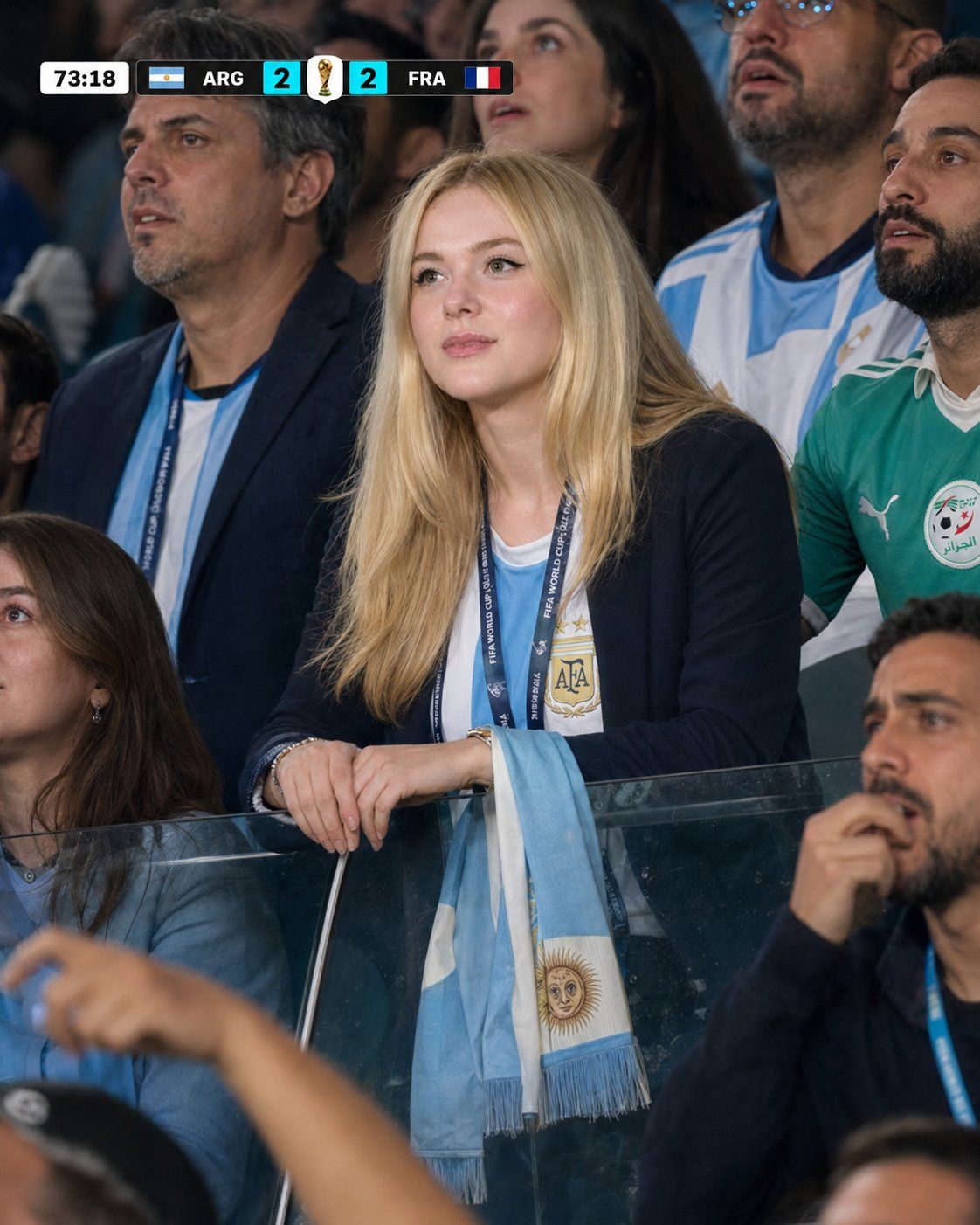
2026世界杯阿根廷现场直播观众特写
Prompt
Create a photorealistic live football television broadcast spectator cutaway using the uploaded image only as the facial identity reference.

The subject is attending a FIFA World Cup 2026 match between Argentina and Algeria at New York New Jersey Stadium, New Jersey, and is supporting Argentina.

Preserve the subject's exact facial identity, skin tone, age, facial proportions, hairstyle, ethnicity and overall appearance. Use the reference image only for identity. Do not copy the original pose, head angle or expression.

Scene:
The subject is inside a premium VIP hospitality suite behind a clear glass railing overlooking the pitch. This is a candid television broadcast moment. The subject is completely unaware of the camera and fully focused on the match.

Outfit:

- Official Argentina home jersey (light blue and white stripes)
- Elegant dark navy blazer or cardigan
- Black trousers
- FIFA-style event lanyard
- Slim watch
- Small Argentina scarf draped naturally

Pose:

- Body turned approximately 45 degrees toward the pitch
- Head follows the same direction
- Head upright, neck straight, shoulders relaxed
- Both hands resting naturally on the glass railing
- Fingers relaxed and realistic
- No waving, thumbs-up or camera-facing gestures

Expression:
Tense and hopeful, as if watching an important Argentina attack late in the match. Eyebrows slightly tightened and lips slightly parted.

Camera:
Authentic live sports broadcast angle using a 200–400mm telephoto lens. Waist-up framing with natural asymmetrical composition. Face and eyes perfectly sharp while surrounding spectators are slightly softer.

Environment:
Include five supporting spectators around the subject, partially cropped at the edges, wearing Argentina and Algeria jerseys or refined matchday clothing. Everyone is looking toward the pitch.

Add softly blurred heads, scarves and raised hands in the foreground for realistic stadium depth. Include subtle glass reflections, premium suite details and a softly blurred crowd background.

Lighting:
Realistic stadium lighting mixed with soft VIP-suite ambient light and reflected pitch lighting. Natural skin texture, realistic fabric folds and mild live-broadcast compression.

Scoreboard:
Top-left professional football broadcast scoreboard.

Time: 73:18
Score: ARG 2 FRA 2

Design:
Small white rounded timer box, dark charcoal team boxes, accurate flags, bright cyan score boxes, central white box with a black-and-gold trophy icon. Sharp, compact and readable. No "LIVE" text.

The final image must look like a genuine spontaneous television broadcast still from the FIFA World Cup 2026, not a studio portrait, advertisement, CGI or illustration.

Photorealistic, authentic candid spectator cutaway, realistic anatomy, natural hands and fingers, broadcast-quality 4K, aspect ratio 4:5.
- Category
- Posters & Typography
- Model
- ChatGPT
- Creator
- @frametheory058
- Source ID
- 16796
- Published
- Jun 25, 2026
Views31


