20

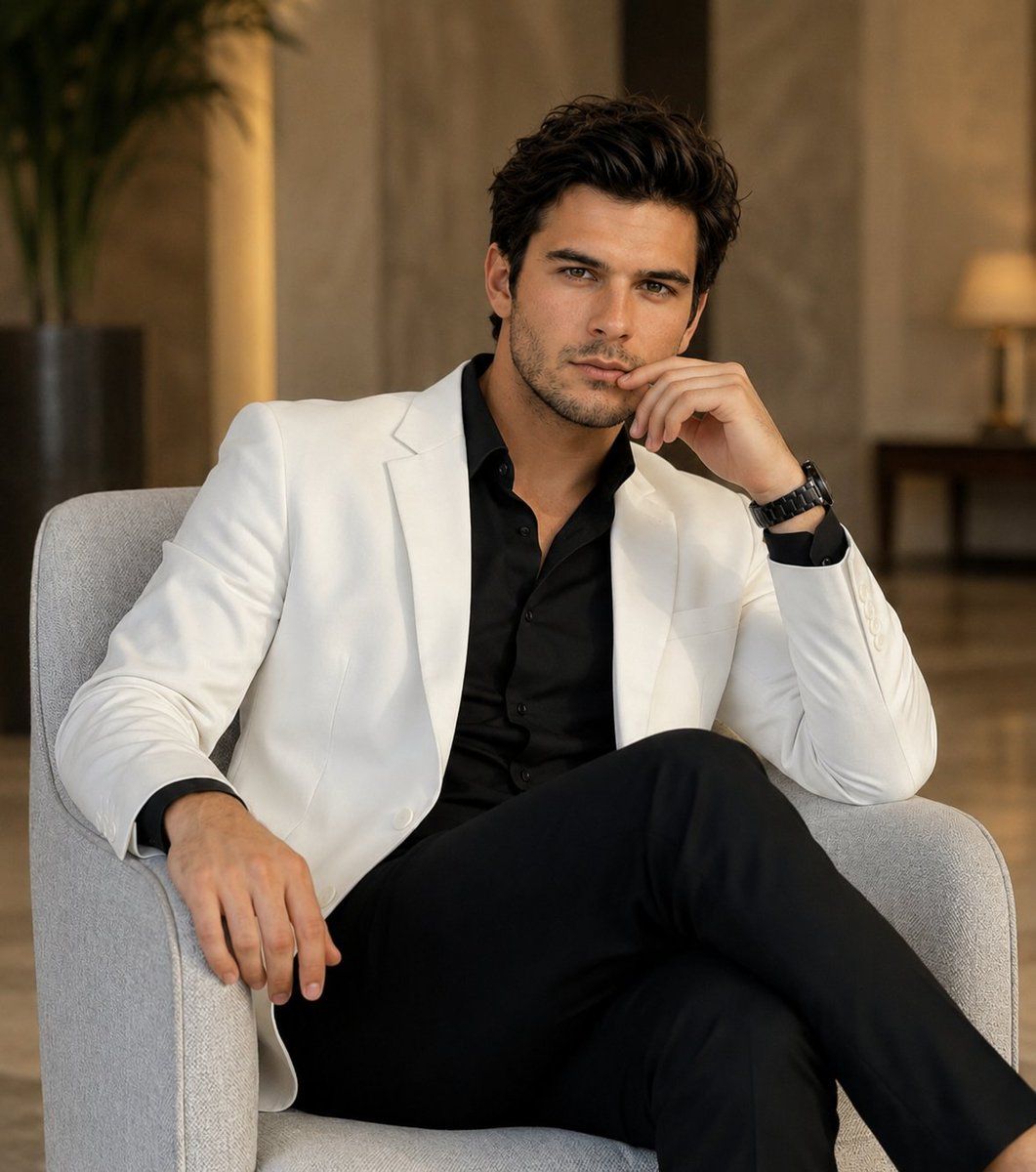
奢华时尚酒店大堂人像
Enlarge

奢华时尚酒店大堂人像

Prompt
Ultra-realistic luxury fashion portrait of a {argument name="subject" default="handsome young man"} sitting confidently in a {argument name="furniture" default="modern cream armchair"} inside an {argument name="location" default="elegant luxury hotel lobby"}, wearing a perfectly tailored white blazer over a fitted black dress shirt and slim black trousers, black luxury wristwatch, relaxed rich-guy pose with one hand resting on chin, legs crossed, intense eye contact with camera, sharp jawline, textured dark hair, subtle stubble, cinematic warm lighting, soft beige marble interior, blurred luxury background with ambient lamps and plants, editorial GQ magazine style, shallow depth of field, premium fashion photography, ultra detailed skin texture, sophisticated masculine aesthetic, photorealistic, high-end lifestyle vibe, 85mm lens, soft shadows, balanced composition, luxury color grading, natural expression, 8k quality.
Category
Charts & Infographics
Model
GPT Image 2
Creator
auqib
Views7
Source ID
22841
Published
May 27, 2026

Guide

About "奢华时尚酒店大堂人像"

What is this prompt for?

"奢华时尚酒店大堂人像" AI image prompt for GPT Image 2 (Charts & Infographics). 一个用于生成高端男性生活方式人像的精致提示词,适用于奢华酒店场景,呈现细腻的质感与 GQ 杂志编辑风格。 Copy it on Picva and recreate the lo…

The full copyable prompt and example visuals above are ready for AI image generation or one-click recreate in Picva.

How to use this prompt

  1. Step 1

    Open the prompt detail

    Review the example visuals, category, and full prompt text for "奢华时尚酒店大堂人像".

  2. Step 2

    Copy the prompt

    Copy the prompt body from this page, or load it directly in Studio.

  3. Step 3

    Pick a model (GPT Image 2)

    Prefer GPT Image 2. If you switch models, keep subject and composition and tweak style terms.

  4. Step 4

    Generate and export

    Recreate the look in Picva, or export into your workflow for editing and publishing.

FAQ

What is the "奢华时尚酒店大堂人像" prompt?
It is an AI image-generation prompt for GPT Image 2 in the Charts & Infographics category. This page includes the full prompt text, example visuals, and a one-click recreate path in Picva.
How do I use this prompt to generate an image?
Copy the prompt from this page, or use Generate / Studio. Paste it into a compatible image model, or recreate the look in Picva with optional reference images.
Which model is this prompt for?
This page lists GPT Image 2. Most descriptive prompts also transfer to nearby image models such as GPT Image, Flux, or Midjourney with light style tweaks.
Can I use the result commercially?
You can usually copy the prompt for creation, but commercial use of the final image depends on the model terms, reference-image rights, and the generated content. Follow the source author and platform rules.




