20

高端饮品商业海报
Enlarge

高端饮品商业海报

Prompt
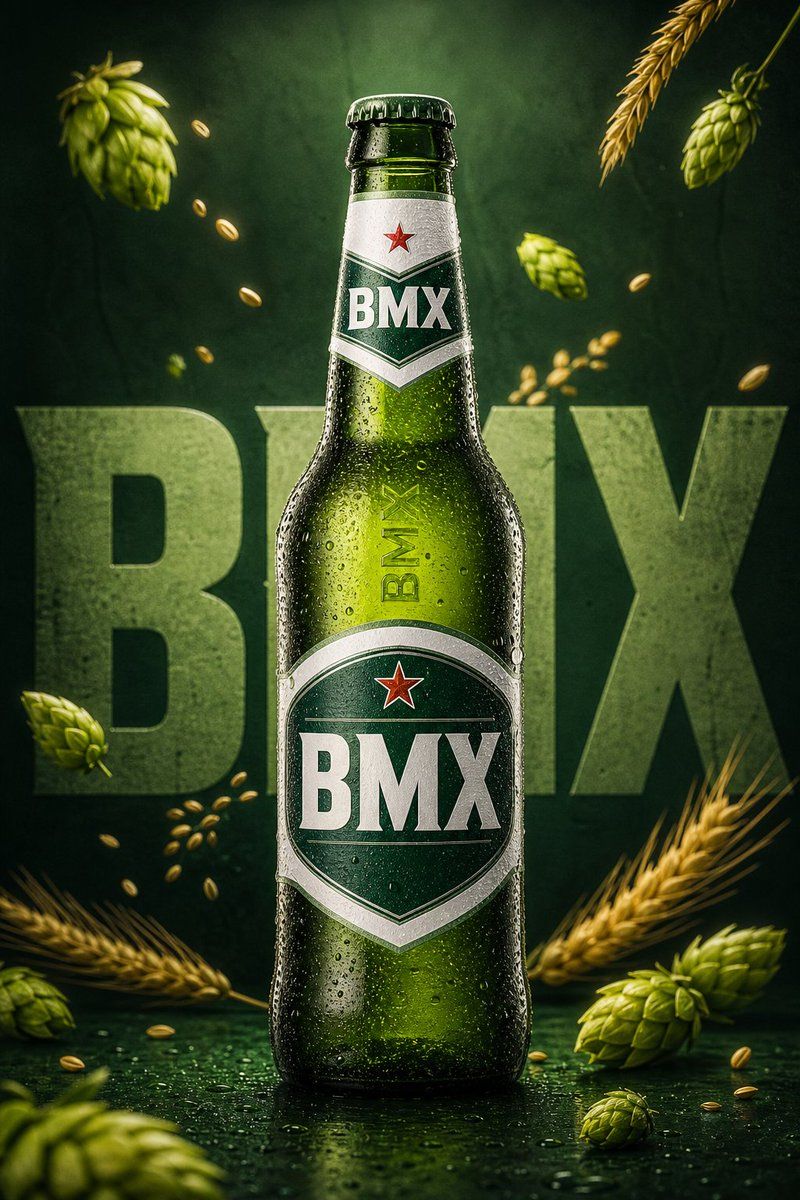
Create a premium commercial product poster inspired by the reference image. A cold {argument name="beverage" default="green glass beer bottle"} stands perfectly centered in a vertical composition, covered with realistic water droplets and condensation. Replace all visible product branding with the name “{argument name="brand" default="BMX"}” on the main bottle label, neck label, and vertical bottle text. The logo should look clean, bold, premium, and professionally printed, using white and deep green label design with a small red star-style emblem.

The background is a rich dark green studio backdrop with soft gradient lighting and subtle texture. Behind the bottle, large bold background typography reads “BMX” in oversized block letters, partially hidden behind the bottle, using a pale green tone. Add {argument name="elements" default="floating natural ingredients around the bottle: fresh hop cones, golden barley grains, and wheat stalks"} entering from the corners, creating a dynamic premium beer advertisement look.

Lighting should be cinematic and high-end, with soft highlights on the glass, realistic reflections, sharp product focus, and a clean shadow beneath the bottle. The mood should feel fresh, cold, luxurious, and modern. Ultra realistic commercial photography, premium beverage advertising, studio product shot, 8K detail, crisp focus, realistic condensation, elegant green color palette, no extra text except BMX.
Category
Charts & Infographics
Model
GPT Image 2
Creator
BMX
Views2
Source ID
23276
Published
May 30, 2026

Guide

About "高端饮品商业海报"

What is this prompt for?

"高端饮品商业海报" AI image prompt for GPT Image 2 (Charts & Infographics). 一张用于啤酒品牌的高端商业产品摄影图,呈现逼真的冷凝水珠、动态光影以及风格化排版。 Copy it on Picva and recreate the look in one cli…

The full copyable prompt and example visuals above are ready for AI image generation or one-click recreate in Picva.

How to use this prompt

  1. Step 1

    Open the prompt detail

    Review the example visuals, category, and full prompt text for "高端饮品商业海报".

  2. Step 2

    Copy the prompt

    Copy the prompt body from this page, or load it directly in Studio.

  3. Step 3

    Pick a model (GPT Image 2)

    Prefer GPT Image 2. If you switch models, keep subject and composition and tweak style terms.

  4. Step 4

    Generate and export

    Recreate the look in Picva, or export into your workflow for editing and publishing.

FAQ

What is the "高端饮品商业海报" prompt?
It is an AI image-generation prompt for GPT Image 2 in the Charts & Infographics category. This page includes the full prompt text, example visuals, and a one-click recreate path in Picva.
How do I use this prompt to generate an image?
Copy the prompt from this page, or use Generate / Studio. Paste it into a compatible image model, or recreate the look in Picva with optional reference images.
Which model is this prompt for?
This page lists GPT Image 2. Most descriptive prompts also transfer to nearby image models such as GPT Image, Flux, or Midjourney with light style tweaks.
Can I use the result commercially?
You can usually copy the prompt for creation, but commercial use of the final image depends on the model terms, reference-image rights, and the generated content. Follow the source author and platform rules.






