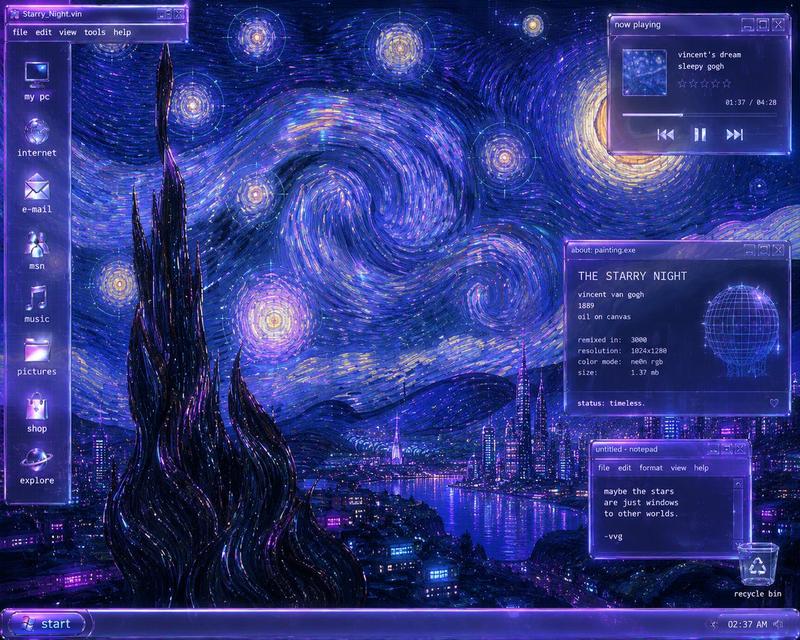
Y2K 未来主义《呐喊》桌面
Prompt
Goal: Create a surreal Y2K-futurist Windows XP desktop remix of Edvard Munch’s The Scream, as if the painting is the actual computer wallpaper and the OS interface is floating on top.

Canvas: 4:3 desktop screenshot, 1024×768 feel, glossy late-1990s/early-2000s computer UI. Dominant palette is neon violet, ultraviolet, magenta, electric blue, black chrome, and orange sunset highlights. Everything should glow with CRT bloom, glassy transparency, scanline-like softness, and cyberpunk reflections.

Background wallpaper: Reimagine {argument name="painting subject" default="Edvard Munch’s The Scream"} as a futuristic neon harbor scene. The iconic bridge walkway runs from the lower left toward the center, wet and mirror-reflective with bright purple light strips. The sky is a swirling expressionist vortex of luminous purple, pink, orange, and blue strokes, like liquid fiber-optic trails. A futuristic city skyline rises across the water with glowing towers and reflections. Two dark human silhouettes stand on the bridge at left. In the lower center foreground, include the screaming figure in a glossy black chrome robe, hands raised to its face; the face area is covered by a flat muted mauve-gray rectangular block, like an intentional censor or missing image placeholder.

Desktop shell: Add a vertical icon column on the far left with exactly 8 desktop icons, each glowing purple-blue with small white lowercase labels: 1) my computer, 2) internet, 3) e-mail, 4) msn, 5) music, 6) pictures, 7) settings, 8) help, plus a trash can icon near the bottom labeled trash. Use chunky Y2K icon styling with glass orb effects.

Taskbar: Along the bottom, create a translucent purple Windows XP-style taskbar. On the far left is a rounded Start button with the Windows logo and the label {argument name="start button text" default="start"}. On the far right system tray, include tiny status icons and the clock reading {argument name="clock time" default="11:11 PM"}.

Open windows: Include exactly 4 floating translucent purple application windows with pixel fonts, beveled borders, and small minimize/maximize/close buttons.

Window 1, upper left: A Microsoft Paint-style window titled “untitled - Paint”. It has a menu bar reading “File  Edit  View  Image  Options  Help”, a vertical tool palette on the left, a small canvas showing a mini version of the neon harbor skyline and swirling sky, and a color palette strip along the bottom with many purple, pink, blue, and gray swatches.

Window 2, upper right: A music player window titled “now playing”. It shows square album art of a neon city grid, the track information: “scream.wav”, “the angst mixtape”, “track 03”. Add a waveform visualization, progress time “01:42 / 03:24”, a progress bar, and three playback controls: previous, pause, next.

Window 3, middle right: A system info window titled “system.exe”. Text inside should read: “THE SCREAM.EXE”, “artist: edvard munch”, “year: 1893”, “remixed in: 3000”, “resolution: 1024x1280”, “color mode: neon rgb”, “size: 1.42 mb”, “status: existential”. Include a glowing purple wireframe skull/head graphic on the right and a segmented loading bar along the bottom.

Window 4, lower right: A notepad window titled “untitled - notepad”. Menu bar reads “File  Edit  Format  View  Help”. Body text reads exactly: “nothing is real”, “but the signal”, “and the scream”, blank line, “-//user”.

Visual style: {argument name="style phrase" default="Y2K futurism, cyberpunk vaporwave, translucent Windows XP interface, neon expressionist oil-paint texture"}. Make the interface crisp enough to read, but integrate it with the painterly, swirling neon environment. Use intense glossy reflections, purple rim lighting, glass panels, pixelated UI typography, and nostalgic early-internet aesthetics.

Constraints: No modern flat design, no photorealistic people, no extra windows beyond the 4 specified, no extra desktop icons beyond the listed icons and trash, no watermark, preserve the legibility of all visible UI text.- Category
- Charts & Infographics
- Model
- GPT Image 2
- Creator
- Justin
- Source ID
- 23501
- Published
- May 31, 2026
Views6