19

奇幻铁匠铺场景
Enlarge

奇幻铁匠铺场景

Prompt
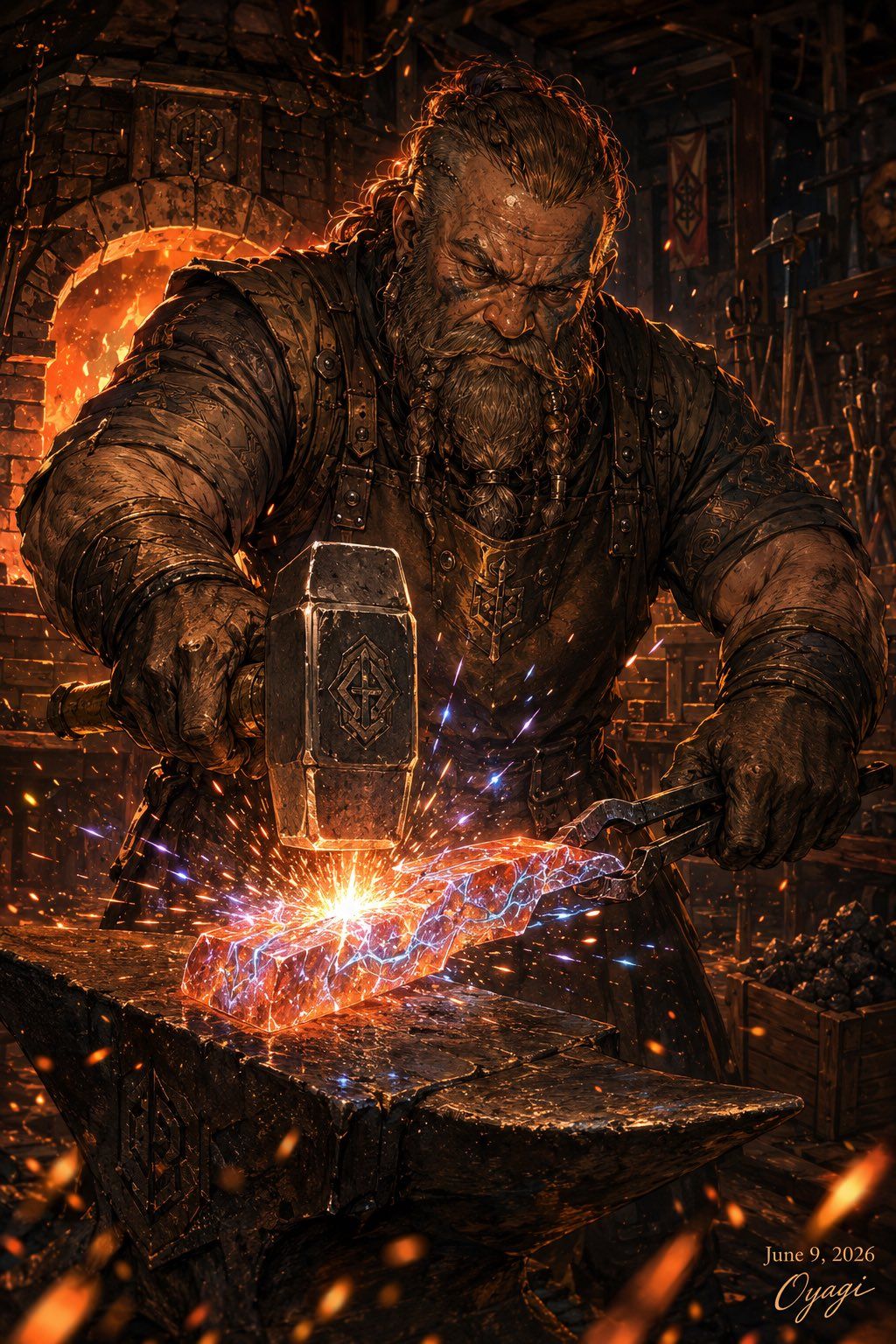
Create a dark fantasy cinematic illustration of a massive muscular blacksmith in a medieval forge, shown from the waist up in a vertical composition. The blacksmith is a rugged bearded man with long messy {argument name="hair color" default="dark brown"} hair tied back, wearing heavy worn leather armor, thick gloves, straps, metal rivets, and a pendant, but place a large opaque dark brown square censor block directly over the center of his face. He grips a huge engraved hammer in his left hand and tongs in his right, striking a glowing red-orange molten metal blade or ingot on a heavy black anvil. At the impact point, create an explosive burst of orange sparks mixed with vivid blue-purple electric arcs crawling across the hot metal, giving the scene a rock-and-roll magical forge energy. The background is a cluttered stone-and-timber smithy with exactly 1 blazing furnace arch on the left, hanging chains above, tools and banners on the walls, and a crate of coal on the right. Use dramatic warm firelight, deep shadows, gritty textures, soot, embers floating through the air, high detail, painterly realism, epic fantasy concept art, strong contrast, volumetric glow, and a vertical 2:3 poster framing. Add a small elegant signature and date in the bottom-right corner reading {argument name="date text" default="June 9, 2026"} and {argument name="signature text" default="Oyagi"}. No other readable text.
Category
Posters & Typography
Model
GPT Image 2
Creator
おやぎ
Views0
Source ID
24960
Published
Jun 9, 2026

Guide

About "奇幻铁匠铺场景"

What is this prompt for?

"奇幻铁匠铺场景" AI image prompt for GPT Image 2 (Posters & Typography). 一张极具戏剧性的黑暗奇幻海报,描绘了一位肌肉发达的铁匠在中世纪火炉中锻造发光金属的场景。 Copy it on Picva and recreate the look in one cl…

The full copyable prompt and example visuals above are ready for AI image generation or one-click recreate in Picva.

How to use this prompt

  1. Step 1

    Open the prompt detail

    Review the example visuals, category, and full prompt text for "奇幻铁匠铺场景".

  2. Step 2

    Copy the prompt

    Copy the prompt body from this page, or load it directly in Studio.

  3. Step 3

    Pick a model (GPT Image 2)

    Prefer GPT Image 2. If you switch models, keep subject and composition and tweak style terms.

  4. Step 4

    Generate and export

    Recreate the look in Picva, or export into your workflow for editing and publishing.

FAQ

What is the "奇幻铁匠铺场景" prompt?
It is an AI image-generation prompt for GPT Image 2 in the Posters & Typography category. This page includes the full prompt text, example visuals, and a one-click recreate path in Picva.
How do I use this prompt to generate an image?
Copy the prompt from this page, or use Generate / Studio. Paste it into a compatible image model, or recreate the look in Picva with optional reference images.
Which model is this prompt for?
This page lists GPT Image 2. Most descriptive prompts also transfer to nearby image models such as GPT Image, Flux, or Midjourney with light style tweaks.
Can I use the result commercially?
You can usually copy the prompt for creation, but commercial use of the final image depends on the model terms, reference-image rights, and the generated content. Follow the source author and platform rules.