20

月光下城市战区的动漫战士
Enlarge

月光下城市战区的动漫战士

Prompt
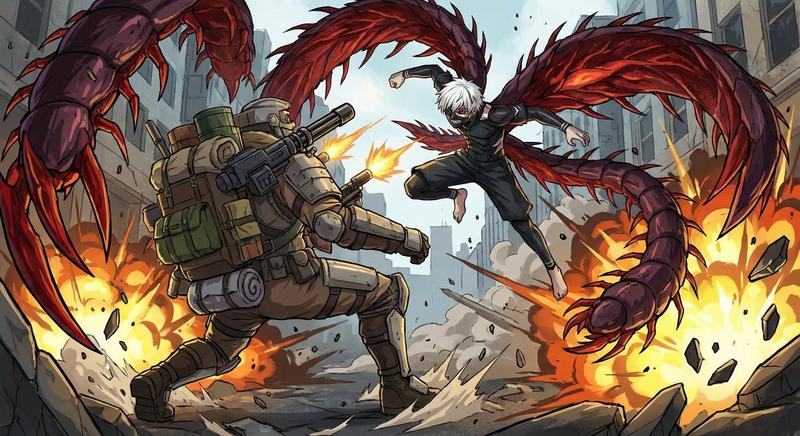
Create a dark, cinematic anime war illustration in a gritty seinen style: a single young male special-operations soldier with {argument name="hair color" default="spiky black hair"} crouches in the foreground, leaning forward aggressively while firing a compact black assault rifle toward the left side of the frame. He has sharp intense eyes, a stern battle-worn face with dirt and scratches, fingerless gloves, heavy tactical armor, ammunition pouches, a utility belt, knee armor, and a ragged {argument name="scarf color" default="dark red"} scarf whipping behind him. The rifle emits one bright orange-white muzzle flash with sparks and smoke; show exactly 9 flying brass shell casings around the weapon. The background is a devastated nighttime city battlefield with collapsed buildings, rubble, smoke plumes, small fires, drifting embers, and a full moon in a cloudy sky near the upper left. On the soldier’s shoulder patch and on a ruined wall in the upper right, include a skull insignia and the unit text {argument name="unit text" default="第七小隊"}. Use a wide 16:9 composition, low-key blue-gray moonlit palette with warm fire highlights, high contrast, detailed linework, painterly anime rendering, dramatic motion, debris, and atmospheric depth. Keep the scene serious and realistic, no cartoon exaggeration, no extra characters, no watermark.
Category
Architecture & Spaces
Model
GPT Image 2
Creator
Ze BigFoot
Views0
Source ID
27609
Published
Jul 3, 2026

Guide

About "月光下城市战区的动漫战士"

What is this prompt for?

"月光下城市战区的动漫战士" AI image prompt for GPT Image 2 (Architecture & Spaces). 生成一幅电影质感的暗黑动漫动作场景,描绘一名战术士兵在废墟般的夜间城市战场中开火。 Copy it on Picva and recreate the look in one…

The full copyable prompt and example visuals above are ready for AI image generation or one-click recreate in Picva.

How to use this prompt

  1. Step 1

    Open the prompt detail

    Review the example visuals, category, and full prompt text for "月光下城市战区的动漫战士".

  2. Step 2

    Copy the prompt

    Copy the prompt body from this page, or load it directly in Studio.

  3. Step 3

    Pick a model (GPT Image 2)

    Prefer GPT Image 2. If you switch models, keep subject and composition and tweak style terms.

  4. Step 4

    Generate and export

    Recreate the look in Picva, or export into your workflow for editing and publishing.

FAQ

What is the "月光下城市战区的动漫战士" prompt?
It is an AI image-generation prompt for GPT Image 2 in the Architecture & Spaces category. This page includes the full prompt text, example visuals, and a one-click recreate path in Picva.
How do I use this prompt to generate an image?
Copy the prompt from this page, or use Generate / Studio. Paste it into a compatible image model, or recreate the look in Picva with optional reference images.
Which model is this prompt for?
This page lists GPT Image 2. Most descriptive prompts also transfer to nearby image models such as GPT Image, Flux, or Midjourney with light style tweaks.
Can I use the result commercially?
You can usually copy the prompt for creation, but commercial use of the final image depends on the model terms, reference-image rights, and the generated content. Follow the source author and platform rules.