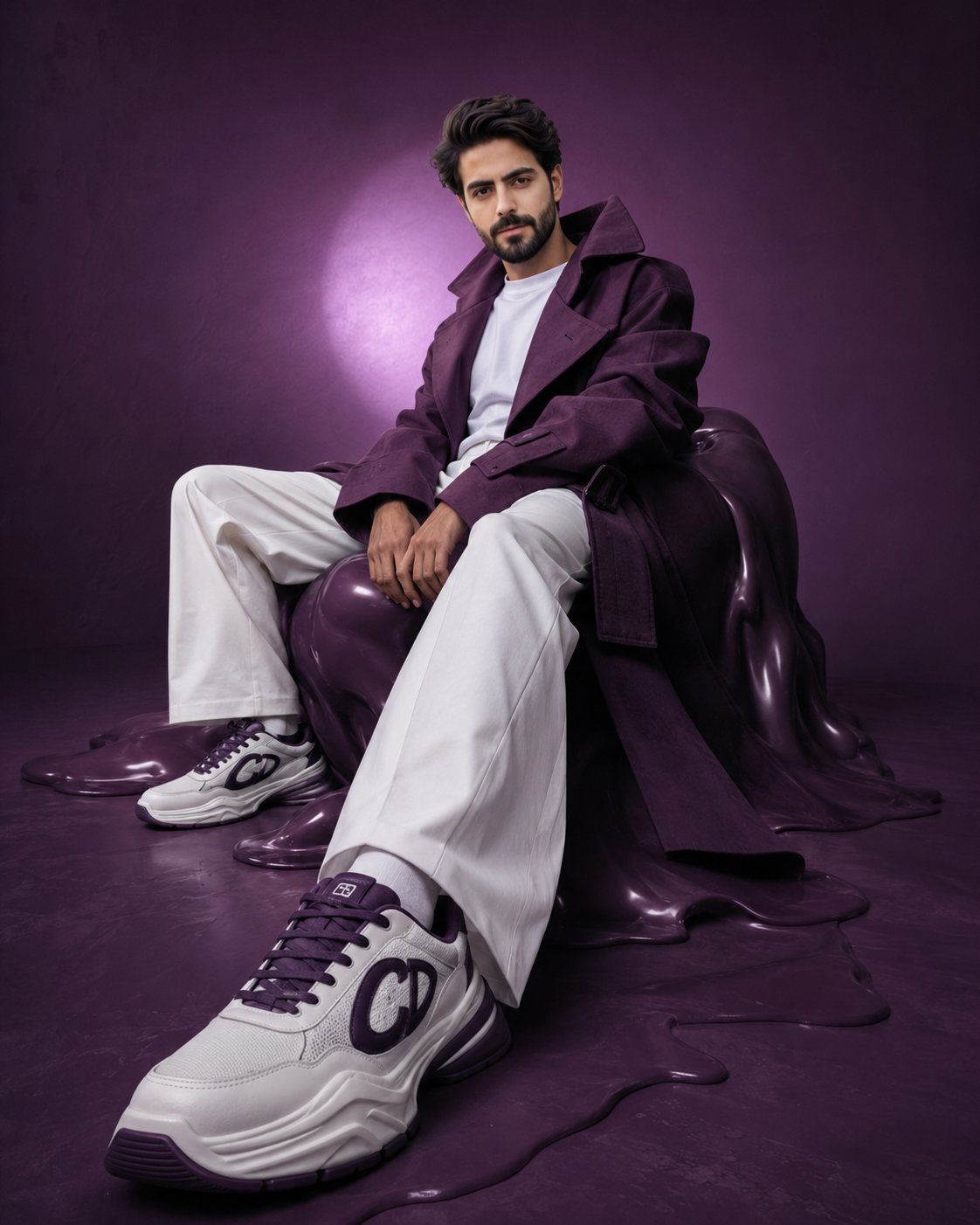
先锋派紫色时尚大片
Prompt
Hyper-realistic avant-garde fashion editorial of the {argument name="subject" default="uploaded person"}, preserving exact facial identity, proportions, and skin tone with absolute accuracy. The subject is seated on a distorted, sculptural {argument name="accent color" default="deep-purple"} form resembling a melted bean bag, partially blending into the floor. The pose is intentionally constructed to emphasize perspective: one leg extends forward toward the camera, with the foot closest to the lens appearing larger due to perspective distortion, while the other leg remains bent and grounded. The forward shoe becomes a dominant visual anchor in the frame. The torso leans slightly backward with a subtle curve, shoulders relaxed but controlled. Hands rest loosely between the thighs, maintaining an editorial stiffness. The overall posture feels deliberate, asymmetrical, and slightly surreal. Wardrobe remains avant-garde: an oversized {argument name="accent color" default="deep-purple"} {argument name="clothing" default="trench coat"} with exaggerated proportions—elongated sleeves, sculptural collar, and strong silhouette. The coat is worn slightly off-shoulder to break symmetry. White wide-leg trousers maintain sharp, architectural folds. Footwear becomes a key focal point: chunky luxury sneakers in white with deep purple accents, positioned prominently toward the camera. The front shoe is closest to the lens, appearing visually larger with crisp detail, sharp texture, and strong lighting emphasis. Sole thickness is slightly exaggerated for a surreal, high-fashion effect. The second shoe remains slightly behind, partially de-emphasized. Set design is a surreal monochromatic purple cyclorama with subtle tonal inconsistencies. The seating form appears partially melted into the floor, enhancing the avant-garde mood. Lighting is directional and experimental: a strong off-center spotlight creates a halo behind the subject, while the foreground (especially the forward shoe) catches sharper highlights. A soft rim light separates the silhouette. Shadows are slightly stretched and imperfect, enhancing the surreal editorial tone. Camera setup is critical: low-angle shot combined with a slightly wide lens (35mm–50mm) to exaggerate perspective. The camera is positioned closer to the forward foot, making the shoe visually dominant while the face remains sharp and recognizable. Slight Dutch tilt adds tension. Expression is calm, detached, and editorial—minimal emotion, distant gaze. Color grading: deep, moody purples with controlled variation, clean but slightly muted whites, natural skin tones with subtle desaturation. Maintain high contrast but allow slight imperfection in gradients. Final output: ultra-detailed, 8K, photorealistic yet surreal, vertical 4:5 aspect ratio, high-fashion avant-garde editorial quality, strong depth perspective with foreground emphasis on footwear.- Category
- Architecture & Spaces
- Model
- GPT Image 2
- Creator
- Zar⭕on
- Source ID
- 26740
- Published
- Jun 25, 2026
Views0