18

炼油厂中的巨型武装机器人
Enlarge

炼油厂中的巨型武装机器人

Prompt
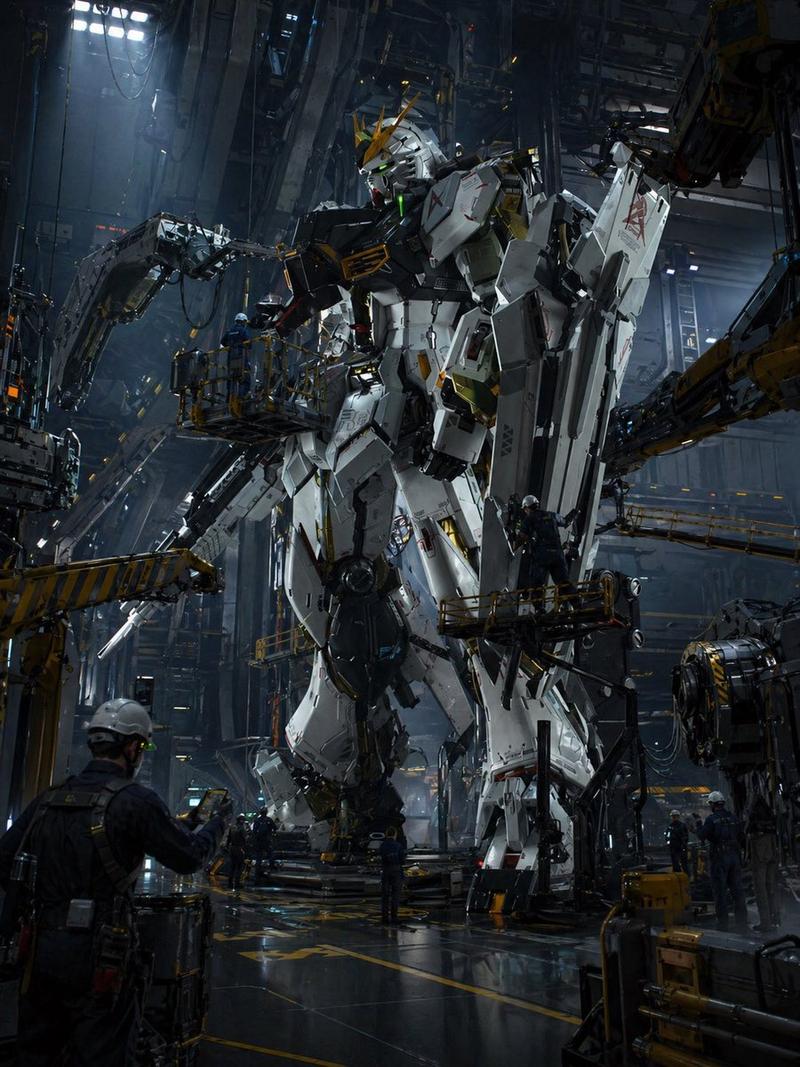
Create a cinematic photorealistic vertical image of one gigantic humanoid female combat robot standing in the center of an industrial oil refinery under a dark overcast sky. The robot has a pale porcelain-white armored body with exposed black mechanical joints, cables, pistons, screws, and intricate inner machinery visible between segmented plates; she has a slim feminine silhouette, broad armored chest, long legs, large mechanical feet, a calm doll-like face, pale skin, red eyes, and shoulder-length {argument name="hair color" default="silver-gray"} hair blowing slightly in the wind. She is holding exactly two weapons: one long conical spear-like blade integrated into or gripped by her left hand, pointing downward to the wet ground, and one long straight sword-like blade in her right hand, angled down and outward. Show her from a low-angle perspective so she towers over the scene, emphasizing immense scale. Surround her with a sprawling refinery: exactly five prominent vertical distillation towers or chimneys visible in the background, plus dense scaffolding, catwalks, pipes, tanks, railings, and small human workers in helmets at ground level for scale. The ground is wet asphalt with puddles and reflections, suggesting recent rain. Use cool gray colors, high contrast metal textures, realistic lighting, shallow atmospheric haze, and dramatic sci-fi realism. No text, no logo, no watermark.
Category
Brand & Logos
Model
GPT Image 2
Views0
Source ID
27472
Published
Jul 2, 2026

Guide

About "炼油厂中的巨型武装机器人"

What is this prompt for?

"炼油厂中的巨型武装机器人" AI image prompt for GPT Image 2 (Brand & Logos). 一个电影级写实风格的提示词,用于生成一个站在雨中工业炼油厂内、手持双刃的巨型女性战斗仿生人。 Copy it on Picva and recreate the look in one cl…

The full copyable prompt and example visuals above are ready for AI image generation or one-click recreate in Picva.

How to use this prompt

  1. Step 1

    Open the prompt detail

    Review the example visuals, category, and full prompt text for "炼油厂中的巨型武装机器人".

  2. Step 2

    Copy the prompt

    Copy the prompt body from this page, or load it directly in Studio.

  3. Step 3

    Pick a model (GPT Image 2)

    Prefer GPT Image 2. If you switch models, keep subject and composition and tweak style terms.

  4. Step 4

    Generate and export

    Recreate the look in Picva, or export into your workflow for editing and publishing.

FAQ

What is the "炼油厂中的巨型武装机器人" prompt?
It is an AI image-generation prompt for GPT Image 2 in the Brand & Logos category. This page includes the full prompt text, example visuals, and a one-click recreate path in Picva.
How do I use this prompt to generate an image?
Copy the prompt from this page, or use Generate / Studio. Paste it into a compatible image model, or recreate the look in Picva with optional reference images.
Which model is this prompt for?
This page lists GPT Image 2. Most descriptive prompts also transfer to nearby image models such as GPT Image, Flux, or Midjourney with light style tweaks.
Can I use the result commercially?
You can usually copy the prompt for creation, but commercial use of the final image depends on the model terms, reference-image rights, and the generated content. Follow the source author and platform rules.