20

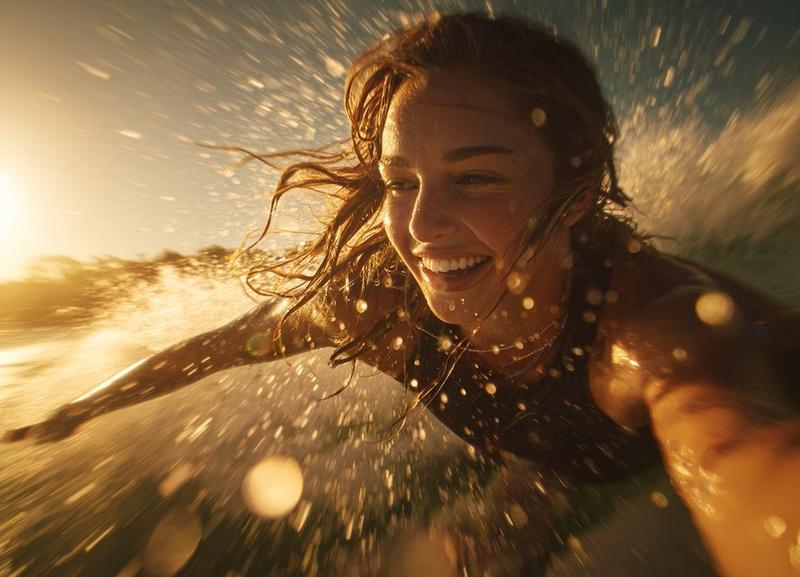
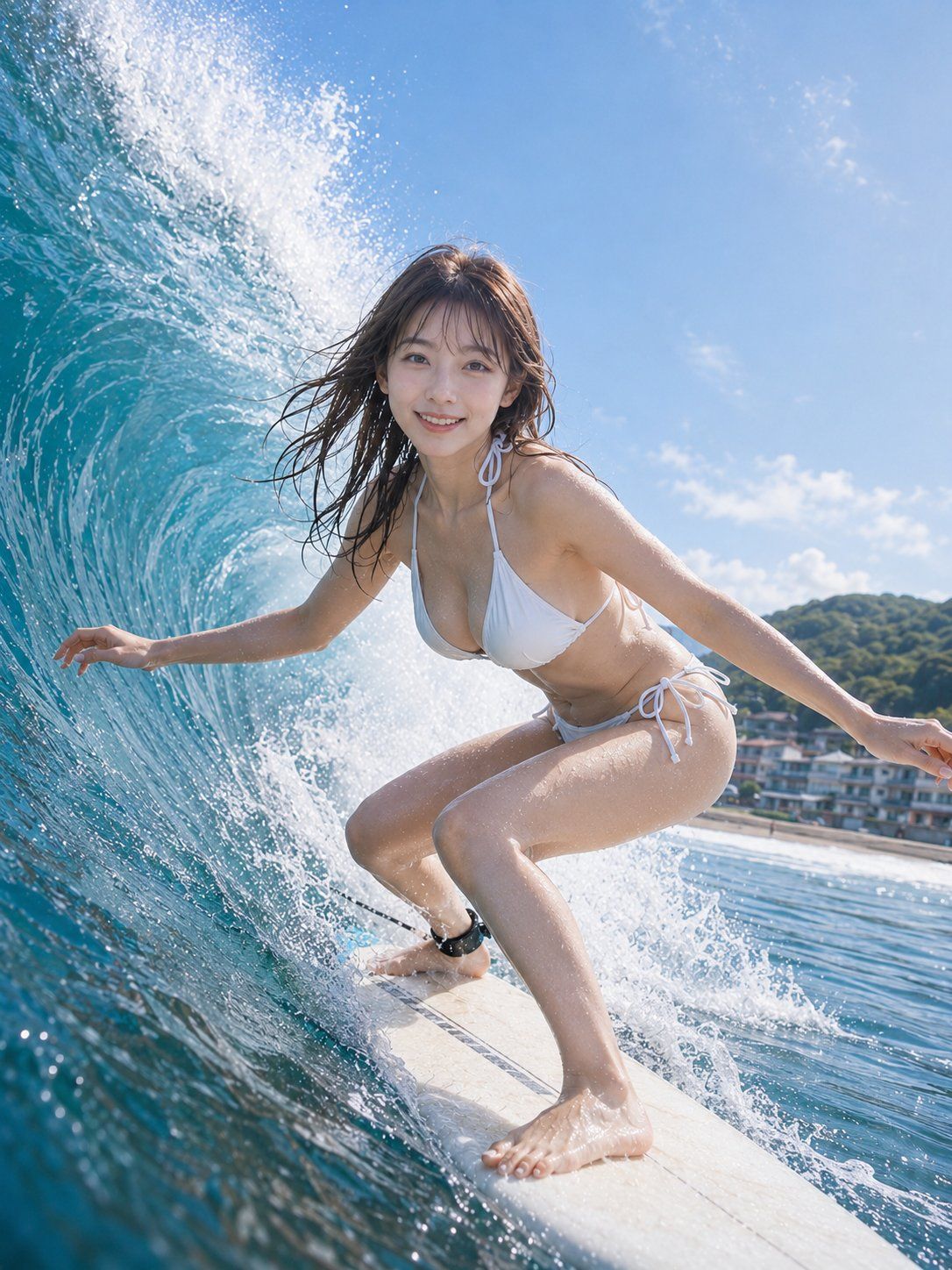
夏季冲浪少女动作肖像
Enlarge

夏季冲浪少女动作肖像

Prompt
主体:
{argument name="subject" default="夏季乘风破浪"}

人物与表情:
一位 {argument name="age" default="20 多岁"} 的女性,气质自然成熟,表情健康明亮。湿润的 {argument name="hair color" default="深棕色"} 中长发在海风中向后飘动,刘海轻贴在额头上。适合日系摄影的透明感自然妆容,透出淡淡的红润,呈现自然的皮肤质感,眼中带有细小的眼神光。她看向镜头,笑容清爽。

服装与姿势:
白色挂脖运动比基尼式泳装。简洁实用,适合冲浪动作。这是一张健康的运动照片,不强调身体暴露或胸部区域。双膝在项目上深蹲以保持低重心。右脚在前,左脚在后,脚踝处系有黑色脚绳。左手靠近画面左侧的浪花,手指微微张开。右手向右伸展以保持平衡。湿发和水滴随风向行进方向飘动。

背景与光影:
明亮的夏季冲浪点,让人联想到从湘南到伊豆的日本海岸。左侧是一道巨大的、卷曲的透明蓝绿色海浪,身后升起白色浪花。右侧背景中,低矮的海岸线、绿色山丘和小型海滨建筑呈现虚化效果。天空晴朗湛蓝,带有薄云。阳光从右上方强烈照射,使人物头发、肩膀、手臂和腿上的水滴闪闪发光。阴影投向左下方,海面的反射光柔和地照亮了面部和泳装。

构图与摄影:
竖构图。低角度特写动作肖像。人物位于画面中心偏右,包含从膝盖以上到脚趾的全身。项目的前端从画面底部向后延伸,海浪的曲线向左上方流动。人物占据画面约 60%。广角镜头带来强烈的临场感,强调了海浪和项目的透视关系。焦点对准面部,背景海岸线轻微虚化。使用高速快门定格水花飞溅的瞬间。

质感与风格:
高质量日系写实摄影。真实地描绘了夏季海洋的透明感、湿润皮肤上的自然反射、项目上的蜡痕、细小的水滴以及海浪的厚度。色调以明亮的青蓝色和白色为基调,皮肤保留了自然的阳光暖色。非过度 HDR,呈现出清爽的体育杂志风格。

负面提示词:
看起来未成年、幼态化、过度性暗示、泳装透视、乳头、不自然的面部或眼神、多余或缺失的手指、肢体融合、关节断裂、与项目接触不良、悬浮、不自然的重力、海浪透视错误、阴影与光源矛盾、过度磨皮、塑料感皮肤、过度 HDR、标志、文字、水印。
Category
Posters & Typography
Model
GPT Image 2
Views0
Source ID
27901
Published
Jul 7, 2026

Guide

About "夏季冲浪少女动作肖像"

What is this prompt for?

"夏季冲浪少女动作肖像" AI image prompt for GPT Image 2 (Posters & Typography). 一个专业级的提示词,用于生成写实风格的日本风冲浪少女动作镜头,包含详细的光影、构图和质感说明。 Copy it on Picva and recreate the look in…

The full copyable prompt and example visuals above are ready for AI image generation or one-click recreate in Picva.

How to use this prompt

  1. Step 1

    Open the prompt detail

    Review the example visuals, category, and full prompt text for "夏季冲浪少女动作肖像".

  2. Step 2

    Copy the prompt

    Copy the prompt body from this page, or load it directly in Studio.

  3. Step 3

    Pick a model (GPT Image 2)

    Prefer GPT Image 2. If you switch models, keep subject and composition and tweak style terms.

  4. Step 4

    Generate and export

    Recreate the look in Picva, or export into your workflow for editing and publishing.

FAQ

What is the "夏季冲浪少女动作肖像" prompt?
It is an AI image-generation prompt for GPT Image 2 in the Posters & Typography category. This page includes the full prompt text, example visuals, and a one-click recreate path in Picva.
How do I use this prompt to generate an image?
Copy the prompt from this page, or use Generate / Studio. Paste it into a compatible image model, or recreate the look in Picva with optional reference images.
Which model is this prompt for?
This page lists GPT Image 2. Most descriptive prompts also transfer to nearby image models such as GPT Image, Flux, or Midjourney with light style tweaks.
Can I use the result commercially?
You can usually copy the prompt for creation, but commercial use of the final image depends on the model terms, reference-image rights, and the generated content. Follow the source author and platform rules.