20

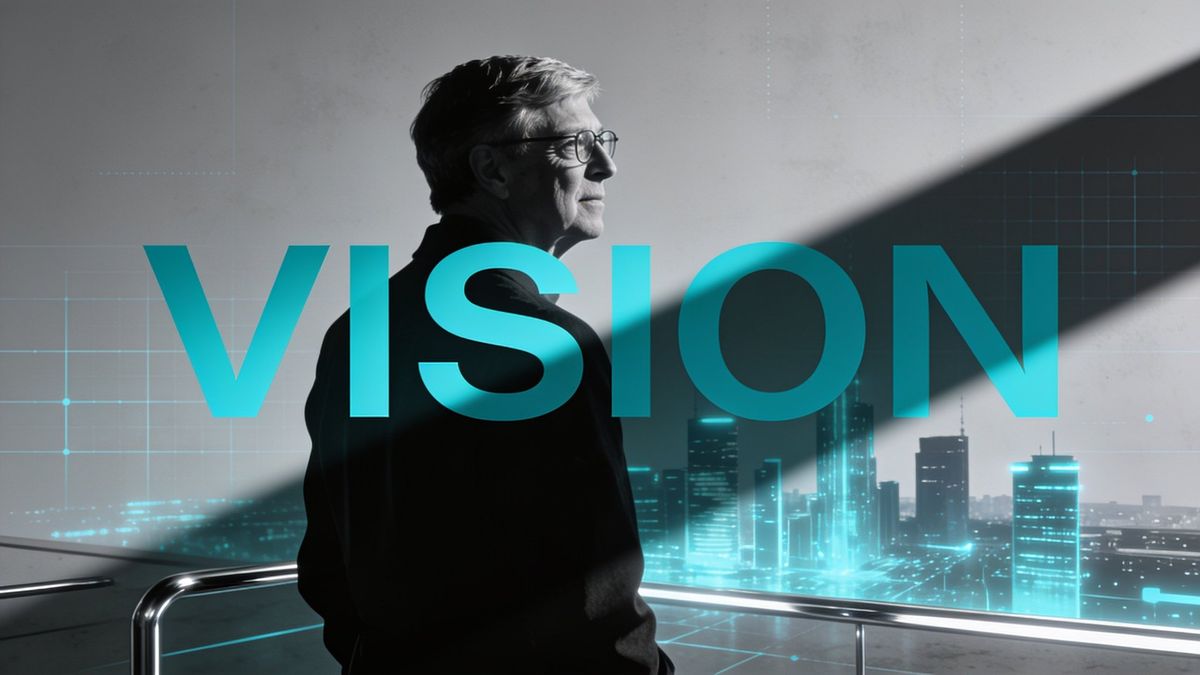
极简电影感排版海报
Enlarge

Example images

极简电影感排版海报

Prompt
A striking minimalist cinematic poster with a solid {argument name="background color" default="BACKGROUND COLOR"} textured backdrop. Massive distressed typography reading “{argument name="main word" default="MAIN WORD"}” dominates the composition in oversized bold condensed letters, with a small tagline “{argument name="tagline" default="TAGLINE"}” positioned above or within the text. A small full-body silhouette of [FAMOUS PERSON] stands or walks confidently in front of the typography, wearing [OUTFIT DESCRIPTION] and holding [PROP OR SYMBOLIC OBJECT]. The figure casts an oversized elongated shadow that stretches dramatically across the giant letters, becoming a central storytelling element. High-contrast lighting, subtle grunge texture, premium editorial design, bold negative space, modern minimalist composition, cinematic atmosphere, ultra-detailed, photorealistic, 8K, print-ready.
Category
Charts & Infographics
Model
GPT Image 2
Views0
Source ID
27996
Published
Jul 8, 2026

Guide

About "极简电影感排版海报"

What is this prompt for?

"极简电影感排版海报" AI image prompt for GPT Image 2 (Charts & Infographics). 一款引人注目的极简电影感海报提示词,包含醒目的做旧排版和戏剧性的剪影,非常适合编辑设计和氛围感电影海报。 Copy it on Picva and recreate the loo…

The full copyable prompt and example visuals above are ready for AI image generation or one-click recreate in Picva.

How to use this prompt

  1. Step 1

    Open the prompt detail

    Review the example visuals, category, and full prompt text for "极简电影感排版海报".

  2. Step 2

    Copy the prompt

    Copy the prompt body from this page, or load it directly in Studio.

  3. Step 3

    Pick a model (GPT Image 2)

    Prefer GPT Image 2. If you switch models, keep subject and composition and tweak style terms.

  4. Step 4

    Generate and export

    Recreate the look in Picva, or export into your workflow for editing and publishing.

FAQ

What is the "极简电影感排版海报" prompt?
It is an AI image-generation prompt for GPT Image 2 in the Charts & Infographics category. This page includes the full prompt text, example visuals, and a one-click recreate path in Picva.
How do I use this prompt to generate an image?
Copy the prompt from this page, or use Generate / Studio. Paste it into a compatible image model, or recreate the look in Picva with optional reference images.
Which model is this prompt for?
This page lists GPT Image 2. Most descriptive prompts also transfer to nearby image models such as GPT Image, Flux, or Midjourney with light style tweaks.
Can I use the result commercially?
You can usually copy the prompt for creation, but commercial use of the final image depends on the model terms, reference-image rights, and the generated content. Follow the source author and platform rules.