20

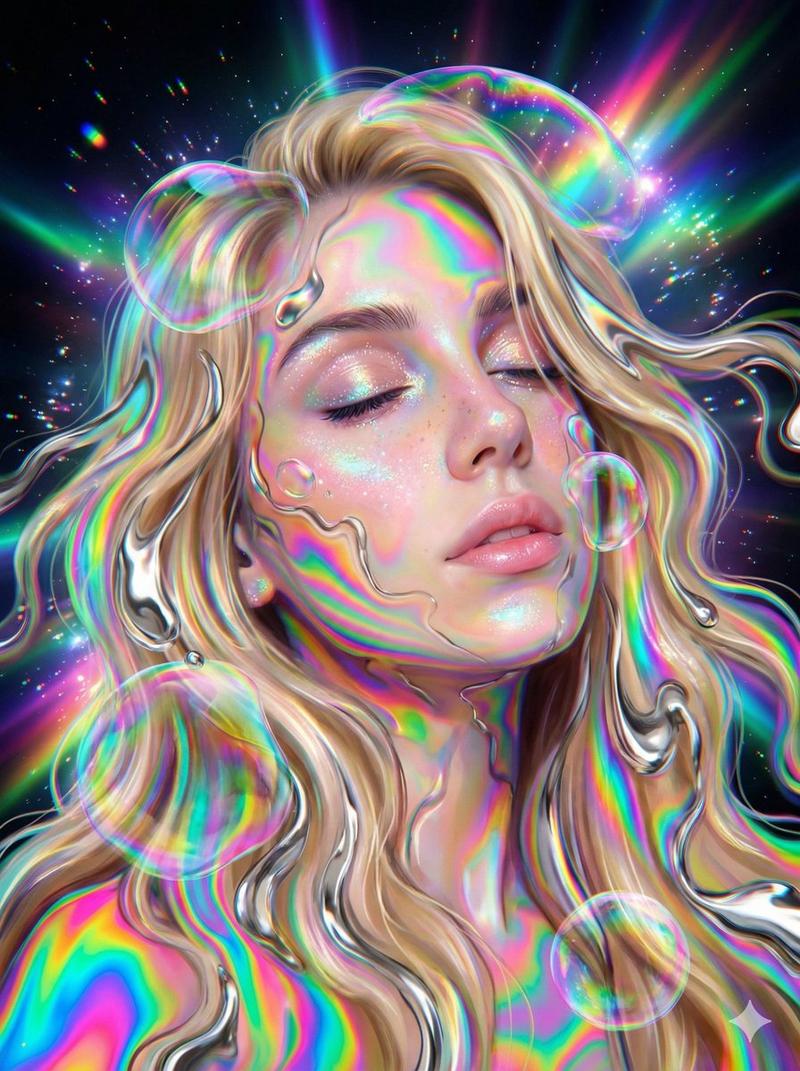
彩虹光影投射漫画肖像
Enlarge

彩虹光影投射漫画肖像

Prompt
Create a modern comic-style close-up portrait of a glamorous young woman with {argument name="hair color" default="black"} shoulder-length wavy hair, warm fair skin, glossy full lips, subtle winged eyeliner, and a calm confident gaze looking slightly toward the viewer. She is posed in a three-quarter view with one bare shoulder visible and one elegant hand resting under her chin, long manicured nails visible. Cover her face, neck, shoulder, arm, and hand with vivid projected light patterns: concentric contour-like rainbow ripples in neon cyan, magenta, purple, orange, green, and pale yellow, as if a psychedelic moiré or oil-slick topographic projection is cast across her skin and hair. Use the same swirling luminous pattern as the entire background, dense and high-contrast, with many organic oval rings and warped bands flowing diagonally around her silhouette. Style should be a polished modern manga / semi-realistic comic illustration with sharp ink-like linework, painterly shading, high detail in eyes, lips, hair strands, and hands, dramatic saturated lighting, deep shadows, glossy highlights, and a square canvas. No text, no watermark, no border, no extra characters.
Category
Photography & Realism
Model
GPT Image 2
Creator
TWnese
Views2
Source ID
28527
Published
Jul 12, 2026

Guide

About "彩虹光影投射漫画肖像"

What is this prompt for?

"彩虹光影投射漫画肖像" AI image prompt for GPT Image 2 (Photography & Realism). 一张半写实的现代漫画风格女性肖像,身上覆盖着迷幻的彩虹轮廓光影投射,适用于引人注目的编辑设计或概念艺术。 Copy it on Picva and recreate the lo…

The full copyable prompt and example visuals above are ready for AI image generation or one-click recreate in Picva.

How to use this prompt

  1. Step 1

    Open the prompt detail

    Review the example visuals, category, and full prompt text for "彩虹光影投射漫画肖像".

  2. Step 2

    Copy the prompt

    Copy the prompt body from this page, or load it directly in Studio.

  3. Step 3

    Pick a model (GPT Image 2)

    Prefer GPT Image 2. If you switch models, keep subject and composition and tweak style terms.

  4. Step 4

    Generate and export

    Recreate the look in Picva, or export into your workflow for editing and publishing.

FAQ

What is the "彩虹光影投射漫画肖像" prompt?
It is an AI image-generation prompt for GPT Image 2 in the Photography & Realism category. This page includes the full prompt text, example visuals, and a one-click recreate path in Picva.
How do I use this prompt to generate an image?
Copy the prompt from this page, or use Generate / Studio. Paste it into a compatible image model, or recreate the look in Picva with optional reference images.
Which model is this prompt for?
This page lists GPT Image 2. Most descriptive prompts also transfer to nearby image models such as GPT Image, Flux, or Midjourney with light style tweaks.
Can I use the result commercially?
You can usually copy the prompt for creation, but commercial use of the final image depends on the model terms, reference-image rights, and the generated content. Follow the source author and platform rules.