19

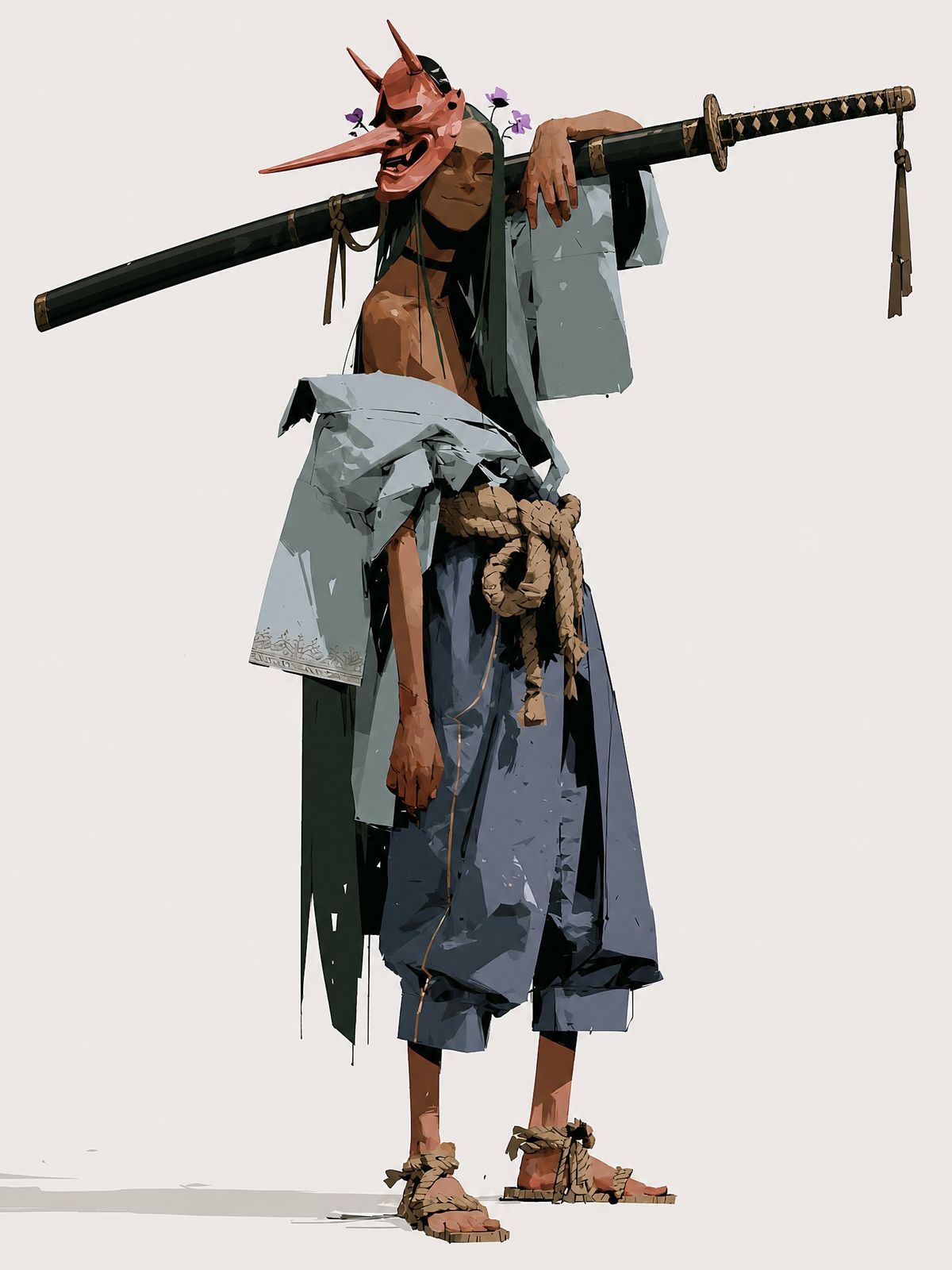
快乐天狗武士概念艺术
Enlarge

快乐天狗武士概念艺术

Prompt
Create a full-body character concept illustration of a {argument name="character name" default="Happy Samurai"}: a tall, lean, shirtless wandering samurai standing relaxed against a plain warm off-white background. He wears a vivid red tengu/oni-style mask with an extremely long pointed nose, two tall horns, dark expressive eye openings, and a wide laughing open mouth, giving him a mischievous happy expression. Small purple flowers are tucked near the mask and hair. Pose him in a casual contrapposto stance, one arm draped lazily over a long black sheathed katana or staff balanced horizontally across his shoulders, the weapon stretching far beyond both sides of his body; the right end has a black-and-gold diamond-wrapped handle and dangling tassel, the left end is a dark scabbard with subtle fittings. Dress him in tattered layered samurai clothing: a loose pale gray-blue haori slipping off one shoulder, dark green inner robe panels hanging raggedly, oversized dark blue hakama pants cropped above the ankles, a thick tan rope belt tied in a large knot at the waist, and straw rope sandals on bare feet. Use angular painterly brushwork, high-fashion character design proportions, sharp cel-shaded planes, rough ink-like edges, visible fabric tears and folds, earthy muted colors with strong black accents, minimal ground shadow, and lots of negative space. No text, no border, no watermark.
Category
Architecture & Spaces
Model
GPT Image 2
Creator
INK
Views5
Source ID
28618
Published
Jul 13, 2026

Guide

About "快乐天狗武士概念艺术"

What is this prompt for?

"快乐天狗武士概念艺术" AI image prompt for GPT Image 2 (Architecture & Spaces). 一款风格化的全身角色设计,描绘了一位戴着面具、放声大笑的浪人武士,适用于奇幻概念艺术或游戏角色灵感。 Copy it on Picva and recreate the look…

The full copyable prompt and example visuals above are ready for AI image generation or one-click recreate in Picva.

How to use this prompt

  1. Step 1

    Open the prompt detail

    Review the example visuals, category, and full prompt text for "快乐天狗武士概念艺术".

  2. Step 2

    Copy the prompt

    Copy the prompt body from this page, or load it directly in Studio.

  3. Step 3

    Pick a model (GPT Image 2)

    Prefer GPT Image 2. If you switch models, keep subject and composition and tweak style terms.

  4. Step 4

    Generate and export

    Recreate the look in Picva, or export into your workflow for editing and publishing.

FAQ

What is the "快乐天狗武士概念艺术" prompt?
It is an AI image-generation prompt for GPT Image 2 in the Architecture & Spaces category. This page includes the full prompt text, example visuals, and a one-click recreate path in Picva.
How do I use this prompt to generate an image?
Copy the prompt from this page, or use Generate / Studio. Paste it into a compatible image model, or recreate the look in Picva with optional reference images.
Which model is this prompt for?
This page lists GPT Image 2. Most descriptive prompts also transfer to nearby image models such as GPT Image, Flux, or Midjourney with light style tweaks.
Can I use the result commercially?
You can usually copy the prompt for creation, but commercial use of the final image depends on the model terms, reference-image rights, and the generated content. Follow the source author and platform rules.