地下停车场追逐分镜脚本
Prompt
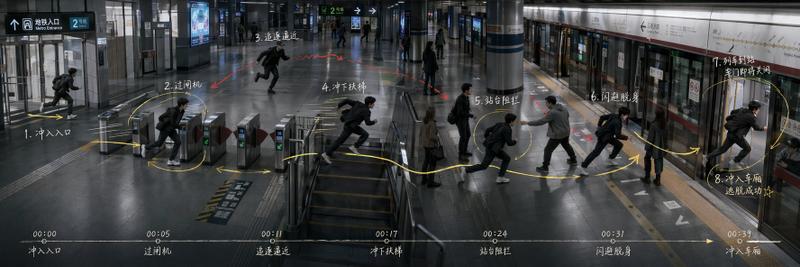
Goal: Create an ultra-wide 3:1 cinematic storyboard keyframe for a one-take action chase sequence in an underground parking garage, showing the full route, character blocking, pursuit relationship, conflict points, and final exit in one continuous panoramic scene.

Canvas: Horizontal 3:1 aspect ratio, dark realistic film still style, approximately 1200×400 composition. Use a dim concrete basement parking lot labeled B2, wet reflective floor, fluorescent ceiling lights, parked black cars, concrete pillars with yellow-black hazard stripes, directional road markings, and a bright ramp exit at the far right.

Main action: Depict {argument name="protagonist description" default="a young man in a black jacket, black pants, white sneakers, carrying a black backpack"} being chased by {argument name="pursuer description" default="a larger middle-aged man in a brown jacket and dark pants"}. Show the same two characters repeated across the continuous space as sequential action poses, not as separate panels. The protagonist begins at the elevator on the far left, runs through the car area, dodges behind a pillar, slips past parked cars, uses an obstacle area to slow the pursuer, then sprints toward the bright exit ramp on the far right. Add a third silhouette-like runner only at the far-right exit if needed to emphasize the final escape.

Layout and movement graphics: Overlay a thick yellow curved route arrow running from left to right across the entire image, with arrowheads marking direction. Add a dashed blue path around the cars and pillars to indicate alternate movement. Add a hatched circular blind-zone mark near the pillar labeled as a blind spot. Add small annotation arrows pointing to the obstacle area near caution signs and carts.

Numbered storyboard labels: Place exactly 10 yellow circled numbers with small white handwritten-style Chinese captions along the top edge, evenly spaced from left to right. Use these exact visible step captions: ① 电梯开启 / 察觉异常; ② 加快脚步 / 穿过车位区; ③ 追逐者现身 / 开始追赶; ④ 柱后堵截 / 挡住去路; ⑤ 抓住背包; ⑥ 贴柱急转 / 甩开追逐者; ⑦ 侧身穿过 / 车辆窄缝; ⑧ 追逐者被迫 / 减速绕行; ⑨ 推倒障碍 / 阻挡追击; ⑩ 冲向出口 / 拉开距离.

Bottom timeline: Add a black semi-transparent horizontal timeline strip across the bottom. It must contain exactly 7 time markers and event labels from left to right: 00:00 电梯开启; 00:05 察觉跟踪; 00:10 追逐者现身; 00:16 柱后堵截; 00:20 贴柱挣脱; 00:26 穿缝穿过; 00:32 障碍阻挡; and at the far right 00:42 冲向出口. Use a thin yellow line with small arrowheads and dots.

Scene details: Include an elevator doorway at far left with B2 signage, several parked cars, multiple concrete support columns, a narrow gap between vehicles, trash carts or cleaning carts, yellow caution wet-floor signs, and a bright white daylight exit ramp at far right with an overhead exit sign. Use Chinese parking-garage signage where visible, such as B2 and 出口 EXIT.

Visual style: Photorealistic cinematic action storyboard, moody cool-gray color grading, high contrast, wet concrete reflections, motion-blur hints on running figures, sharp environmental details, yellow annotation graphics resembling a director's blocking plan, handwritten white Chinese notes, tense thriller atmosphere. Make it look like a finished previsualization board for {argument name="sequence title" default="Underground Parking Garage Chase"}.

Constraints: Keep the composition as one continuous wide space, not comic panels. Show exactly 10 numbered top annotations, exactly 8 bottom timeline events including the final 00:42 marker, and maintain the same protagonist and pursuer across all repeated poses. Do not add logos, watermarks, or unrelated text.- Category
- Charts & Infographics
- Model
- GPT Image 2
- Creator
- Larus Canus
- Source ID
- 28659
- Published
- Jul 13, 2026
Views9