20

Japanese futon film portrait: GPT Image 2 prompt
Enlarge

Example images

Japanese futon film portrait: GPT Image 2 prompt

Prompt
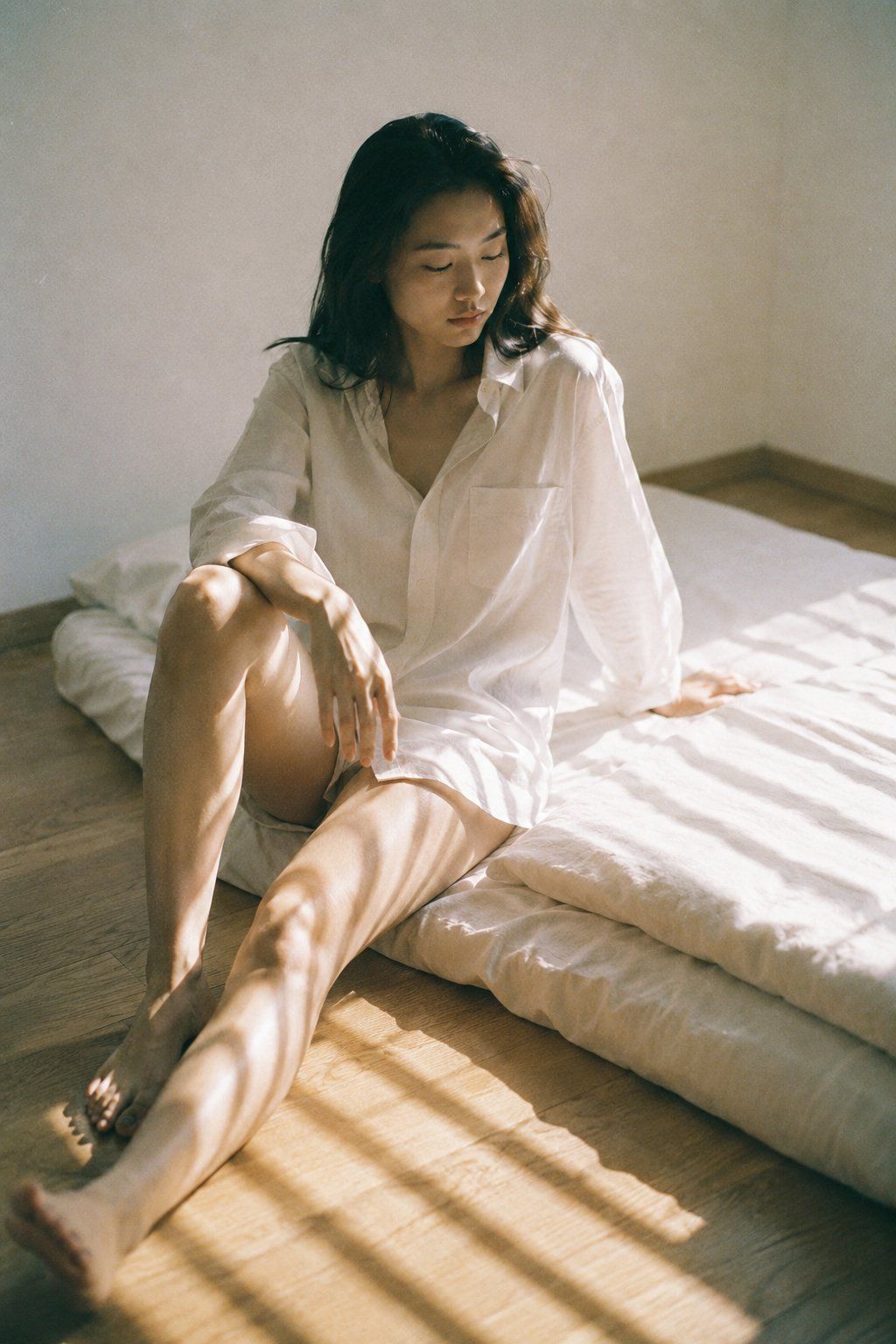
A medium portrait captured with a 50mm lens at f/2.0. The subject is a young East Asian woman, early 20s, identical soft features, nude lip, white cotton oversized shirt. She sits at the edge of a low Japanese futon on bare light wood floor, one knee raised, weight on one arm, eyes cast downward. Bright afternoon sun from a side window casts long parallel shadow bars across floor and fabric. Color profile: expired-film simulation — highlights bleached to near-white, shadow base lifted to grey-green, teal-orange channel split, analog grain shift across entire frame. Nostalgic 1990s Japanese photography aesthetic. Visible ISO 400 grain throughout, film scan texture on highlights.
Category
Photography & Realism
Model
GPT Image 2
Views4
Source ID
2076335782328242496
Published
Jul 13, 2026

Guide

About "Japanese futon film portrait: GPT Image 2 prompt"

What is this prompt for?

"Japanese futon film portrait: GPT Image 2 prompt" AI image prompt for GPT Image 2 (Photography & Realism). A medium portrait captured with a 50mm lens at f/2.…

The full copyable prompt and example visuals above are ready for AI image generation or one-click recreate in Picva.

How to use this prompt

  1. Step 1

    Open the prompt detail

    Review the example visuals, category, and full prompt text for "Japanese futon film portrait: GPT Image 2 prompt".

  2. Step 2

    Copy the prompt

    Copy the prompt body from this page, or load it directly in Studio.

  3. Step 3

    Pick a model (GPT Image 2)

    Prefer GPT Image 2. If you switch models, keep subject and composition and tweak style terms.

  4. Step 4

    Generate and export

    Recreate the look in Picva, or export into your workflow for editing and publishing.

FAQ

What is the "Japanese futon film portrait: GPT Image 2 prompt" prompt?
It is an AI image-generation prompt for GPT Image 2 in the Photography & Realism category. This page includes the full prompt text, example visuals, and a one-click recreate path in Picva.
How do I use this prompt to generate an image?
Copy the prompt from this page, or use Generate / Studio. Paste it into a compatible image model, or recreate the look in Picva with optional reference images.
Which model is this prompt for?
This page lists GPT Image 2. Most descriptive prompts also transfer to nearby image models such as GPT Image, Flux, or Midjourney with light style tweaks.
Can I use the result commercially?
You can usually copy the prompt for creation, but commercial use of the final image depends on the model terms, reference-image rights, and the generated content. Follow the source author and platform rules.