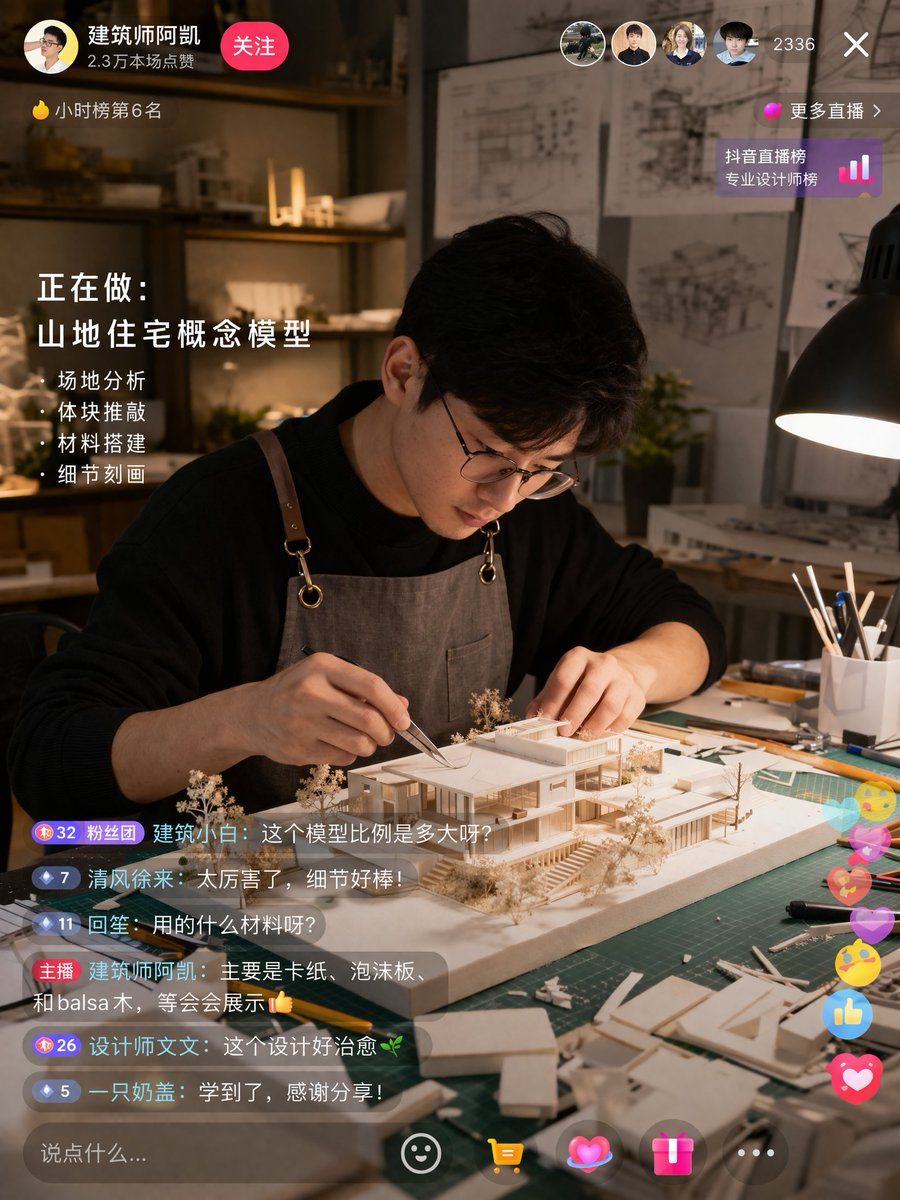
建筑师直播界面 UI 模型
Prompt
{
  "type": "live stream interface mockup",
  "scene": {
    "subject": "{argument name=\"subject description\" default=\"young Asian male architect wearing glasses and a brown canvas apron\"}",
    "action": "focused on building a detailed white architectural scale model of a modern house using tweezers",
    "setting": "dimly lit design studio, green cutting mat, desk lamp, architectural blueprints on the wall in the background"
  },
  "ui_elements": {
    "top_left": {
      "profile": "avatar, username '{argument name=\"username\" default=\"建筑师阿凯\"}', stats '2.3万本场点赞', pink '关注' button",
      "ranking": "yellow flame icon '小时榜第6名'"
    },
    "top_right": {
      "viewers": "4 user avatars, count '2336', 'X' close button",
      "ranking_link": "pink dot '更多直播 >', '抖音直播榜 专业设计师榜' with bar chart icon"
    },
    "mid_left_overlay": {
      "title": "正在做:",
      "subtitle": "{argument name=\"current task\" default=\"山地住宅概念模型\"}",
      "bullet_points_count": 4,
      "bullet_points": [
        "· 场地分析",
        "· 体块推敲",
        "· 材料搭建",
        "· 细节刻画"
      ]
    },
    "bottom_left_chat": {
      "message_count": 6,
      "messages": [
        "Badge 32 粉丝团 建筑小白: {argument name=\"chat message 1\" default=\"这个模型比例是多大呀?\"}",
        "Badge 7 清风徐来: 太厉害了,细节好棒!",
        "Badge 11 回笙: 用的什么材料呀?",
        "主播 {argument name=\"username\" default=\"建筑师阿凯\"}: {argument name=\"host reply\" default=\"主要是卡纸、泡沫板、和balsa木,等会会展示👍\"}",
        "Badge 26 设计师文文: 这个设计好治愈🌿",
        "Badge 5 一只奶盖: 学到了,感谢分享!"
      ]
    },
    "bottom_right_interactions": "floating colorful icons including hearts, thumbs up, and smiley faces",
    "bottom_bar": "input field '说点什么...', smiley icon, yellow shopping cart icon, pink heart icon, pink gift box icon, '...' icon"
  }
}- Category
- Charts & Infographics
- Model
- GPT Image 2
- Creator
- MarioTan
- Source ID
- 13848
- Published
- Apr 16, 2026
Views9