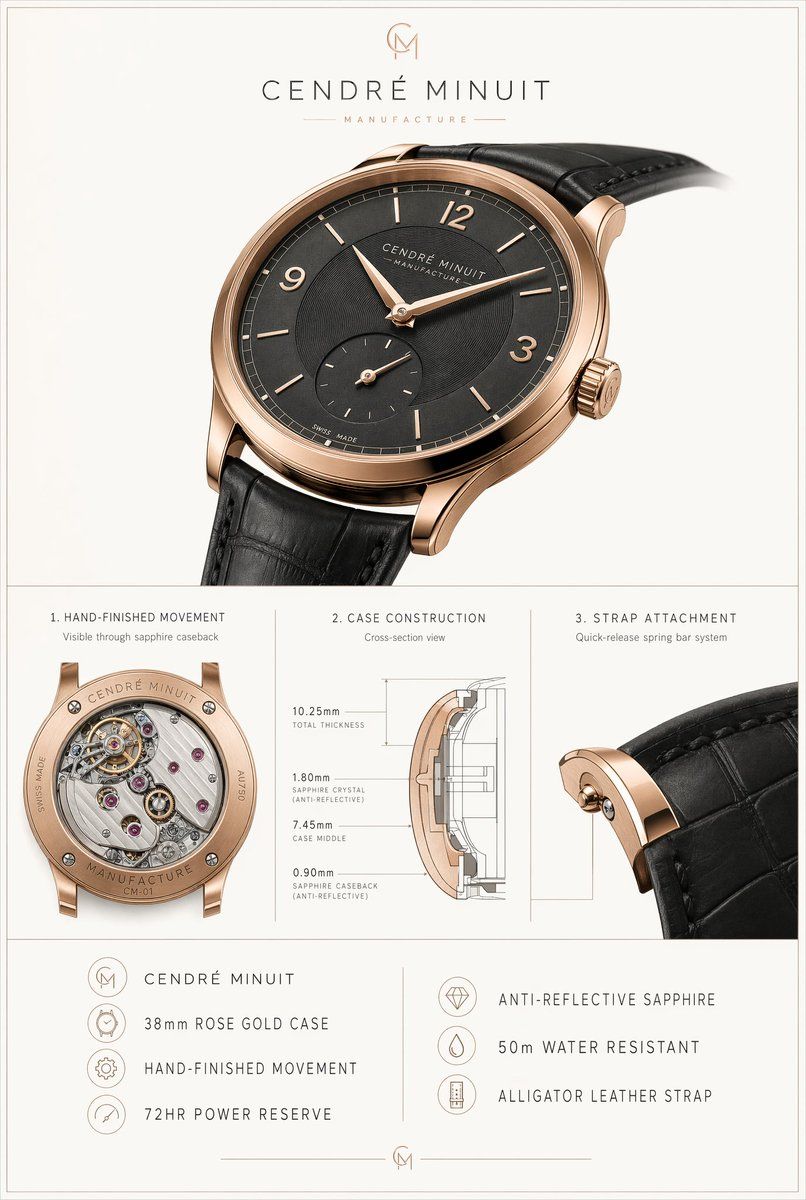
奢华腕表技术海报
Prompt
{"type":"luxury watch product specification poster","brand":{"name":"{argument name=\"brand name\" default=\"CENDRÉ MINUIT\"}","tagline":"MANUFACTURE","monogram":"CM"},"subject":{"product":"dress wristwatch","case":{"diameter":"{argument name=\"case size\" default=\"38mm\"}","material":"{argument name=\"case material\" default=\"rose gold\"}","finish":"high-polish warm rose gold tone","shape":"round ultra-thin case with elegant curved lugs","crown":"fluted crown with engraved monogram"},"dial":{"color":"{argument name=\"dial color\" default=\"charcoal black\"}","style":"minimalist sector-textured dial","markers":{"count":10,"details":"8 slim baton indices plus Arabic numerals at 12, 3, and 9, with no marker at 6 because of subdial"},"hands":"leaf-shaped rose gold hour and minute hands","subdials":{"count":1,"type":"small seconds at 6 o'clock"},"text":["CENDRÉ MINUIT","MANUFACTURE","SWISS MADE"]},"strap":{"material":"{argument name=\"strap material\" default=\"black alligator leather\"}","color":"black","attachment":"quick-release spring bar system"},"movement":{"type":"mechanical hand-finished movement","visible_caseback":true,"power_reserve":"72HR"}},"layout":{"background":"soft warm light gray with thin double-line border around the full canvas","orientation":"vertical poster","sections":[{"title":"hero product shot","position":"top","count":1,"labels":["main watch"]},{"title":"1. HAND-FINISHED MOVEMENT","position":"middle left","count":1,"labels":["Visible through sapphire caseback"]},{"title":"2. CASE CONSTRUCTION","position":"middle center","count":1,"labels":["Cross-section view","10.25mm TOTAL THICKNESS","1.80mm SAPPHIRE CRYSTAL (ANTI-REFLECTIVE)","7.45mm CASE MIDDLE","0.90mm SAPPHIRE CASEBACK (ANTI-REFLECTIVE)"]},{"title":"3. STRAP ATTACHMENT","position":"middle right","count":1,"labels":["Quick-release spring bar system"]},{"title":"feature list left","position":"bottom left","count":4,"labels":["CENDRÉ MINUIT","38mm ROSE GOLD CASE","HAND-FINISHED MOVEMENT","72HR POWER RESERVE"]},{"title":"feature list right","position":"bottom right","count":3,"labels":["ANTI-REFLECTIVE SAPPHIRE","50m WATER RESISTANT","ALLIGATOR LEATHER STRAP"]}],"dividers":"thin gray vertical and horizontal rules separating sections"},"visual_style":{"look":"premium Swiss watch advertisement and technical spec sheet","lighting":"soft studio lighting with realistic metal reflections and subtle shadows","camera":"hero watch shown in large three-quarter front view angled slightly right, strap extending off frame; detailed macro closeups in lower panels","typography":"refined uppercase luxury sans-serif with generous letter spacing","render_quality":"photorealistic, high-end catalog, precise engraving, realistic leather grain, crisp technical diagram lines"}}- Category
- Charts & Infographics
- Model
- GPT Image 2
- Creator
- Alexandra Aisling
- Source ID
- 15081
- Published
- Apr 22, 2026
Views5














