19

日式拼贴时尚肖像
Enlarge

日式拼贴时尚肖像

Prompt
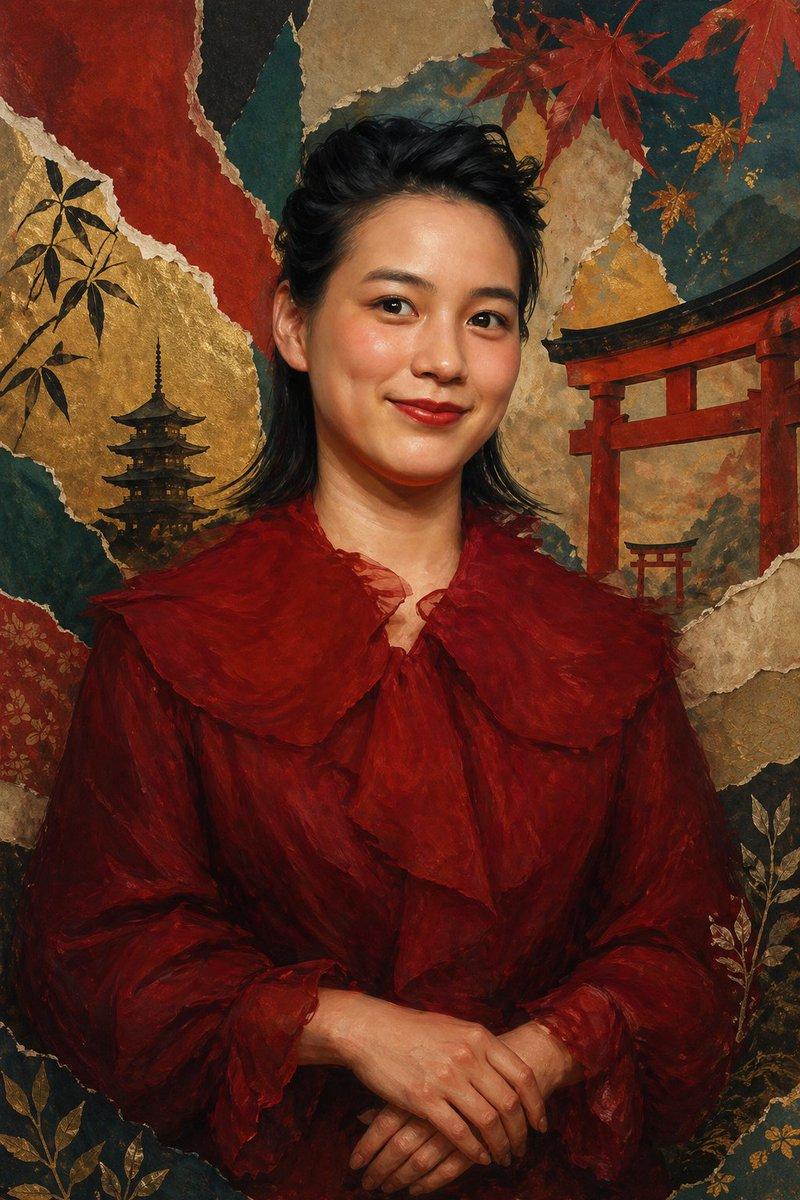
A stylized waist-up to three-quarter portrait of a Japanese woman inspired by {argument name="character name" default="Non, Nōnen Rena"}, centered and facing forward with a calm, poised expression and her hands gently clasped at her waist. She has medium-length dark black hair, softly layered and swept back from the face with a slightly tousled crown, and fair skin. She wears a luxurious deep crimson velvet dress with a dramatic oversized ruffled collar, intricate vertical lace trim down the bodice, and matching lace-trimmed cuffs, giving the look a romantic vintage elegance. Render the figure in a painterly, polished editorial illustration style with realistic anatomy, soft shading, rich fabric texture, and subtle highlights on the velvet. Place her against a handmade torn-paper collage background themed around Japan, composed of layered textured paper in indigo blue, teal, sage green, cream, and gold leaf tones. Include exactly 5 visible torii gate silhouettes scattered across the background, exactly 3 pagoda silhouettes on the right side and lower right, and painted bamboo leaves integrated into several paper layers. The collage should feel artisanal and refined, with irregular ripped edges, overlapping papers, and decorative gold accents. Vertical composition, full image dominated by the figure, with the background serving as a cultural, elegant backdrop. No text, no border, no extra objects, sophisticated museum-poster aesthetic.
Category
Posters & Typography
Model
GPT Image 2
Creator
TWnese
Views5
Source ID
17191
Published
Apr 29, 2026

Guide

About "日式拼贴时尚肖像"

What is this prompt for?

"日式拼贴时尚肖像" AI image prompt for GPT Image 2 (Posters & Typography). 此提示词可生成一幅优雅的油画风格肖像,描绘了一位身着深红色丝绒礼服的日本女性,背景为包含鸟居、宝塔和竹子图案的层叠撕纸拼贴画,适用于编辑艺术或文化海报。 Copy it on Picv…

The full copyable prompt and example visuals above are ready for AI image generation or one-click recreate in Picva.

How to use this prompt

  1. Step 1

    Open the prompt detail

    Review the example visuals, category, and full prompt text for "日式拼贴时尚肖像".

  2. Step 2

    Copy the prompt

    Copy the prompt body from this page, or load it directly in Studio.

  3. Step 3

    Pick a model (GPT Image 2)

    Prefer GPT Image 2. If you switch models, keep subject and composition and tweak style terms.

  4. Step 4

    Generate and export

    Recreate the look in Picva, or export into your workflow for editing and publishing.

FAQ

What is the "日式拼贴时尚肖像" prompt?
It is an AI image-generation prompt for GPT Image 2 in the Posters & Typography category. This page includes the full prompt text, example visuals, and a one-click recreate path in Picva.
How do I use this prompt to generate an image?
Copy the prompt from this page, or use Generate / Studio. Paste it into a compatible image model, or recreate the look in Picva with optional reference images.
Which model is this prompt for?
This page lists GPT Image 2. Most descriptive prompts also transfer to nearby image models such as GPT Image, Flux, or Midjourney with light style tweaks.
Can I use the result commercially?
You can usually copy the prompt for creation, but commercial use of the final image depends on the model terms, reference-image rights, and the generated content. Follow the source author and platform rules.