18

未来感东京街头摄影
Enlarge

Example images

未来感东京街头摄影

Prompt
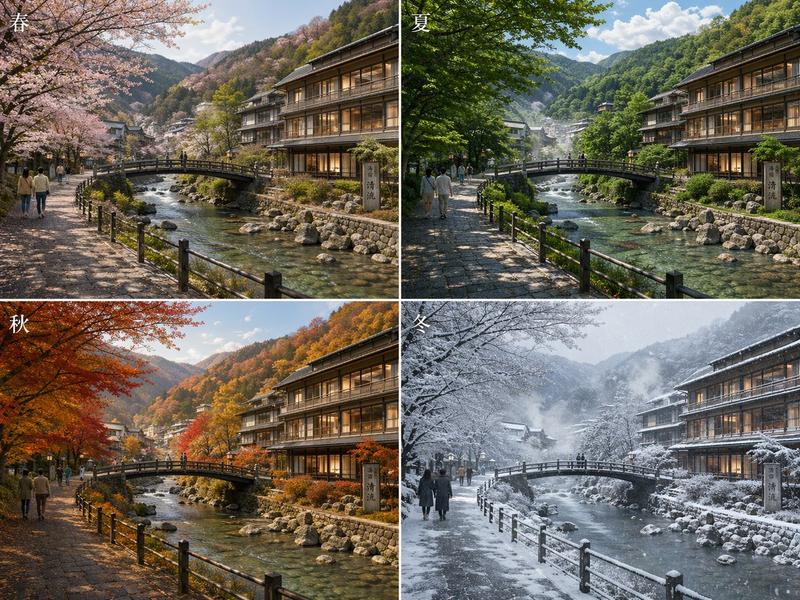
Cinematic architectural street photography of a futuristic modern glass building glowing with warm golden interior lights during a {argument name="weather" default="rainy"} {argument name="season" default="autumn"} evening in {argument name="city" default="Tokyo"}, ultra-realistic urban atmosphere, massive curved glass facade with intricate steel framework, wet reflective pavement covered with orange autumn leaves, elegant people walking with transparent umbrellas, moody blue-hour sky, vibrant orange-red maple trees framing the scene, dramatic reflections on rain-soaked ground, soft ambient city lighting, cozy cinematic mood, high detail, long exposure photography style, realistic reflections, depth and perspective, luxury urban aesthetic, atmospheric rain, editorial travel photography, shot on Sony A7R IV, 35mm lens, f/1.8, ultra-detailed, HDR, vertical composition, aspect ratio 3:4.
Category
Charts & Infographics
Model
GPT Image 2
Creator
Jahan Zaib
Views5
Source ID
22708
Published
May 26, 2026

Guide

About "未来感东京街头摄影"

What is this prompt for?

"未来感东京街头摄影" AI image prompt for GPT Image 2 (Charts & Infographics). 一个用于生成秋雨之夜未来感东京建筑电影级城市场景的高细节提示词。 Copy it on Picva and recreate the look in one click.

The full copyable prompt and example visuals above are ready for AI image generation or one-click recreate in Picva.

How to use this prompt

  1. Step 1

    Open the prompt detail

    Review the example visuals, category, and full prompt text for "未来感东京街头摄影".

  2. Step 2

    Copy the prompt

    Copy the prompt body from this page, or load it directly in Studio.

  3. Step 3

    Pick a model (GPT Image 2)

    Prefer GPT Image 2. If you switch models, keep subject and composition and tweak style terms.

  4. Step 4

    Generate and export

    Recreate the look in Picva, or export into your workflow for editing and publishing.

FAQ

What is the "未来感东京街头摄影" prompt?
It is an AI image-generation prompt for GPT Image 2 in the Charts & Infographics category. This page includes the full prompt text, example visuals, and a one-click recreate path in Picva.
How do I use this prompt to generate an image?
Copy the prompt from this page, or use Generate / Studio. Paste it into a compatible image model, or recreate the look in Picva with optional reference images.
Which model is this prompt for?
This page lists GPT Image 2. Most descriptive prompts also transfer to nearby image models such as GPT Image, Flux, or Midjourney with light style tweaks.
Can I use the result commercially?
You can usually copy the prompt for creation, but commercial use of the final image depends on the model terms, reference-image rights, and the generated content. Follow the source author and platform rules.